Downloadable Files
You can download Wedding Light Transitions For DaVinci Resolve for free from the end of this page.
Bring a Romantic Glow to Every Scene
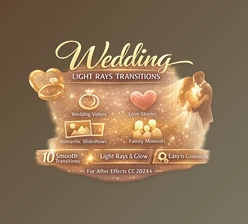
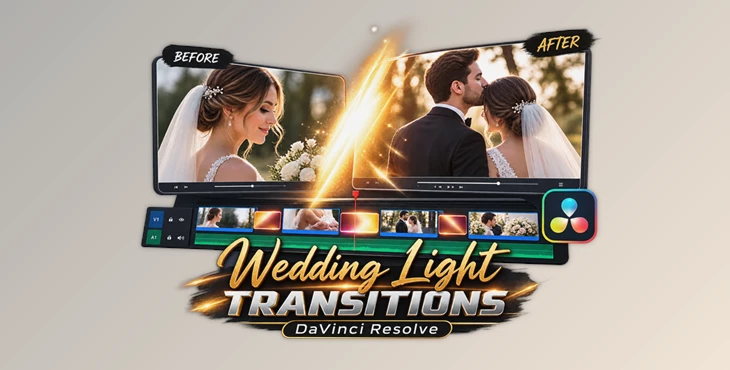
Wedding videos are all about emotion, warmth, and beautiful moments. The right transition can make those moments feel even more cinematic. Wedding Light Transitions For DaVinci Resolve is a collection of smooth light leak effects designed to create elegant scene changes with natural-looking light, warmth, and a luxurious atmosphere.
Instead of relying on simple cuts or standard transitions, you can add a soft cinematic glow between clips and make your wedding films feel more polished and emotionally engaging.
What Are Wedding Light Transitions?
Wedding light transitions are visual effects that utilize natural-looking light leaks to connect two scenes within a wedding video editing project. These transitions work especially well for connecting romantic moments within the video.
For instance, a light flare can seamlessly transition from the bride getting ready to the wedding ceremony. Or, a light leak can connect two outdoor wedding video shots.
These types of transitions help to connect two scenes within a wedding video while also adding warmth and character to the edited wedding video.
A Professional Transition Collection
Wedding Light Transitions For DaVinci Resolve makes it easier to give wedding projects a refined and cinematic appearance without building every light effect from scratch. The transitions are designed for a simple drag-and-drop workflow, allowing editors to focus more on storytelling and less on complicated effect creation.
Whether you’re creating a short wedding highlight, a romantic love story, or a cinematic bridal film, these effects can help scenes flow together naturally.
Features
- 15+ Smooth & Cinematic Light Transitions: A collection of different light-based transitions for creating varied scene changes.
- Professional Wedding Style: Designed around the warm, romantic visual style commonly used in wedding films.
- Easy Drag & Drop Workflow: Quickly place the transitions into your timeline without complicated setup.
- High-Quality Resolution: Suitable for professional-looking video projects where image quality matters.
- Color-Rich Natural Light Effects: Adds warmth and visual depth while maintaining a natural cinematic appearance.
- Fast Rendering: Helps keep the editing workflow efficient.
- Beginner-Friendly: Simple enough for new editors while remaining useful for professional projects.
- Wide Software Compatibility: Works with DaVinci Resolve, Adobe Premiere Pro, After Effects, Final Cut Pro, CapCut, Filmora, and other editing software that supports video overlays or transitions.
Where Can You Use Them?
These transitions can fit naturally into many types of visual projects, including:
- Wedding films and highlight videos
- Engagement videos
- Romantic love stories
- Bridal highlight reels
- Romantic slideshows
- Family memories
- Fashion videos
- Travel films
- Luxury promotional videos
- Social media reels
- YouTube and commercial projects
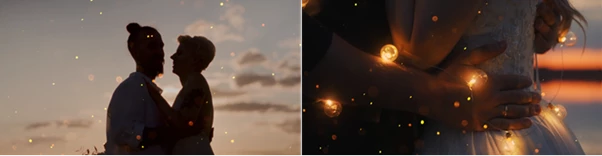
For instance, you can use a brighter transition during an outdoor couple sequence or choose a softer light effect when moving between emotional close-ups. Matching the transition style to the mood of the footage can make the edit feel much more intentional.
Tips for a More Natural Result
Use light transitions subtly in your editing. Not every cut from one clip to the next needs a flash of light or a bright light leak. Use bright light transitions for certain types of scenes as opposed to others that may call for a more subtle effect.
Consider the lighting in your footage. A warm type of transition may work better for golden hour footage as opposed to a more neutral light transition.
Place the light transition precisely over the cut between your two clips and preview the result several times to fine tune the transition duration to find what feels most natural to your editing style.
Finally, avoid using the same light transition throughout your project. Using different types of lighting transitions for your wedding edits will keep your video interesting and cinematic at all times.
Make Your Wedding Edits Feel More Cinematic
A good wedding video is not only about capturing beautiful moments—it is also about connecting those moments in a way that feels natural and emotional. Wedding Light Transitions For DaVinci Resolve gives editors an easy way to add warmth, movement, and cinematic atmosphere to those connections.
With 15+ smooth light transitions, fast rendering, natural-looking effects, and a simple workflow, this collection can be a useful addition to wedding films, romantic edits, and other emotional video projects. Try different effects, keep the transitions subtle, and let the footage remain the main focus of your story.

Files Password : gfxplugin.com OR 123456