Downloadable Files
You can download Dualistic Presetsfor free from the bottom of this page.
Explore Both Sides of Your Photography
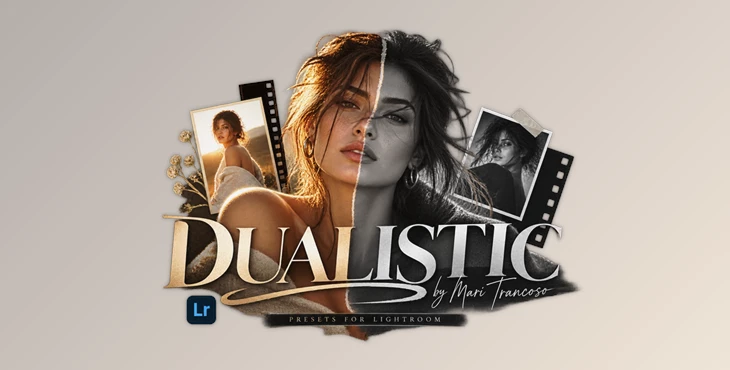
Photo editing does not always have to follow a fixed style or a strict set of rules. Sometimes the most interesting results appear when you experiment with completely different moods and let the image guide your choices. Dualistic Presets is a collection of 21 Lightroom presets designed around exactly this idea.
The pack gives photographers a selection of distinctive looks ranging from timeless black-and-white edits to cinematic colors, film-inspired tones, classic processing, and bold flash aesthetics. Although the presets are organized into categories, they are designed to encourage experimentation rather than restrict it.
What Are Dualistic Lightroom Presets?
Dualistic Presets is a set of 21 presets created for Adobe Lightroom. The collection is divided into several visual categories, with four variations available for each main style.
Instead of manually rebuilding a color grade for every photograph, you can use these presets as creative starting points. A portrait could instantly take on a cinematic atmosphere, while another image from the same session could be transformed into a classic or film-inspired photograph.
The real strength of this approach is speed combined with creative flexibility. Presets give you an established visual direction while still leaving room to adjust exposure, contrast, colors, and other Lightroom settings according to the individual image.
One Collection, Multiple Visual Personalities
The idea behind Dualistic Presets goes beyond simply providing different color presets. Its categories act as gentle guidelines rather than strict rules.
A preset labeled as cinematic does not have to be reserved for cinematic photographs. You could experiment with it on portraits, lifestyle photography, travel shots, or even spontaneous everyday images. Likewise, a flash-inspired look might create an unexpected and interesting result on an image originally shot with natural light.
This freedom makes the collection useful when you want to explore several interpretations of the same photograph before deciding which direction works best.
Features
21 Lightroom Presets
The pack contains 21 presets, giving you a varied collection of editing styles within a single set. This makes it easier to test different moods without manually creating every look from scratch.
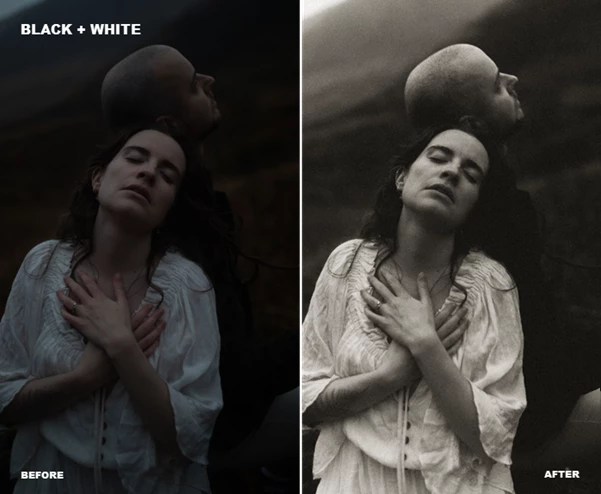
Black & White Looks
The black-and-white options help remove the distraction of color and place greater emphasis on light, contrast, expressions, textures, and composition.
They can work especially well for emotional portraits, documentary-style photography, intimate moments, or images where shape and lighting are more important than color.
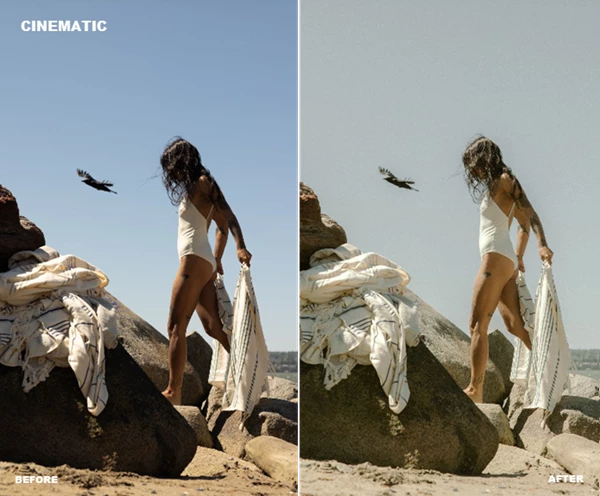
Cinematic Styles
Cinematic presets can give photographs a more atmospheric and storytelling-oriented appearance. They are useful when you want an image to feel more like a carefully graded frame from a visual story rather than a straightforward digital photograph.
Try them with environmental portraits, travel photography, lifestyle sessions, or images featuring dramatic lighting.
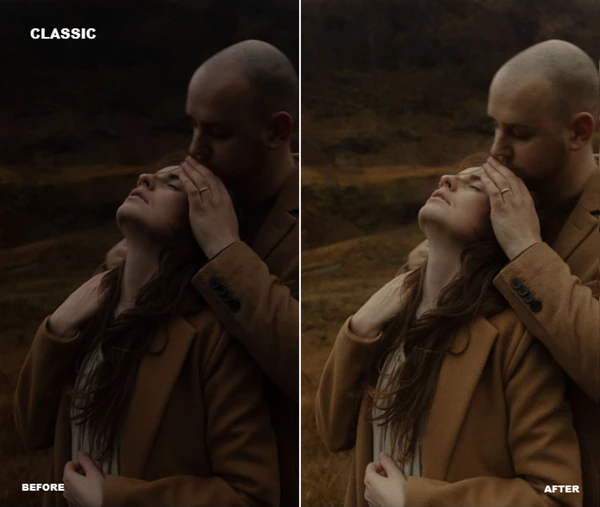
Classic Processing
Classic looks offer another direction for photographs that benefit from a more familiar and balanced visual character. They can be particularly useful when you want the editing to complement the photograph without completely dominating it.
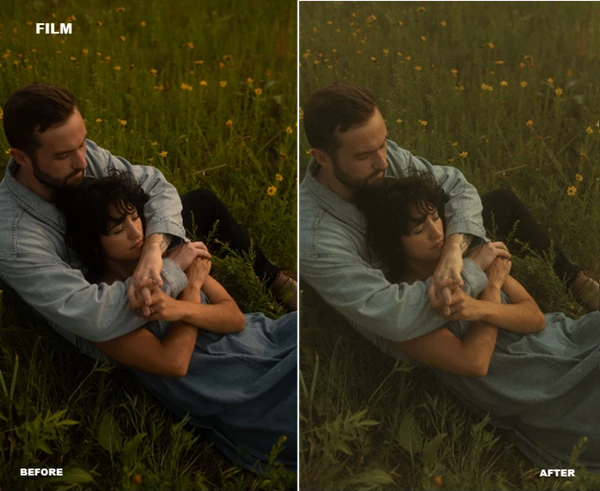
Film-Inspired Presets
Film aesthetics can introduce a more organic character into digital photography. These presets provide a quick starting point for experimenting with a film-influenced mood while maintaining the flexibility of a Lightroom workflow.
Portraits, everyday photography, fashion images, and personal projects can all be interesting subjects for this style.
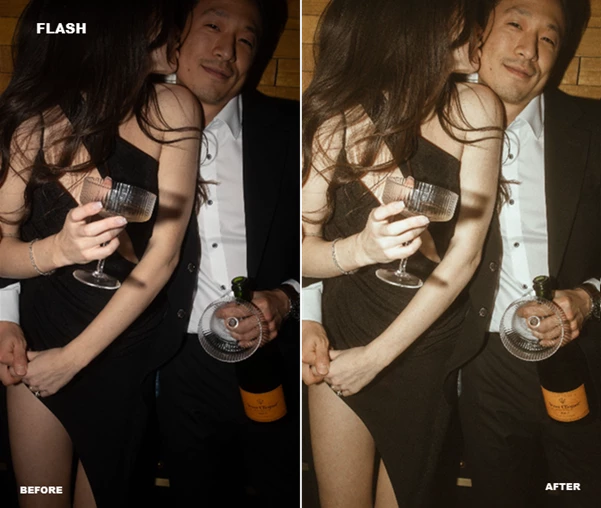
Flash-Inspired Looks
The flash category provides another creative personality within Dualistic Presets. It can be used to explore punchier, more immediate-looking edits that complement fashion, lifestyle, party, editorial, or spontaneous photography.
And remember: the category name is only a guideline. Experimenting with these looks on completely different types of images may produce some of the most interesting results.
Break the Categories and Experiment
One of the central ideas behind Dualistic Presets is that creative categories do not need to become creative limitations.
Start by trying the preset category that seems most appropriate for your photograph. Then deliberately test the opposite direction. If a portrait feels naturally suited to a soft film look, see what happens with a stronger flash or cinematic preset.
Comparing these interpretations can reveal qualities in the photograph that were not immediately obvious.
Tips for Better and More Natural Results
Treat each preset as a starting point rather than a finished edit. After applying a look, check your exposure and white balance first because these fundamental adjustments can significantly affect the final appearance.
Pay attention to skin tones when working with portraits. If the preset creates a mood you like but pushes skin colors too far, make small adjustments instead of abandoning the entire look.
It is also worth testing several variations before making a decision. The difference between two related presets may seem subtle at first, but one variation can interact much better with the lighting and colors of a particular photograph.
Finally, avoid forcing every image from a shoot into exactly the same treatment. A consistent visual identity can be valuable, but allowing individual photographs to breathe often produces a more natural and expressive final collection.
A Flexible Starting Point for Creative Editing
Dualistic Presets includes 21 different Lightroom presets that offer black-and-white, cinematic, classic, film, and flash photographic styles. Each of these categories provides photographers with a starting point for their editing work.
These editing presets can be utilized according to the categories indicated by the presets or mixed in new ways to explore new visual directions for your photography work. Utilize these editing variations to find new ways to edit your photographic work, while the different categories provide inspiration for your editing work.

Files Password : gfxplugin.com OR 123456