Downloadable Files
You can download Seamless Cad for free from the end of this page.
Seamless Cad – Parametric Solid Modeling Inside Blender
If you enjoy working in Blender but sometimes wish you had the precision and flexibility of a dedicated CAD application, Seamless Cad brings those two workflows much closer together. Instead of turning every modeling operation into permanent mesh geometry, it keeps your shapes editable through a parametric feature-based workflow.
This means you can create a box, perform a boolean operation, add a fillet, build an array, and later return to an earlier step to change a dimension. The following operations are then rebuilt based on your changes.
For product designers, mechanical modelers, 3D printing enthusiasts, and Blender users who need more precise solid modeling, this can make experimentation much easier.
Parametric Modeling Without Leaving Blender
Traditional mesh modeling is excellent for organic objects, visualization, animation, and many general 3D tasks. However, mechanical and manufactured objects often benefit from a different approach.
Parametric modeling is based on editable operations and numerical values. Instead of treating a model only as its final geometry, you maintain a history of how that geometry was created.
Imagine designing an enclosure for an electronic device. You create the main box, cut openings for ports, round several edges, and add repeated ventilation slots. Later, you realize the enclosure needs to be slightly wider.
With a feature-based workflow, you can modify the original dimension rather than manually rebuilding large portions of the model. Seamless Cad is designed to bring this kind of workflow directly into Blender.
Meet Seamless Cad
Seamless Cad is a parametric solid-modeling solution that integrates CAD-style modeling with Blender. Its geometry is calculated using OpenCASCADE, an industrial B-Rep geometry kernel also used by FreeCAD.
Rather than approximating CAD objects entirely through polygon meshes, the tool can work with true solid geometry. At the same time, you can continue interacting with your objects through familiar Blender controls and eventually bake the result into a regular Blender mesh when needed.
The CAD kernel also runs in a separate process with multithreaded evaluation. This approach helps keep Blender responsive while complex geometry is being recalculated.
Features
Editable Feature Tree
One of the most useful parts of Seamless Cad is its non-destructive feature tree.
Primitives, booleans, and modifiers remain part of an editable modeling history. You can return to an earlier operation, change its parameters, and allow later operations to rebuild around the modification.
This makes design iteration much more comfortable because an early modeling decision does not necessarily lock the rest of your project into place.
Direct Viewport Manipulation
A CAD workflow does not mean giving up Blender's familiar interaction system.
Proxy objects can be manipulated directly in the viewport using Blender's regular G, R, and S controls. As you move, rotate, or scale the proxy, the corresponding solid can update with a live preview.
This provides a useful balance between numerical CAD precision and Blender's visual modeling workflow.
True B-Rep Solid Geometry
The tool uses OpenCASCADE to calculate real B-Rep solids rather than relying purely on mesh approximations.
This is particularly valuable for mechanical parts, manufactured objects, product designs, 3D-printing models, and other projects where accurate surfaces and solid geometry matter.
It also helps avoid some common mesh-related problems such as unwanted polygon stretching, topology artifacts, and shading issues.
Reliable CAD Booleans
Boolean operations can become complicated when working with dense or difficult mesh geometry.
Seamless Cad provides solid-based Union, Difference, and Intersection operations. Because these calculations are performed using CAD geometry, they can handle many shapes that would be troublesome for conventional mesh booleans.
For example, you could build a mechanical housing and repeatedly subtract holes, slots, or internal spaces while keeping those operations editable.
Fillets and Chamfers
Hard-surface and product designs often need rounded or beveled edges to look and function realistically.
The tool allows you to select edges and apply fillets or chamfers directly to the CAD solid. Fillet radii can also be overridden on individual edges, making variable fillets possible.
This is especially useful for manufactured objects where different areas require different edge treatments.
Advanced Solid Modifiers
Beyond basic booleans and fillets, the tool includes operations such as:
Shell
Draft
Face Offset
Inset
Mirror
Linear Arrays
Circular Arrays
Together, these features allow more complex objects to be constructed while preserving a procedural and editable workflow.
For example, a circular array could create repeated holes around a mechanical flange, while a shell operation could turn a solid body into a hollow enclosure.
STEP Import and Export
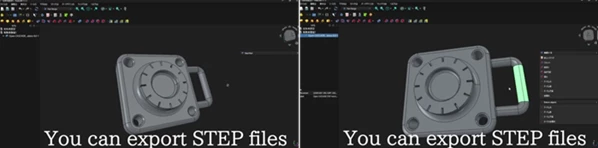
Seamless Cad can exchange STEP geometry with other CAD software.
You can import parts originating from applications such as SolidWorks, Fusion 360, Rhino, or FreeCAD and work with them inside Blender. Likewise, CAD solids can be exported for workflows involving CNC production, mold design, additive manufacturing, or additional CAD editing.
STEP export uses exact B-Rep geometry in AP214 format. Export scaling is adjustable, allowing you to define how Blender units translate to millimeters.
It is important to remember that STEP export focuses on geometry. Part names, colors, and assembly structures are not included.
SVG Import
SVG profiles can be brought into the CAD workflow as 2D geometry.
This can be especially convenient when working with logos, symbols, custom outlines, or vector profiles. You can import a profile and then use it as the basis for extrusion and cutting operations.
Bake to a Blender Mesh
CAD geometry does not have to remain CAD geometry forever.
Once the design is ready, you can convert the result into a standard Blender mesh and choose the desired quality. This makes it possible to continue with Blender-specific workflows such as materials, rendering, visualization, animation, or other mesh-based operations.
Tips for a Better Seamless Cad Workflow
Try to think about your model as a sequence of design decisions rather than simply a finished shape. Build important dimensions and large forms first, then add cuts, repeated elements, fillets, and smaller details afterward. A clean feature order makes future changes easier to manage.
For mechanical models, keep important measurements consistent and use numerical parameters whenever precision matters. The ability to retype dimensions is especially valuable when testing several versions of the same design.
When creating repeated components such as ventilation holes, screws, slots, or radial details, use linear and circular arrays instead of manually duplicating everything. This keeps the model easier to edit later.
It is also useful to delay baking your CAD object into a mesh until you actually need Blender-specific mesh tools. Keeping the object parametric for longer preserves your ability to make quick design revisions.
Finally, when exchanging STEP files with other software or preparing geometry for manufacturing, pay close attention to the import and export scale settings. Correct unit conversion is essential when physical dimensions matter.
A More Flexible Way to Build Precise Objects in Blender
Seamless Cad combines Blender's familiar environment with a more structured CAD-style modeling workflow. Its editable feature tree, OpenCASCADE B-Rep geometry, solid booleans, fillets, arrays, STEP interchange, SVG support, and mesh baking provide a useful bridge between traditional Blender modeling and parametric CAD.
Its biggest advantage is flexibility: dimensions and earlier modeling operations can remain editable even after the design becomes more complex. That makes it easier to experiment with mechanical parts, product concepts, 3D-printable objects, enclosures, and other precision-focused models without repeatedly rebuilding geometry.
For Blender users who regularly create manufactured or dimension-sensitive objects, exploring this kind of non-destructive solid-modeling workflow can open up a very different way of designing.

Files Password : gfxplugin.com OR 123456