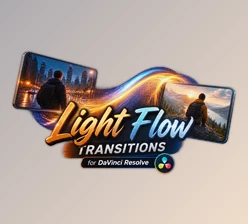
Downloadable Files
You can download Light Flow Transitions for free from the end of this page.
Bring a Smooth Flow of Light Into Your Edits
Transitions can change your editing project from good to great. Instead of cutting from one clip to the next, a great transition will allow your editing project to look more polished overall.
Light Flow Transitions is a collection of transitions ready to be used in Adobe After Effects (both for photos and videos). Each of these transitions features stylish light-based effects and a drag and drop workflow to easily incorporate them into your projects.
Whether editing promotional content, social media videos, photo slideshows, creative montages, or cinematic content, these transitions will give your content more movement.
What Are Light Flow Transitions?
This product (Videohive 64737032) uses animated light and flowing movement between the shots in your editing project to give the content an energetic, smooth transition from one scene to the next.
These types of transitions are ideal for editing projects that need more energy than others but do not necessarily require the complexity of more involved transitions.
For example, you can use a light flow transition between travel shots to create an energetic montage of your travels. Use it to connect the edits in your photo slideshow with smooth visual movement between each edited image. Or use it to add a stylish element to your promotional or social media content.
As Light Flow Transitions works with both photos and videos, it can easily become part of different editing workflows.
Make Scene Changes More Dynamic
The main advantage of Light Flow Transitions is convenience. The package includes ready-to-use elements, allowing you to spend less time creating transitions manually and more time refining your overall edit.
Its Drag & Drop workflow makes applying the included elements straightforward. You can quickly test different transitions between scenes and customize them to better match the style and pacing of your project.
Since no additional plugins are required, the workflow also remains relatively simple. Everything is designed to work directly inside compatible versions of After Effects.
Features
After Effects CC2025 and Above
The project is designed for Adobe After Effects CC2025 and newer versions, making it suitable for modern After Effects workflows.
No Plugins Required
You do not need to install additional third-party plugins to use the package. This makes project setup easier and reduces compatibility concerns related to external effects.
For Photo and Video
The transitions can be used with both still images and video footage. This gives you flexibility when creating photo slideshows, video edits, mixed-media projects, promotional sequences, and other visual content.
Drag & Drop Workflow
The Drag & Drop method helps speed up the editing process. Instead of manually recreating transition effects, you can use the prepared elements and integrate them into your project more efficiently.
Works With Any FPS and Resolution
This product (Videohive 64737032) is designed to work with different frame rates and resolutions. This makes the package more adaptable to projects created for different platforms and formats.
Full Customization
The included elements can be customized, allowing you to adjust their appearance according to the visual direction of your project. This is useful when you want the transitions to feel like part of the edit rather than separate effects placed over the footage.
Easy to Install and Use
The package is designed around a straightforward installation and editing workflow, making it practical for users who want to add professional-looking transitions without spending unnecessary time on setup.
Video Tutorial Included
A video tutorial is included to help you understand how to install, apply, and work with the transitions.
Where Can You Use These Transitions?
These transitions can be used with both photos and videos. The light-based transitions are best suited for the following types of videos: travel, fashion, music, events, photos, social media, promotional videos, and more!
For example, travel videos will benefit the most from this product (Videohive 64737032). However, you could also use these for a photo slideshow or even a promotional video for a company or product.

Tips for Better Results
Try to match the transition speed to the editing pace of your project. Fast transitions work better for more energetic editing speeds, while slower transitions work better for more atmospheric editing footage.
Avoid using elaborate transitions between every single shot in your editing project. Instead, use both light flow transitions and editing cuts to allow your editing project to remain visually interesting yet not overwhelming.
Consider the movement within each shot of your footage. Using a transition that complements the movement within the outgoing and incoming shots will result in a more natural editing project.
Finally, take advantage of the customization options for these transitions. Using the available editing options will allow for the transitions to match the editing project’s colors and design.
Final Thoughts
Light Flow Transitions is a great effect plugin for After Effects that allows users to quickly add light flowing transitions to their projects without needing to install additional plugins.
The software supports various file types of photos and videos, features a Drag & Drop installation, is compatible with various FPS and resolution standards, and offers a variety of customizable features.
The best benefit of this plugin is the time it can save on projects. Instead of having to create every transition element for their project, users can save time by using the customizable templates that the plugin provides.
These transitions will smooth out edits while adding visual interest to projects without too much difficulty for editors.

Files Password : gfxplugin.com OR 123456