Downloadable Files
You can download Film Transition for Premiere Pro for free from the end of this page.
Bring the Classic Film Look to Your Edits
When editing videos, it is essential to maintain that perfect look. However, it can also be detrimental to the project if the footage does not have a certain character or personality. A few of these elements include grain, flicker, dust, light leaks, and natural movement within the film shots.
Film Transition for Premiere Pro was created to bring an analog film feel to your next video project. The effects are meant to be more natural and film-influenced rather than overly complex film transitions.
Regardless of the type of film that you are editing, whether it be for a music video, a documentary, a travel film, a cinematic trailer, or even for social media, these types of transitions will lend your film that additional character of an old-fashioned film.
What Are Film-Style Transitions?
This project (Videohive 61940287) is transitions that are inspired by film. Rather than using digital effects to transition from one film clip to the next, film transitions utilize the characteristics of film itself.
Film contains elements like grain, flicker, dust, light leaks, and more.
For instance, if editing a travel film that transitions from a shot of the landscape to a close-up of a person walking through the city, instead of having a clean cut between the two scenes, applying a subtle film transition will utilize the elements of film to provide a smooth transition between the two scenes.
This approach to editing will make the cuts feel as if they are part of the footage itself.
This type of cut is particularly useful for documentaries, fashion films, music videos, and narratives.
Discover Film Transition for Premiere Pro
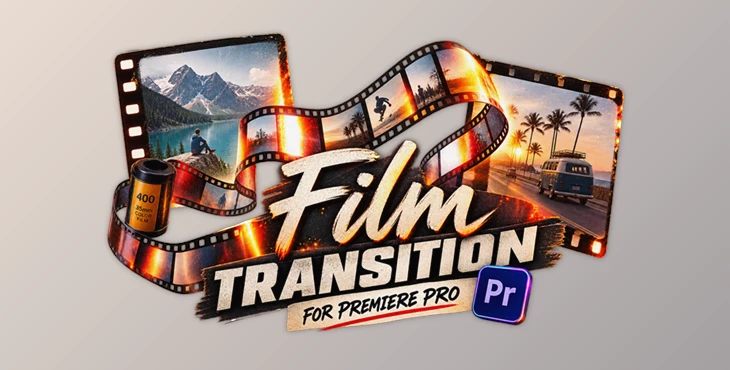
Film Transition for Premiere Pro is a cinematic collection of classic film-inspired transitions created to make scene changes more atmospheric while keeping the editing workflow simple.
The transitions combine smooth movement with analog elements such as film grain, flicker, dust, light leaks, and natural frame motion. Rather than overpowering your footage, these details are designed to complement it.
Because the assets are provided in high resolution and use a straightforward drag-and-drop workflow, editors can quickly experiment with different transitions without building complicated effects manually.
Features
Cinematic Film-Style Transitions
The collection focuses on transitions inspired by traditional film aesthetics. They can give digital footage a more organic and timeless appearance while maintaining smooth continuity between shots.
Subtle Grain and Flicker
Film grain and flickering introduce small variations that reduce the overly perfect appearance of digital footage. Used carefully, these elements can make an edit feel warmer and more tactile.
Organic Analog Motion
Natural frame movement adds subtle visual irregularity to transitions. This helps create the impression of physical film rather than highly precise digital animation.
Light Leaks and Dust
Light leaks and dust provide additional texture and atmosphere. They can be especially effective in nostalgic travel videos, emotional storytelling sequences, fashion edits, and artistic projects.
Smooth Scene Changes
The effects are designed to connect clips without distracting viewers from the actual content. This makes them useful when you want transitions to support the rhythm and mood of an edit rather than become its main focus.
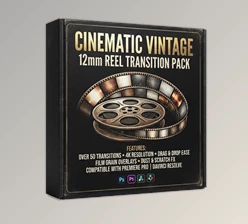
High-Resolution 4K Assets
The transitions are delivered in high resolution and are ready for 4K workflows. This provides enough visual detail for professional projects and modern high-resolution productions.
Easy Drag-and-Drop Workflow
You can simply position a transition between your clips and adjust it according to the timing of your edit. This makes the collection practical for both experienced editors and users who want quick cinematic results.
Blend Mode Ready
Depending on the transition and project, blend modes such as Screen, Add, or Overlay can be used to integrate the film textures naturally with the underlying footage.
No Plugins Required
The transitions do not depend on additional plugins, helping keep the workflow straightforward and accessible.
Where Can You Use These Transitions?
One of the strengths of Film Transition for Premiere Pro is its versatility. The analog aesthetic can complement many different types of creative projects.
In a cinematic trailer, film flicker and textured movement can make cuts feel more dramatic and atmospheric.
For a music video, transitions can follow the rhythm of the soundtrack while adding a raw analog personality to the visuals.
In documentary and travel filmmaking, subtle grain, dust, and frame movement can create a nostalgic feeling that works particularly well with memories, locations, and personal storytelling.
For fashion and editorial videos, film-inspired transitions can add a stylish texture between poses, locations, and outfit changes.
They can also work effectively in YouTube videos and social media edits, especially when creators want to move beyond basic digital transitions and establish a more recognizable cinematic style.
Tips for More Natural Film Transitions
Film transitions should work with your footage, not against it. A few simple techniques will considerably improve the perception of the professionalism of your film transitions.
Use film transitions that match the movement in your film. If one film shot contains movement, place the film transition effects around that movement to create a more natural editing experience.
Use strong film transitions less frequently. Because film transitions are visually strong and distinctive, using them in every film cut will eventually reduce their visual impact. Use film transitions for a few cuts in your film as opposed to every cut to give your film a more professional look.
Try using different blend modes. The screen, add, and overlay blend modes will react differently to the brightness and color of your film shots. By experimenting with these different blend modes, your film’s transition will appear to integrate more naturally with your film.
Pay attention to timing. Transitions can be faster or slower depending on the type of content in the video.
Keep the visual style consistent with your film footage. Do not drastically change the visual style of your film just for the transitions.
Use transitions to guide the audience’s emotion throughout your film. A subtle light leak may work better for travel documentaries than a music video.
Give Your Cuts More Character
Film Transition for Premiere Pro gives your film project the characteristic of old film reels. The subtle grain, flicker, light leaks, dust, and movement for film edits will give your editing project that extra something.
This project (Videohive 61940287) is perfect for editors of any skill level and editing software.
Whether you are editing documentaries, music videos, fashion films, travel videos, or even social media videos, these film editing transitions will help give your project more character and personality.
As with all editing projects, use these transitions with subtlety so that your editing project remains cohesive and cinematic.

Files Password : gfxplugin.com OR 123456