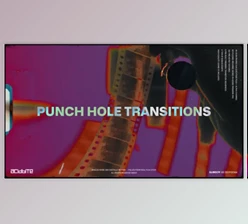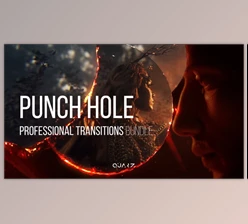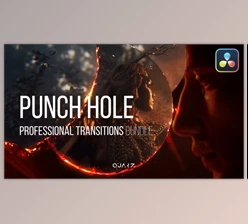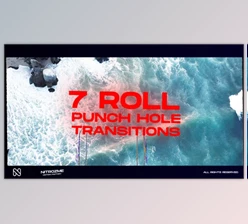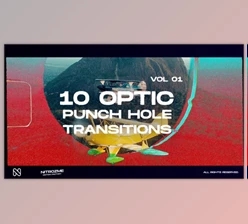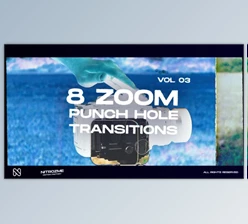
Downloadable Files
You can download Punch Hole Transitions for free from the end of this product page.
Give Your Edits a Raw Analog Feel
Though digital transitions can be very helpful for editors, they can sometimes be too perfect. For those looking to give their videos a more tactile, film-like feel, Punch Hole Transitions can help add that degree of imperfection to their projects.
Inspired by film editing techniques of the past, this collection of transitions and effects can be instantly downloaded and dragged into projects to create stunning transitions right in their editing software.
Whether you are editing a music video, an artistic short film, a fashion project, or working on some experimental editing projects, these transitions can help your edits stand out.
What Are Punch Hole Transitions?
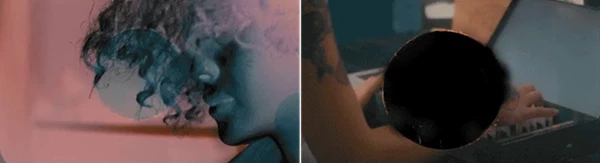
Punch hole transitions aim to give your editing project the same visual characteristics as film. Instead of using digitally generated shapes for your cuts, punch hole transitions will give your editing project an organic look.
With punch hole transitions, you will be able to edit from one clip to the next while a film punch hole with a sound effect plays. This can work well for editing projects that aim to have the visual style of film edits or music videos with film influences.
Because the effects introduce texture and physical imperfections to the digital footage, they can help to make the footage feel less sterile. These effects allow the editors to add a certain personality to the videos without having to redesign the entire project.
Punch Hole Transitions for Creative Video Editing
Punch Hole Transitions is a collection of handcrafted film-inspired assets designed to make analog-style editing faster and easier.
The transitions are supplied as high-quality 4K ProRes files, with pre-keyed assets that can be placed directly over your footage. Their drag-and-drop workflow means you don’t need to create complicated masks, animations, or custom transition setups every time you want the effect.
You can also adjust elements such as color and contrast to better integrate the film textures with your existing footage.
Features
- 25+ Transition Variants: Choose from a diverse collection of punch-hole-inspired transition styles to avoid repeating the same effect throughout a project.
- 11 Pre-Keyed Punch Hole Animations: The included 4K UHD ProRes animations with alpha support make it easier to place the effects directly over your footage.
- 12 High-Quality Sound Effects: Matching sound effects help reinforce the physical feeling of each transition and make the visual impact more convincing.
- 4K ProRes Quality: High-resolution ProRes assets provide enough detail for professional editing workflows while giving you flexibility when adjusting the appearance.
- Customizable Color and Contrast: Modify contrast and color to help the film elements blend naturally with different footage and color grades.
- Drag-and-Drop Workflow: The assets are designed around straightforward timeline placement and blending modes, keeping the editing process simple.
- No Plugins Required: You don’t need additional third-party plugins to use the transition effects.
- Wide Software Compatibility: The assets work with editing software capable of handling multiple video layers and blending modes, including Adobe Premiere Pro, Adobe After Effects, Final Cut Pro, DaVinci Resolve, Sony Vegas, and more.
Where These Transitions Work Best
The character of Punch Hole Transitions makes the pack particularly useful when the editing style itself needs to contribute to the atmosphere.
For a music video, for example, you can place punch-hole animations on rhythmic cuts and combine them with their matching sound effects. This can turn simple cuts into energetic visual accents.
In fashion films or creative promotional videos, the transitions can introduce a rough film aesthetic between otherwise polished shots. Experimental films and art projects can push the effect further by layering punch holes with additional textures, grain, or unconventional color treatments.
They can also work well in retro-inspired social media edits where a short burst of analog texture can immediately establish a recognizable visual style.
Tips for More Natural Results
Avoid placing a punch-hole transition on every single cut. These effects are visually distinctive, so using them selectively often makes important transitions feel stronger.
Try matching the timing of the animation with movement inside your footage. A transition placed during a fast camera move, subject movement, or musical beat can feel much more intentional than one placed randomly.
The included sound effects are another important part of the experience. Synchronizing them precisely with the strongest visual moment of the transition can make the effect feel more physical and convincing.
Don’t hesitate to adjust the color and contrast either. If your footage has a warm vintage grade, slightly adapting the transition to the same palette can help everything feel like part of one visual world.
For more experimental results, combine the punch-hole animations with film grain, light leaks, dust, scratches, or other analog elements. Just keep the layering balanced so the textures support your footage rather than distracting from it.
A Simple Way to Add Analog Character
Punch Hole Transitions provides a practical way to bring the imperfections and personality of physical film into modern video editing. Its combination of handcrafted punch-hole animations, 4K ProRes quality, alpha-enabled assets, sound effects, and plugin-free compatibility makes it flexible enough for a variety of creative workflows.
The biggest advantage is simplicity: you can add a noticeably different visual character without spending time manually recreating analog transition effects.
For music videos, artistic projects, fashion edits, experimental films, and other visually driven content, these transitions can add texture, movement, and personality to otherwise ordinary cuts. Experiment with timing, blending, color, and sound to find a balance that complements your own editing style.

Files Password : gfxplugin.com OR 123456