Downloadable Files
You can download the Damage Control Bundle for free from the end of this page.
Bring More Life and Detail to Your Blender Environments
Creating believable environments is often less about the main model and more about the small imperfections surrounding it. Dirt, smudges, scattered debris, fractured surfaces, subtle material variations, and environmental details can turn a clean 3D asset into something that feels naturally integrated into a scene.
Damage Control Bundle is a collection of Blender tools designed to make this detailing process faster and more procedural. Instead of manually placing debris, creating grunge masks, or building fractured surfaces from scratch, you can use customizable tools directly from the Asset Library.
The bundle is particularly useful for buildings, roads, bridges, large environments, and other scenes where controlled randomness and surface imperfections can dramatically improve realism.
What Is the Damage Control Bundle?
Damage Control Bundle is a collection of procedural tools, assets, shaders, and presets designed primarily for environment detailing in Blender.
Most of its tools can be controlled through the modifiers panel, making it possible to adjust their parameters without constantly rebuilding your setup. However, this package is not really aimed at absolute beginners. Having at least some familiarity with Geometry Nodes can help you understand the tools more deeply and get much more flexibility from them.
The main idea behind the bundle is simple: give artists faster ways to introduce controlled imperfections and environmental details.
For example, instead of manually creating dozens of different dirt masks for a building, you can generate procedural smudges. Rather than individually placing rocks and debris around a damaged road, you can use scattering tools to distribute them efficiently.
These techniques help break the overly clean and repetitive appearance that often makes CG environments look artificial.
Features
Smudge Mask Generator
The Smudge Mask Generator provides procedural and parametric control over smudges, dirt, and grunge patterns.
It is especially useful for streamlining building texturing workflows. You can introduce irregular surface variation without manually painting every imperfection.
With creative setups, these masks can also be used beyond architecture to add wear and visual variation to many different types of assets.
Powerful Scatter Tools
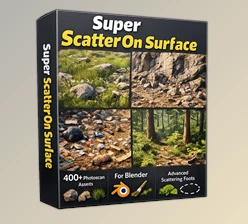
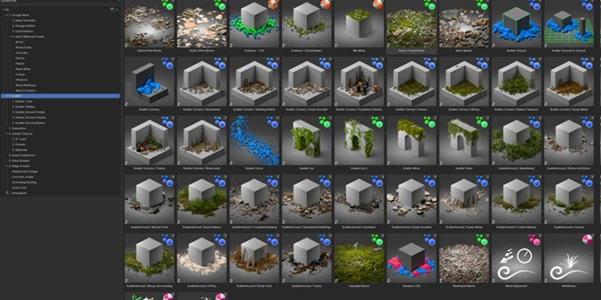
The bundle includes 8 Scatter Tools designed to simplify the distribution of environmental elements.
They can be used for debris, rocks, damaged pieces, vegetation-like details, and other objects that need to appear repeatedly throughout a scene without looking manually duplicated.
One useful aspect of this workflow is the ability to build your own presets. Once you create a scattering setup that works well, you can reuse it throughout your scene instead of configuring everything again.
Generative Tools
Damage Control Bundle also provides smaller generative tools focused on adding those final layers of detail that make an environment feel complete.
These tools can be particularly valuable near the end of a project, when the main modeling is finished, but the environment still feels too clean, empty, or digitally perfect.
Infinite Fracture
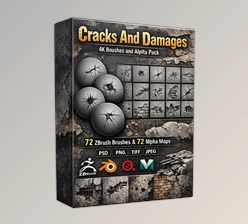
Infinite Fracture is one of the bundle’s generative tools and focuses on creating large fractured surfaces quickly.
Its looping instance-based workflow makes it suitable for broken roads, damaged bridges, and extensive flat areas where manually creating individual fractures could become extremely time-consuming.
Because the setup remains controllable, you can modify the generated result to better match the scale and style of your environment.
Extra Shaders
A collection of additional shaders is included for introducing another layer of grunge and imperfection to your assets.
These shaders can complement the procedural masks and scattered elements, helping different parts of an environment share a more consistent worn or damaged appearance.
Mega Presets
Mega Presets combine the Smudge Mask and Scatter Tools into convenient premade setups.
They can help you quickly establish materials and scattered debris without constructing every system from the beginning. From there, the parameters can be adjusted to better suit the individual project.
Large Asset Collection
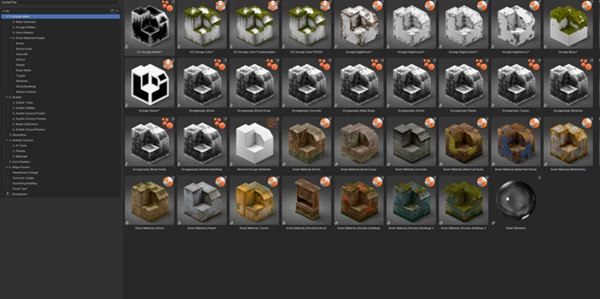
The package contains more than 40 asset collections and over 1,000 asset variations.
Having multiple variations available is particularly helpful when building large environments because repeating the exact same object too frequently can make procedural scattering obvious.
Combined with the included presets and scattering systems, these assets provide plenty of material for adding variation across larger scenes.
Practical Ways to Use Damage Control Bundle
One of the strongest uses for Damage Control Bundle is architectural and environment visualization.
Imagine creating an abandoned industrial building. The basic structure may already look convincing, but perfectly clean walls and empty surroundings can immediately reveal its CG nature. Smudge masks can introduce surface imperfections, shaders can add additional grunge, and scatter tools can distribute debris around the structure.
For a damaged highway or bridge scene, Infinite Fracture can help establish broken surfaces while scattering tools populate the surrounding area with smaller fragments.
The same principle works for large environment shots. Procedural variation allows you to cover more space without manually detailing every individual section.
Tips for Better Results
Procedural tools work best when they support the scene rather than overwhelm it. Avoid using identical levels of dirt, damage, and debris everywhere. Some areas should remain relatively clean while others receive stronger imperfections.
Try combining large, medium, and small details. Large fractures establish the main damage, scattered objects provide secondary information, and subtle smudges or shaders add the final surface variation.
It is also worth creating reusable scatter presets for elements you frequently use. This can significantly speed up larger projects where similar debris needs to appear across multiple locations.
For the Smudge Mask Generator, experiment with scale and intensity instead of relying on one configuration across an entire asset. Small variations can make repeated architectural elements feel much less uniform.
Finally, even though the tools work through the modifiers panel, learning some Geometry Nodes basics can make the bundle significantly more flexible. Understanding how procedural systems are connected gives you more freedom to customize them for unusual scenes.
Final Thoughts
The Damage Control Bundle brings together several different ways of adding detail to your environments.
The bundle includes tools for smudging, scattering, detailing, creating fractured surfaces with shaders and presets, and more.
This bundle provides artists with more control over the processes included in the tools.
Useful for those who create buildings, roads, bridges, damaged environments, or who want to make large scenes.
If you’ve ever created an environment that was perhaps a little too clean after completing your modeling, trying out some of the tools included in this bundle will allow you to add some damage and other details that will make your environment more believable.

Files Password : gfxplugin.com OR 123456