Downloadable Files
You can download the Creature Texture and Skin Brushes Pack for free from the end of this page.
Bring More Detail to Your Creature Sculptures
Creating believable skin and surface details is one of the most important stages of creature sculpting. Small wrinkles, organic patterns, rough surfaces, and subtle skin variations can transform a basic 3D model into a much more convincing creature.
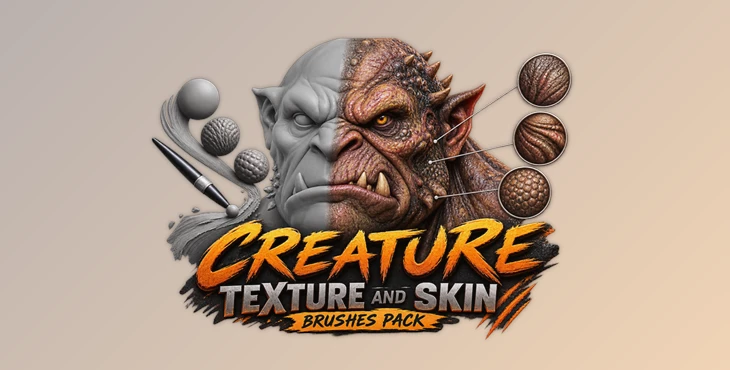
Creature Texture and Skin Brushes Pack is a collection of 50 custom ZBrush brushes designed to make this detailing process faster and more flexible. Instead of manually creating every small surface element from scratch, you can use these brushes to sculpt details directly onto your creatures and build richer, more complex textures.
The pack is also useful for creating custom alphas, allowing you to expand your own library of reusable sculpting assets over time.
What Are Creature Texture and Skin Brushes?
Creature texture and skin brushes are specialized ZBrush brushes designed to add organic surface details to 3D models. They can help create the visual complexity commonly found on creature skin, unusual surfaces, and fantasy characters.
Rather than spending a large amount of time manually sculpting every small detail, you can use predefined brushes and alphas as a starting point and then customize the result to match your creature.
For example, you might use a brush to establish an organic skin pattern across a creature’s body and then sculpt additional details manually to break up repetition. This approach can make the surface feel more natural while keeping the detailing workflow efficient.
The brushes can also be useful when creating monsters, aliens, fantasy creatures, character concepts, or other models that require complex organic surfaces.
Creature Texture and Skin Brushes Pack
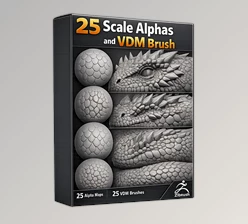
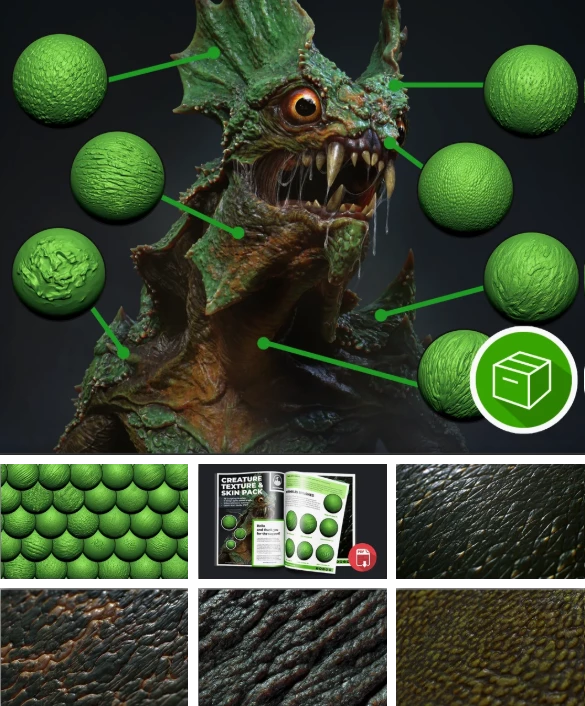
The Creature Texture and Skin Brushes Pack includes 50 custom brushes created for ZBrush. The collection combines brushes that behave like regular sculpting tools with DragRect brushes that allow you to place manually sculpted alphas directly onto the surface.
This combination gives you more control over how details are created. You can sculpt organically in some areas while placing specific alpha details exactly where you need them in others.
More importantly, the collection isn’t limited to applying existing textures. The included brushes can also help you produce custom and more complex alphas, which can then become part of your personal asset library.
Features of the Creature Texture and Skin Brushes Pack
50 Custom ZBrush Brushes
The collection contains 50 custom brushes focused on creature textures and surface detailing. Having multiple options makes it easier to introduce variation across different parts of a model instead of relying on a single repeating texture.
Sculpting Brushes
Some brushes allow you to sculpt and build details similarly to other traditional ZBrush sculpting brushes. This makes them useful when you want direct control over the shape and intensity of surface details.
DragRect Brushes
The pack also includes DragRect brushes for placing manually sculpted alphas. This method gives you more precise control over the position, scale, and placement of individual details.
Create Custom Alpha-Based Brushes
One of the most useful aspects of the pack is its potential for creating new assets. You can use the included brushes to produce more complex alphas and develop your own custom alpha-based brushes.
Over time, this can help you build a personalized library of textures and details suited to your own sculpting style.
Faster Creature Detailing
Adding complex surface information manually can take a significant amount of time. These brushes provide useful starting points that can speed up the detailing stage while still allowing you to modify and refine the final result.
Designed for ZBrush
The included creature brushes are made for ZBrush 2021.5 and above, making them easy to integrate into a compatible ZBrush sculpting workflow.
Tutorial and Quick Start Guide
Along with the brushes, the package includes an MP4 overview/tutorial video and a PDF quick start guide. The guide introduces the pack and briefly explains the different types of brushes included, helping you understand how to start using the collection.
Tips for More Natural Creature Details
A good creature texture usually benefits from variation. Instead of covering an entire model with one brush at the same intensity, try combining different brushes and changing their size and strength across the surface.
You can also use DragRect brushes selectively. Place stronger or more recognizable details in areas where they make sense, then blend them with subtler sculpted textures. This can reduce obvious repetition and create a more organic appearance.
Another useful technique is to treat these brushes as a foundation rather than a finished result. After applying a texture, manually sculpt over selected areas, soften unnecessary details, and introduce additional variations. This helps make the surface feel intentionally designed instead of simply stamped onto the model.
For larger projects, consider creating custom alphas from your favorite brush combinations. Building your own alpha-based brushes can gradually turn the pack into a starting point for a much larger personalized detailing library.
Make Creature Detailing More Flexible
Creature Texture and Skin Brushes Pack provides a practical collection of tools for artists who want to add richer surface details to their ZBrush creatures without building every texture from the beginning.
With 50 custom brushes, sculpting and DragRect workflows, support for creating custom alphas, and included learning materials, the pack offers several ways to approach creature detailing. Whether you’re sculpting a fantasy monster, an alien character, or experimenting with organic surface designs, the brushes can help make the detailing process faster while leaving plenty of room for customization and creativity.

Files Password : gfxplugin.com OR 123456