Downloadable Files
You can download mBeauty for free from the bottom of this page.
Give Your Beauty Videos a Fresh Glow
Creating polished beauty and wellness content is not only about having great footage. The way you introduce a product, highlight details, compare results, and present information can completely change how professional your final video feels.
mBeauty is a collection of clean and stylish presets designed specifically for cosmetics, skincare, makeup, beauty, and wellness content. It gives you ready-made creative elements that can help transform ordinary footage into modern, engaging edits without requiring you to build every visual element from scratch.
Whether you’re putting together a skincare routine, makeup tutorial, product showcase, or social media reel, mBeauty provides tools for making your content clearer, more dynamic, and visually consistent.
What Is mBeauty?
mBeauty is an all-in-one editing collection designed specifically for individuals creating content within the category of beauty and wellness videos. It includes various editing tools beyond basic cuts and text, including titles, effects, transitions, comparisons, and overlays.
For example, mBeauty includes templates that allow creators to easily showcase split-screen comparisons of skincare products before and after use. Other templates include color samples for makeup artists to display within their videos, as well as templates for beauty brands to utilize to create promotional videos for their products.
These elements allow the viewer to understand what is occurring within the edit while also ensuring the edit remains visually interesting.
Features
Stylish Intros
mBeauty includes multiple intro designs such as Reel 083X, Reel Q150, Reel MWXQ, Reel JQ28, and Reel KRWJ. They can be useful for opening beauty reels, skincare routines, product presentations, and other short-form videos with a polished visual identity.
Social Media Elements
Among the features of this edit pack are several social media elements, such as different button designs and the Subscribe WK4W element. These elements can be helpful for adding calls to action within social media videos.
Clean Typography
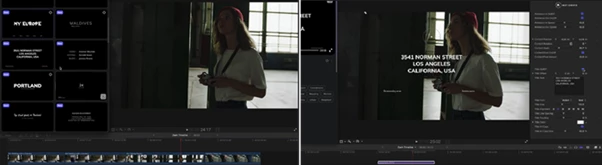
Typography elements include callouts, comments, and descriptions such as Callout 5MVV, Callout 2JPX, Comment YMN7, and Description VJK0.
They are especially useful when you need to explain a skincare step, point toward a specific product feature, display additional information, or emphasize an important part of a tutorial.
Split-Screen Effects
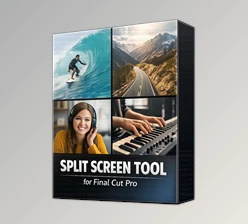
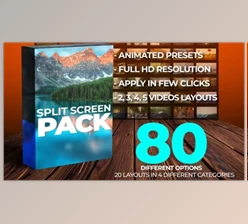
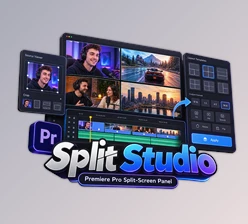
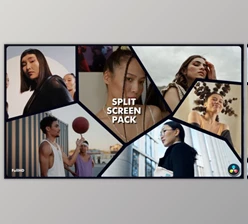
With effects such as Split Screen G02J and Split Screen 8Q3V, you can present multiple shots at the same time.
This works particularly well for before-and-after demonstrations, side-by-side makeup looks, skincare comparisons, or showing a product and its application simultaneously.
Extra Drop Zones
The Extra Drop Zone LVK2 effect provides additional space within your project for inserting additional visual material. This effect is especially useful for demonstrating products and creating educational videos about the features of a skincare product.
Smooth Transitions
mBeauty includes transitions such as Blur Flicker 08GX, Blur Zoom 7PN4, Dissolve 4LZK, and Flash 1GY3.
Used carefully, these transitions can create smoother movement between shots and give short-form edits more energy without overwhelming the beauty footage itself.
Beauty-Focused Add-ons
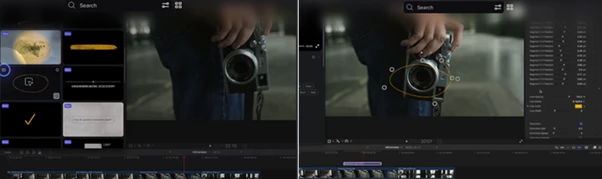
mBeauty also includes helpful tools such as Arrow 1GW3, Chapters XL7R, Color Sample R21Y, Focus NXP8, Blur 7P44, and Skin Retouch 4LJK.
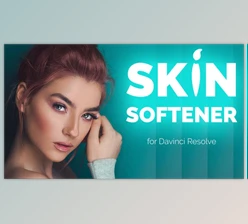
These tools can be used to provide common elements to beauty content, such as color samples for showcasing the shades of products, focus and blur for highlighting important features in the content, and skin retouch for further refining the beauty content being used in the short-form content.
Comparison and Product Placeholders
The comparison templates are perfect for using in content that features important results. The 3-Step Comparison 7PX4 and the Horizontal Comparison 4L9K templates are perfect for presenting the different stages of some important result.
Both the Logo 1GZ3 and the Placeholder XL6R can also be utilized to add further branding and visuals to your project.
Turn Product Demonstrations Into Visual Stories
One of the strongest uses of mBeauty is combining several elements rather than relying on a single preset.
Imagine creating a skincare routine. You could begin with a stylish Reel intro, introduce the product using a clean placeholder, highlight ingredients or important information with callouts, demonstrate application in a split screen, and finish with a comparison showing the different stages.
For makeup content, you could use Color Sample R21Y to introduce different shades and then combine close-up footage with split screens and typography to explain how each product changes the final look.
This approach turns a straightforward demonstration into a more structured visual story.
Tips for Better Results
Consider the type of footage you have and design around that rather than trying to create content that uses every special effect your editor can produce. For beauty channels in particular, it is recommended to limit the number of visual elements to keep the focus on the featured product.
Use split screens when it is beneficial to the viewer to have those two shots running at the same time; they can be useful for performance product comparisons and tutorials, but can sometimes be distracting if not used appropriately.
Transitions should also match the edit’s pace. Fast transitions may be appropriate for short reels but might not suit slower edits for skincare or wellness content.
Typography and callouts should be kept to a minimum and not obscure the product or the subject’s features. For product videos, having all the elements in the same position and using specific typography can create a cohesive edit.
Lastly, use skin retouching effects sparingly. Instead, opt for a more subtle edit that maintains the skin’s natural look while providing that professional finish to the footage.
A Complete Toolkit for Beauty Content
mBeauty brings many of the elements commonly found in cosmetics, wellness, skincare, and makeup editing applications into one collection. From intros to typography, split screens to transitions, color samples to comparisons, placeholders to beauty effects, there is a plethora of options within this editor for those looking to create compelling videos in the beauty and skincare space.
The various elements within this app allow editors to use the individual components to enhance their social media videos, or to combine several components into one video to create a tutorial on a certain beauty or wellness topic.
For editors who work with beauty and wellness content, mBeauty can significantly speed up editing time, as well as ensure that their videos always have a consistent and professional look.

Files Password : gfxplugin.com OR 123456