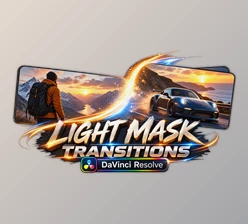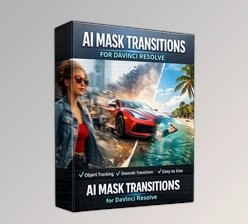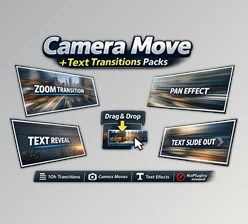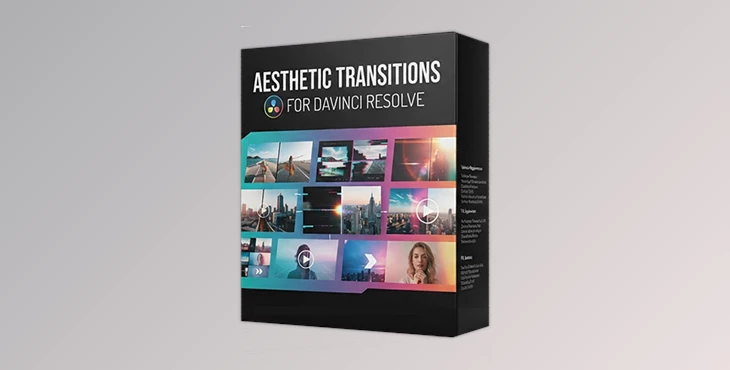
Downloadable Files
You can download Aesthetic Transitions for DaVinci Resolve for free from the end of this page.
Give Your Edits a More Artistic Look
Every great video tells a story. The way that the scenes within a video connect can have a huge impact on the viewer. While cuts are great for some editors, creative transitions for videos can be even more engaging and visually appealing.
Aesthetic Transitions for DaVinci Resolve was created for editors looking for an easy way to add scene changes between the editing portions of their videos that do not take up hours of the editor’s time creating these custom effects.
What Are Aesthetic Transitions?
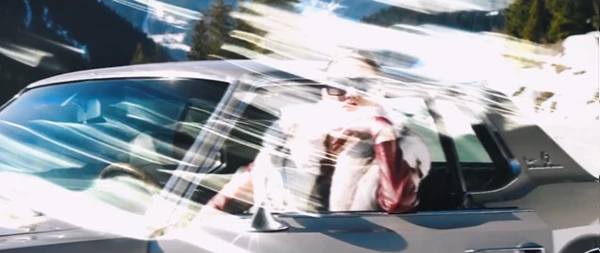
Aesthetic transitions are creative effects used to connect two videos together in a way that feels natural and stylish to the viewer. These transitions are perfect for editors looking to add smooth movement between travel destinations, create energy for YouTube videos, create a more modern look for fashion edits, or even add a cinematic feel to wedding films. Such transitions can be used for creating a more engaging reel or TikTok edit, as well as for promoting the products or ideas in commercial videos.
This project (Videohive 64513256) techniques do not take the focus away from the editors or their videos. Instead, they work to enhance the editing process and the viewer’s experience by creating an immersive editing session that creates a professional look to the final edited video.
A Professional Editing Toolkit
If you’re looking for an easy way to improve your editing workflow, Aesthetic Transitions for DaVinci Resolve offers a ready-to-use collection of handcrafted transitions that integrate directly into DaVinci Resolve.
Instead of creating transition effects manually, you can simply apply the desired transition and continue editing, saving valuable production time while maintaining consistent visual quality.
Features
Ready-to-Use Transition Collection
The package includes professionally designed transitions that can be applied immediately without additional setup.
No Plugins Required
Everything works directly inside DaVinci Resolve without installing third-party plugins, making the workflow simple and reliable.
Compatible with DaVinci Resolve 19 and Higher
Designed specifically for modern versions of DaVinci Resolve, ensuring smooth performance and compatibility.
Works for Photos and Videos
The transitions can be used between both still images and video clips, giving creators flexibility across different types of projects.
Supports Any Resolution and Frame Rate
Whether you’re editing HD, 4K, vertical videos, cinematic footage, or social media content, the transitions adapt to virtually any FPS and resolution.
Fully Handcrafted Textures
Each transition includes handcrafted textures that create a premium visual appearance instead of relying on generic digital effects.
Easy to Use
The straightforward workflow allows beginners and experienced editors alike to integrate professional transitions into their projects quickly.
Detailed Video Tutorial Included
A complete tutorial helps users understand installation and usage, making it easier to get started immediately.
High-Quality Product
Overall, these editing effects are high quality and will provide editors with a professional editing result.
Real-World Examples
Some of the types of videos that will benefit from the use of this product (Videohive 64513256) include travel videos, wedding films, fashion commercials, product advertisements, and YouTube videos.

Tips for Better Results
To get the most out of the Aesthetic Transitions for DaVinci Resolve, editors can use some techniques within their editing projects to enhance the editing results and their professional look:
- Use transitions between clips of similar moods.
- Do not use transitions between every single clip in the editing project.
- Use transitions and color grading to create a cohesive editing project.
- Use transitions to match the beats in the edit’s music.
- Maintaining the same editing project composition prior to and after the transition will help with the editing’s visual flow.
Additionally, different editors can experiment with the clip pacing to find the edit that best highlights their content.
Final Thoughts
Beyond the individual editing of footage to highlight the best qualities of the subjects in the videos, professional editors have additional tools to consider. Aesthetic Transitions for DaVinci Resolve was made with editors who wish to create smooth, stylish, and visually engaging edits between the best looking footage. Whether editing YouTube videos, commercials, travel films, weddings, or social media videos, these editing effects will improve the editing project and allow editors to spend less time editing and more time creating their content.
Aesthetic Transitions for DaVinci Resolve includes a collection of professionally crafted editing transitions that can be used to enhance editing projects for all types of editors looking to produce professionally-looking videos.

Files Password : gfxplugin.com OR 123456