Downloadable Files
You can download Camera Light Burn Transitions for free from the end of this page.
Add Cinematic Light Effects in Seconds
Transitions play a crucial role in determining how your video will look. Adding realistic camera light burn transitions can drastically change the look of your videos and give them a modern cinematic feel.
If you want to add professional-looking transitions to your videos without spending hours creating these effects, then Camera Light Burn Transitions might be of interest to you. This product is ideal for people editing travel, commercial, music, or social media videos.
What Are Camera Light Burn Transitions?
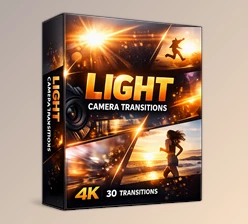
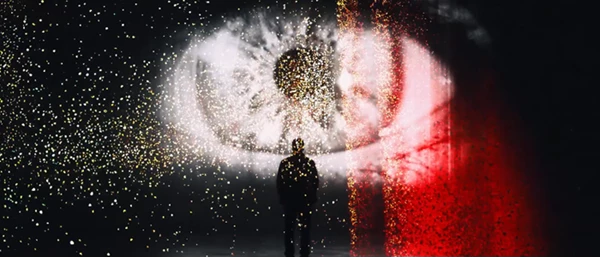
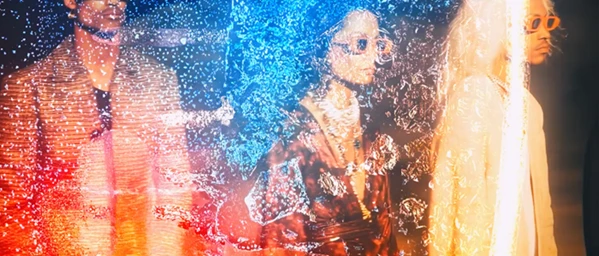
This project (Videohive 64574379) allows editors to simulate the look of authentic camera light leaks between video clips. These transitions are ideal for adding a degree of smoothness to your videos that emulates the look of film cameras from previous eras.
Some of the best ways to use Camera Light Burn Transitions include:
- Creating smooth scene changes for use in travel films.
- Adding cinematic elements to promotional videos.
- Enhancing wedding and event videos with warm light transitions.
- Adding cinematic elements to music videos.
- Giving social media videos a professional appearance.
All of these transitions are fully handcrafted so that your videos still have an authentic look to them.
Professional Editing Made Easy
Camera Light Burn Transitions was created for use within After Effects 2025 and higher. This is a great tool for enhancing both your photo and video projects.
This is a fully compatible tool that can be used within almost any editing project. It is suitable for both beginners and experienced editors.
Features
No Plugins Required
Everything works inside After Effects without installing additional plugins, making setup quick and hassle-free.
Compatible with After Effects 2025 and Higher
Built specifically for modern versions of After Effects, ensuring reliable performance and compatibility.
Works with Photos and Videos
The transitions can be applied to both still images and video clips, giving creators more flexibility across different project types.
Supports Any Resolution and Frame Rate
Whether you’re editing Full HD, 4K, vertical videos, or widescreen productions, the transitions adapt easily to your project settings.
Fully Handcrafted Textures
Each transition uses handcrafted light burn textures that create a more realistic and cinematic appearance compared to generic digital effects.
Easy to Use
Simply place the transition between your clips and continue editing, saving valuable production time.
Detailed Video Tutorial Included
The included tutorial helps users quickly understand the workflow and start creating polished edits without a long learning curve.
High-Quality Product
Every transition is designed to maintain professional image quality, making it suitable for both personal and commercial productions.
Real-World Examples
This product (Videohive 64574379), is ideal for editing types of videos such as:
- Travel films
- Highlight videos of weddings and events
- Advertisements for commercial products
- Fashion and lifestyle videos
- YouTube videos
- Reels for Instagram and TikTok
- Music videos
- Documentary videos
Tips for Better Results
If you want to ensure that your videos have an authentic look with realistic editing, try these tips and techniques:
- Add the transition between the scenes in time with your music.
- Use the effects during the most emotional or energetic scenes in your videos.
- Ensure you do not use the same transition between two scenes more than once in your edit.
- Add a touch of color grading to the edited videos to enhance the cinematic look.
- Ensure that the editing is performed in videos with similar lighting to the edited clips.
- Ensure your transitions between video clips are smooth rather than overly using editing effects throughout your video project.
These tips will allow editors to create professional video projects.
Final Thoughts
Camera Light Burn Transitions offers editors of all experience levels a simple tool with which to add cinematic elements to their editing projects. The fact that all of the features are handcrafted to deliver a realistic look to the videos, support any resolution, are independent of any plugins, and are easy to use without a great deal of time and effort to learn how to operate them makes this an ideal editing tool for a variety of editing projects.
From social media videos to professional editing projects, this project (Videohive 64574379) is a tool that will make editing videos much easier and more efficient.

Files Password : gfxplugin.com OR 123456