Downloadable Files
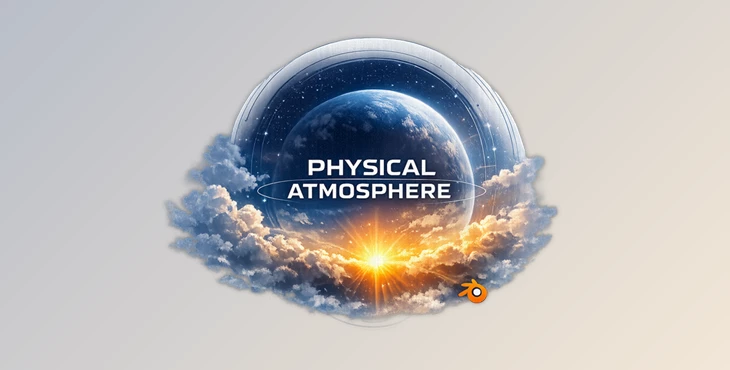
You can download Physical Atmosphere² for free from the end of this page.
Bring Your Scenes to Life
Lighting and atmosphere are two of the biggest factors that make a 3D render feel believable. Even with high-quality models and materials, unrealistic skies or flat lighting can instantly break the illusion. That’s where Physical Atmosphere becomes a valuable addition to your workflow.
Whether you’re creating architectural visualizations, cinematic animations, product renders, or large-scale environments, Physical Atmosphere lets you build physically accurate skies with real-time feedback. Instead of spending hours tweaking multiple settings, you can instantly see how changes affect your scene while working directly in the viewport.
What is Physical Atmosphere²?
Physical Atmosphere² is a professional environment and sky creation tool that generates realistic atmospheric lighting using real-world physical principles. It simulates how sunlight, moonlight, clouds, haze, pollution, and atmospheric scattering naturally behave.
Unlike simple HDRI backgrounds or static sky textures, Physical Atmosphere creates a complete dynamic atmosphere that reacts to your scene, your objects, and even your chosen date, time, and geographic location.
This approach produces lighting that feels far more natural because it follows the same physical rules found in the real world.
Features
Real-Time Atmosphere Preview
One of the biggest advantages of Physical Atmosphere is its fully real-time workflow.
As you adjust cloud density, sunlight, haze, or atmospheric settings, the viewport updates immediately. This instant feedback makes creative decisions much faster and eliminates the guesswork often associated with environment lighting.
For artists creating multiple lighting variations, this dramatically improves productivity.
Simple Controls for Fast Results
Creating convincing skies doesn’t require complex technical knowledge.
Physical Atmosphere provides intuitive controls that make it easy to shape the overall mood of a scene. Beginners can quickly create beautiful environments while experienced users can achieve professional-quality lighting without unnecessary complexity.
The workflow feels approachable while still offering powerful capabilities.
Physics-Based Atmospheric Rendering
The core of Physical Atmosphere is built upon real atmospheric science.
Instead of manually coloring the sky or adding artificial haze, the software calculates realistic light scattering, atmospheric density, ozone interaction, and environmental color based on physical principles.
This produces natural-looking sunsets, sunrises, daylight, and nighttime environments that your eyes instantly recognize as believable.
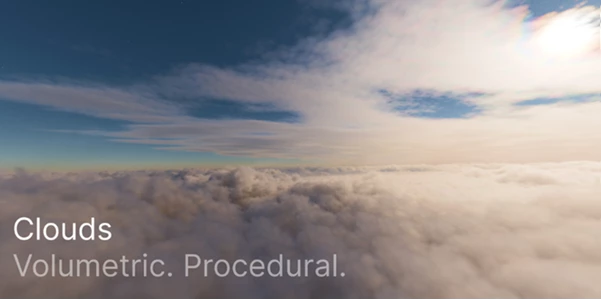
Highly Customizable Volumetric Clouds
Clouds are rendered as true volumetric formations instead of flat textures.
The system includes four procedural cloud layers that can be adjusted independently. Artists can easily modify cloud coverage, density, height, and overall appearance while seeing the results instantly.
Because the clouds are procedural, each sky can become completely unique without relying on image-based assets.
Accurate Sun and Moon Positioning
Physical Atmosphere allows you to specify:
- Date
- Time
- Geographic location
Using this information, the software calculates the exact positions of the sun and moon.
This feature is especially valuable for architectural visualization, urban planning, landscape design, and projects where accurate natural lighting is essential.
Natural Interaction with Scene Objects
Unlike traditional sky backgrounds, Physical Atmosphere interacts directly with the objects inside your scene.
Clouds cast realistic shadows.
Objects create natural atmospheric occlusion.
Lighting behaves consistently across the environment.
These interactions help blend the environment with your models, making renders feel significantly more realistic.
Beautiful Night Skies
Night scenes receive just as much attention as daytime environments.
Physical Atmosphere includes detailed star rendering that creates memorable nighttime visuals while maintaining physically believable lighting conditions.
Whether you’re producing cinematic animations or architectural night renders, the atmosphere remains convincing.
Eclipse Simulation
An advanced feature included in Physical Atmosphere is eclipse simulation.
Because celestial positioning is physically calculated, the software can accurately reproduce eclipse events, adding another layer of realism for scientific visualization, educational content, or cinematic projects.
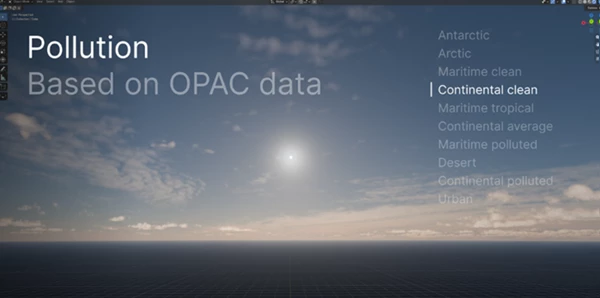
Scientifically Accurate Pollution Simulation
One unique feature is its use of OPAC (Optical Properties of Aerosols and Clouds) data.
Rather than using painted fog effects, Physical Atmosphere simulates how airborne particles—including dust, soot, water droplets, and sea salt—scatter and absorb sunlight.
The result is realistic haze, atmospheric depth, and subtle color shifts that naturally occur under different environmental conditions.
Advanced Mode for Technical Artists
For users who want complete creative control, Advanced Mode unlocks every major atmospheric parameter.
You can fine-tune settings such as:
- Atmospheric scattering
- Ozone levels
- Fog behavior
- Density
- Light absorption
- Environmental balance
This allows technical artists to achieve extremely precise lighting setups while still benefiting from the intuitive interface.
Artistic Controls
Although Physical Atmosphere is physics-based, it also understands that artistic direction often comes first.
Creative override tools allow artists to bend physical realism whenever necessary.
You can exaggerate mood, enhance dramatic lighting, or stylize an environment while keeping the overall atmosphere believable.
Seamless Atmosphere at Every Scale
Whether you’re rendering:
- Small product scenes
- Large landscapes
- Massive open environments
- Views from outside the planet
Physical Atmosphere maintains one continuous atmospheric system across every scale. This consistency prevents visual breaks and helps maintain realism throughout complex projects.
Designed for Photorealism
The smallest atmospheric details often make the biggest difference.
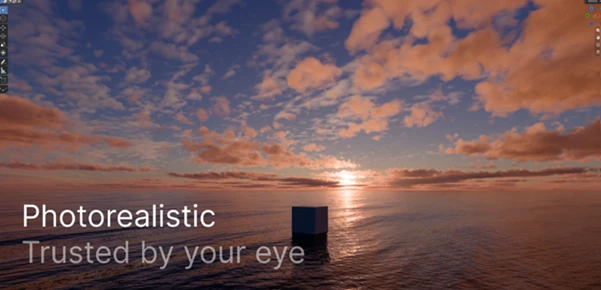
Subtle haze, accurate color transitions, realistic light scattering, cloud shadows, and physically correct sky behavior all combine to produce renders that feel naturally photographic instead of computer-generated.
These details are exactly what help viewers trust the realism of an image.
Professional Tips
- Start with realistic physical settings before applying artistic adjustments.
- Use real geographic locations when creating architectural or landscape visualizations.
- Build your lighting around the atmosphere instead of adding excessive artificial lights.
- Keep cloud density balanced to preserve natural sunlight and realistic shadow softness.
- Experiment with different times of day to discover dramatic lighting conditions without changing your scene.
- Use the advanced parameters only after establishing a strong base atmosphere, making fine adjustments easier and more predictable.
Final Thoughts
Physical Atmosphere² transforms environment creation from a slow technical process into a fast and enjoyable creative workflow. By combining physically accurate simulation with intuitive controls and real-time performance, it helps artists create skies, clouds, and lighting that feel naturally believable.
Whether you’re producing architectural visualizations, cinematic sequences, product renders, or expansive outdoor environments, Physical Atmosphere provides the tools needed to achieve consistent, photorealistic results while still allowing plenty of artistic freedom.
If realistic lighting and atmospheric quality matter in your projects, Physical Atmosphere² is a tool worth exploring.