Downloadable Files
You can download Jack for free from the end of this page.
Introduction
Audio can completely change the quality of your video. However, getting good sound often means using a variety of different sound-editing tools and software that can be both time-consuming and complicated to use.
Jack aims to simplify this entire process for video editors by giving you six essential audio tools directly inside Premiere Pro and After Effects.
Whether you’re editing voiceovers, dialogue, music, or sound effects, Jack will give you the tools you need to improve your projects.
Designed for motion designers and video editors, Jack will give you a faster way to achieve professional sound editing in your projects.
What Is Jack?
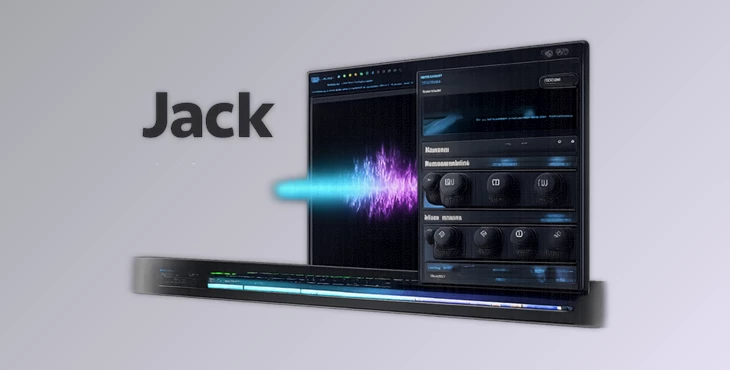
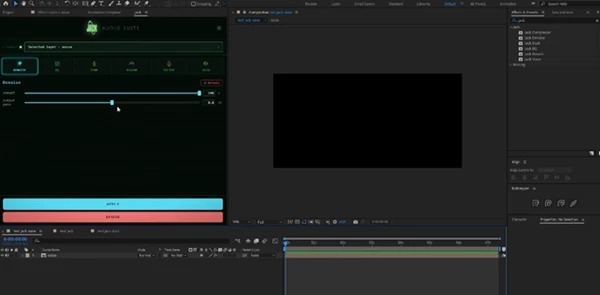
Jack is a native audio effects suite for Adobe After Effects and Premiere Pro that combines six powerful audio tools into one convenient panel.
Instead of switching between different applications or searching through multiple audio plugins, Jack allows you to apply and adjust essential sound processing tools directly on your timeline.
The plugin focuses on solving common audio challenges during video production, such as:
- Removing unwanted background noise from recordings
- Improving voice clarity
- Balancing frequencies
- Controlling audio dynamics
- Adding depth and atmosphere
- Creating creative voice effects
- Automatically lowering background music under dialogue
By keeping everything inside Premiere Pro and After Effects, Jack helps editors save time and maintain a smoother creative workflow.
Features
Clean Dialogue with Denoise
Recording environments are not always perfect. Background noise, room sounds, computer fans, or unwanted frequencies can reduce audio quality.
Jack’s Denoise effect provides real-time noise reduction designed to clean recordings while keeping voices natural and clear.
This is especially useful for:
- Interviews
- Podcasts
- Voiceovers
- Tutorials
- Documentary projects
Instead of spending hours trying to repair noisy recordings, editors can quickly improve dialogue quality directly inside their timeline.
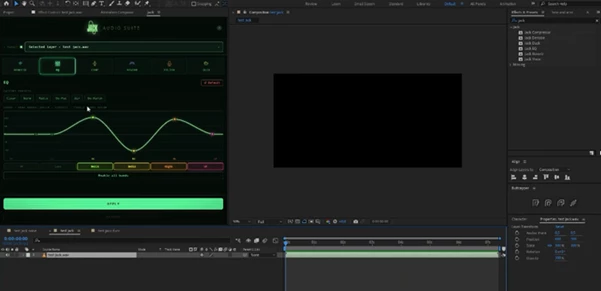
Shape Your Sound with EQ Curve
Every recording has its own frequency characteristics. Some voices may need more clarity, while others may require reducing unwanted low or high frequencies.
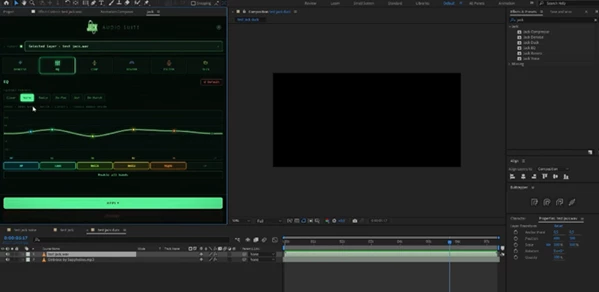
The EQ Curve tool gives you precise control over your sound by allowing you to adjust different frequency ranges.
You can use it to:
- Make voices sound clearer
- Add warmth to recordings
- Remove muddy frequencies
- Balance different audio sources
This helps create a cleaner and more professional mix without complicated audio editing steps.
Control Dynamics with Compressor
Audio volume can change dramatically between different parts of a recording.
A compressor helps create a more balanced and consistent sound. Jack’s Compressor provides simple controls for:
- Attack
- Release
- Knee
- Makeup Gain
It allows editors to control dynamic range and make voices, music, and sound effects fit better together.
For example, a voiceover can become easier to understand by reducing sudden volume changes and maintaining a consistent level throughout the video.
Add Depth with Reverb
Sound design is not only about clarity; it is also about creating the right atmosphere.
The Reverb effect adds natural space and depth to audio, helping sounds feel like they belong in a specific environment.
It can be used for:
- Cinematic voice effects
- Dramatic scenes
- Creative transitions
- Ambient sound design
With easy controls, you can quickly create everything from subtle room ambience to larger atmospheric spaces.
Transform Voices with Voice Filter
Jack also includes a creative Voice Filter tool that allows you to change the character of your audio instantly.
With ready-to-use presets, you can create effects such as:
- Phone communication sounds
- 8-bit voices
- Walkie-talkie effects
- Chipmunk-style voices
This makes it useful for motion graphics, social media videos, animations, and creative storytelling projects.
Mix Music Automatically with Duck
Background music can easily overpower important dialogue. The Duck feature solves this problem by automatically lowering music and background audio when speech is present.
This is helpful for:
- YouTube videos
- Commercials
- Tutorials
- Presentations
- Social media content
Instead of manually adjusting multiple audio tracks, Jack helps maintain clear communication between voice and music.
One Panel, Six Essential Tools
One of Jack’s biggest advantages is its simple workflow.
All six audio effects are available from a single dockable panel, allowing you to quickly apply and fine-tune your sound without opening multiple windows.
This makes the editing process faster and more organized, especially when working on large projects with many audio layers.
Built for After Effects and Premiere Pro
Jack is designed specifically for Adobe creative workflows. It works natively inside:
- Adobe After Effects
- Adobe Premiere Pro
The plugin is available for both:
- Windows
- macOS
Editors can move between projects and applications while keeping the same familiar audio workflow.
Professional Audio Without Complexity
Many audio tools are powerful but can feel overwhelming, especially for video editors who do not specialize in sound design.
Jack focuses on simplicity. It provides essential professional effects without unnecessary complexity, making advanced audio processing accessible for everyday creators.
Whether you are working on a short film, social media content, motion graphics, or commercial video, Jack helps you achieve cleaner and more polished sound faster.
Tips for Better Results with Jack 💡
- Start with clean recordings whenever possible: Good source audio always produces better results than heavy correction later.
- Use Denoise carefully: Too much noise reduction can make voices sound unnatural or robotic.
- Adjust EQ before adding effects: Balancing frequencies first creates a better foundation for your final mix.
- Avoid over-compressing audio: Compression should make sound more consistent, not remove all natural dynamics.
- Use Reverb subtly: Small amounts of space often create a more realistic result than extreme effects.
- Match voice effects to the scene: Creative filters work best when they support the story or visual style.
- Use Duck for dialogue-focused content: Keeping speech clear improves the overall viewer experience.
Conclusion
Jack simplifies the editing process for editors who want to work with sound within After Effects and Premiere Pro.
With the Denoise, EQ Curve, Compressor, Reverb, Voice Filter, and Duck tools, editors can improve the sound of their projects without having to use complicated editing processes or software outside of Adobe applications.
For those seeking to improve the audio quality of their projects in Premiere Pro and After Effects, Jack is a free, powerful audio-editing tool that enhances editing experiences and helps editors to focus on their creative ideas and projects.