Downloadable Files
You can download Stash for free from the end of this page.
Introduction
Working with large After Effects projects can become overwhelming quickly. With dozens or hundreds of different compositions, videos, images, vectors, and other project assets, it can take more time than you’d like to search for the file you are looking for.
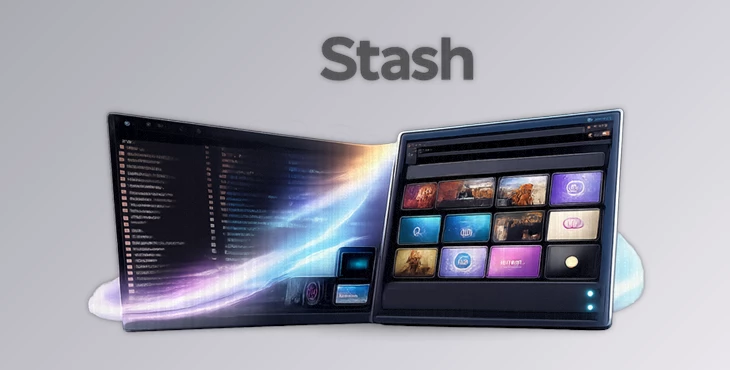
Stash replaces the default Project panel in After Effects with a modern, visual, and smarter workspace to help you find your files faster. You can browse your project assets with real thumbnails, search for items quickly with intelligent search tools, and create smart folders to keep your projects organized.
This tool improves the way that motion graphics, visual effects, commercial, and social media designers manage their After Effects projects by helping them to remain organized and focused on the creative portion of their work.
What Is Stash?
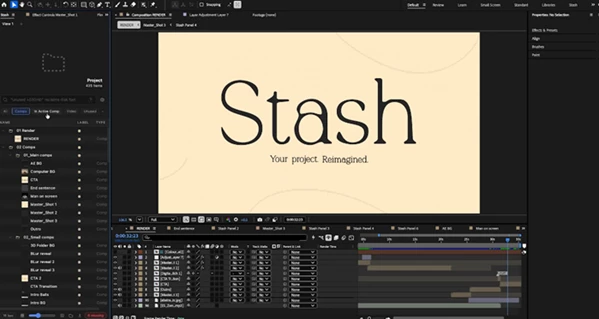
Stash is an advanced project management panel for Adobe After Effects that gives you a new way to browse and organize your project assets.
The default Project panel in After Effects can be primarily text-based, which many designers find inefficient as their projects grow. This product improves this experience with visual project assets, filtering tools, and a cleaner interface.
With Stash, every composition, footage item, image, video, and vector asset in your After Effects project becomes easier to identify by its visual appearance rather than its text-based name.
This increases the speed with which you can edit your projects and gives you better control over your After Effects workspace and projects as a whole.
Main Uses of Stash
Faster Asset Searching
Large After Effects projects often contain hundreds of layers and assets. Finding a specific logo animation, background video, image sequence, or composition can become frustrating.
Stash solves this problem with an intelligent search system that quickly finds what you need while you type. Its fuzzy matching system understands incomplete searches, making it easier to locate files even if you do not remember the exact name.
For example, instead of searching for the exact file name of a portrait image, you can simply type keywords like “portrait” and quickly filter relevant assets.
Visual Project Browsing
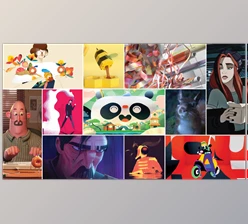
One of the biggest improvements Stash brings is the ability to see real thumbnails directly inside your project panel.
Each composition, image, video, and vector asset displays a visual preview, allowing you to recognize files instantly without opening them one by one.
This is especially useful for designers working with:
- Multiple logo versions
- Different animation variations
- Large image libraries
- Video footage collections
- Design elements and templates
A visual workflow helps you make decisions faster and reduces the time spent searching through folders.
Better Organization for Complex Projects
As projects become larger, keeping everything organized becomes essential. This tool introduces smart folders and customizable filters that automatically help you manage your assets.
You can save searches as smart folders, allowing them to update automatically whenever new matching items are added.
For example, you can create a smart folder for:
- Unused assets
- Missing footage
- Recently imported files
- Specific project elements
This creates a cleaner workflow without manually organizing everything.
Features
Inline Thumbnail Previews
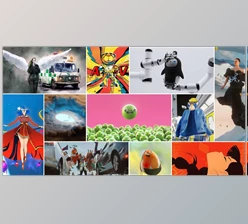
Stash replaces simple file lists with real visual thumbnails. Every important project element becomes easier to identify directly from the panel.
You can quickly recognize:
- Compositions
- Videos
- Images
- Vector files
- Other project assets
This visual approach makes working on large projects much more efficient.
Smart Search System
The built-in search system helps you find assets instantly. Stash supports:
- Fuzzy matching while typing
- Natural keyword searches
- Live result counts
- Helpful keyword suggestions
You can search using terms like:
- Missing
- Unused
- New
- Portrait
and instantly filter your project.
Custom Filter Chips
This product includes one-click filter buttons that allow you to quickly switch between different asset types. You can filter projects based on:
- Compositions
- Videos
- Images
- Vectors
- Missing footage
The filters are fully customizable, so you can create a workspace that matches your personal workflow.
Smart Folders
Smart folders allow you to save frequently used searches and turn them into automatic project views.
Instead of repeatedly searching for the same type of content, Stash remembers your settings and updates the folder automatically.
This is extremely useful for long-term projects where new assets are constantly added.
In Active Comp View
Stash can display only the items currently used inside your active composition.
It can even detect assets hidden inside pre-compositions, helping you understand exactly what elements are connected to your current animation.
This makes editing complex compositions much easier.
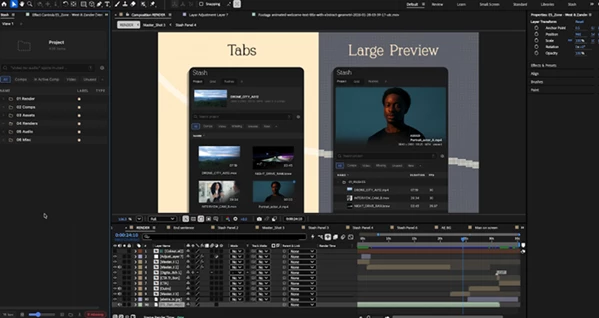
Tabs and Saved Workspaces
Every project can have multiple saved views using tabs. Each tab remembers:
- Filters
- Layout settings
- Project view preferences
You can create different workspaces for different tasks, such as:
- Animation assets
- Footage management
- Design elements
- Final delivery files
Grid View and Preview Panel
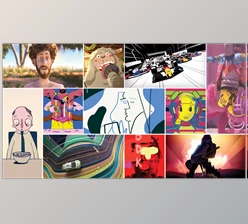
For users who prefer a visual workflow, Stash provides a grid-based browsing mode with adjustable zoom.
You can explore your project like a media library and quickly preview assets before using them.
The preview panel also provides additional information about selected items, making asset management faster and more convenient.
Missing Footage Management
Missing files can cause serious problems in After Effects projects.
This tool helps identify missing footage with built-in status alerts and filtering tools. You can quickly locate missing assets and manage relinking or replacing files directly from the panel.
Usage Information
Stash provides useful information about how assets are being used. You can easily see:
- Whether an item is unused
- How many compositions contain a specific asset
This helps clean projects before delivery and removes unnecessary files.
Drag and Drop Workflow
Stash supports a faster drag-and-drop workflow. You can:
- Drop files directly into the panel
- Drag assets into compositions
- Automatically place items at the playhead position
This reduces repetitive actions and speeds up daily editing tasks.
Keyboard Navigation
For advanced users, Stash supports keyboard-based navigation.
You can browse, search, and select assets without constantly switching between keyboard and mouse, creating a faster professional workflow.
Professional Tips for Using Stash Effectively
Create Smart Views for Different Tasks
Instead of keeping everything in one place, create dedicated tabs for different stages of your workflow. For example:
- A composition tab for animation work
- A footage tab for media management
- A final delivery tab for export preparation
This keeps your project cleaner and easier to navigate.
Use Filters Before Searching Manually
When working with large projects, combine filters with search instead of scrolling through folders.
Filtering by asset type first can dramatically reduce the number of results and help you find files faster.
Organize Projects Before They Become Messy
Stash works best when used from the beginning of a project.
Creating smart folders and saved views early helps maintain organization throughout the entire production process.
Clean Projects Before Delivery
Before sending projects to clients or other team members, use Stash’s usage information tools to find unused assets and remove unnecessary files.
A cleaner project is easier to share, archive, and continue editing later.
Final Thoughts
Thsi tool brings a modern approach to After Effects project management by replacing the traditional Project panel with a smarter, more visual, and more efficient workflow.
With thumbnail previews, intelligent search, smart folders, filters, tabs, and powerful organization tools, Stash helps motion designers spend less time searching and more time creating.
For anyone working with complex After Effects projects, Stash can become an essential tool for keeping files organized, improving workflow speed, and maintaining better control over every project.
If you want a faster and more intuitive way to manage your After Effects assets, Stash offers a completely redesigned project experience.
 Stash (v1.2.0).rar (Size: 69.7 MB - Date: 10/30/2026 7:07:13 PM)
- Stash - After Effects Plugin by Aescripts (v1.1.1).rar (Size: 1.0 MB - Date: 8/29/2026 11:22:48 AM)
- Stash - After Effects Plugin by Aescripts (v1.1.0).rar (Size: 1.2 MB - Date: 8/17/2026 11:55:38 AM)
- Stash - After Effects Plugin by Aescripts (v1.0.5).rar (Size: 1.1 MB - Date: 8/10/2026 11:08:43 AM)
- Aescripts - Stash v1.0.0.rar (Size: 69.7 MB - Date: 8/1/2026 12:37:00 PM)
Files Password : gfxplugin.com OR 123456