Downloadable Files
You can download the GroomBear Fx tool for free from the end of this page.
Create Better Hair and Fur in Houdini
Creating convincing hair, fur, feathers, or stylized grooms in Houdini can be challenging without the right workflow. While Houdini already includes powerful grooming tools, handling large numbers of guides efficiently often requires additional utilities that speed up repetitive tasks.
GroomBear Fx is designed to make the grooming process faster, smoother, and more interactive. With a collection of specialized brushes and guide editing tools, artists can shape hairstyles, animal fur, feathers, and other strand-based assets with much greater control while staying inside Houdini.
What is GroomBear Fx?
GroomBear Fx is a professional grooming toolkit for SideFX Houdini that allows artists to create, edit, and manage grooming guides and cards more efficiently.
Instead of manually adjusting thousands of guides one by one, GroomBear Fx provides a complete set of interactive brushes that make styling feel much more natural. Whether you’re creating realistic character hair, animal fur, feathers, or stylized hairstyles, the toolkit helps you work faster while maintaining precise artistic control.
For example, a character artist can quickly comb long hair into shape, scatter guides across a surface, cut unwanted strands, paint masks for selective editing, and finally convert guides into hair cards for game-ready assets—all within the same workflow.
This streamlined approach saves time, reduces repetitive work, and produces cleaner, more consistent grooming results.
Features
Complete Grooming Brush Collection
GroomBear Fx includes a wide range of professional grooming brushes such as:
- Mask
- Comb
- Force
- Shape
- Scatter
- Draw
- Move
- Copy
- Cut
- Lift
- Rotate
- Smooth
- Scale
- Clump
- Paint
- Custom
- Edit
- Swirl
Several brushes also include additional sub-brushes for even greater flexibility.
Interactive Guide Editing
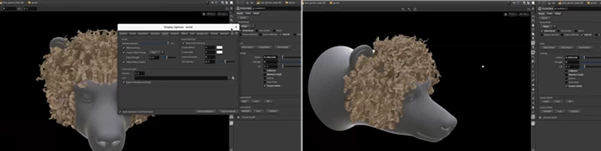
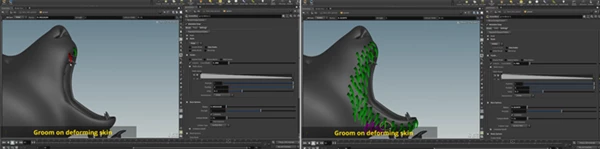
Instead of constantly switching between multiple nodes, artists can sculpt, adjust, and refine grooming guides through an intuitive workflow that feels much more responsive during production.
Hair Cards Generator
The included Cards node converts grooming guides into template geometry such as:
- Hair cards
- Planes
- Tubes
- Feathers
This is especially useful when preparing optimized assets for games or real-time rendering.
Customizable Digital Asset
The Groom node is wrapped inside a digital asset, allowing users to customize parts of the workflow while keeping the core functionality stable and reliable.
Documentation and Learning Resources
The toolkit comes with:
- Complete GroomBear Fx Toolkit
- Documentation with animated GIF examples
- Groom node overview tutorial
- Example Houdini scene files
These resources make it easier for both beginners and experienced artists to start working immediately.
Wide Houdini Compatibility
GroomBear Fx supports numerous Houdini releases including:
- Houdini 17.5+
- Houdini 18
- Houdini 18.5
- Houdini 19
- Houdini 19.5
- Houdini 20
- Houdini 20.5
- Houdini 21
It currently supports Windows and Linux.
Tips for Better Results
While GroomBear Fx provides artists with a variety of tools to create their grooming projects, it is also essential for artists to use the correct techniques with the available tools. Here are a few tips to help artists create their grooming projects more efficiently:
- Always begin with the overall shape of the groom.
- Use masking to isolate specific areas to edit.
- Smooth grooming guides regularly for the best results.
- Use clumping only lightly for grooming projects.
- Only convert grooming guides to grooming cards after finalizing the grooming project.
- Use multiple types of brushes to create natural looking hairstyles.
Final Thoughts
As one of the most detailed aspects of character creation, grooming assets are essential for character projects in Houdini. The inclusion of grooming tools within Houdini helps to create an overall more efficient production pipeline for character designers. However, GroomBear Fx takes this a step further by providing artists with additional tools and brushes to help them with grooming projects.
From creating realistic characters and animals to game-ready hair cards, GroomBear Fx allows artists to create their projects quickly and efficiently while maintaining full control over their grooming tools.