Downloadable Files
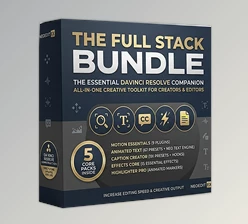
You can download Motion Essentials Pack for free at the end of this page.
Bring Your Videos to Life in Seconds
Creating effects like zooms, shakes, transitions, and more often involves manually creating keyframes to control and animate the footage. This process can add complexity and take editors away from editing their footage.
Motion Essentials Pack changes this editing experience. Each of the included effects comes with automatic motion and animation capabilities for editors to use without touching a single keyframe.
Whether editing for YouTube, social media, or for more cinematic videos, this motion effects pack will save editors time while still providing professional quality animations.
Why Automatic Motion Matters
Motion editing skills are perhaps the most distinguishing factor between amateur and professional editors. Smooth editing draws the viewer’s attention and provides an engaging editing experience.
With traditional techniques, editors must work with keyframes. Motion Essentials Pack eliminates the need for these editing techniques and complex editing skills.
With Motion Essentials Pack, editors can create:
- Smooth cinematic zooms without touching a single keyframe
- Dynamic shake edits for action scenes
- Animated titles without touching a single keyframe
- Modern transitions to keep editing quality high
- Professional facecam edits for YouTube videos
Each of these edits includes automatic animation with built-in easing to editors’ projects for smooth, clean edits.
Motion Essentials Pack Overview
Motion Essentials Pack is a collection of nine professional motion plugins designed specifically for DaVinci Resolve 20+, supporting both the Free and Studio editions. The pack works directly inside both the Edit and Fusion pages, allowing editors to add professional animation without manually creating keyframes.
Instead of spending time building animations from scratch, every effect automatically animates itself after being applied to a clip.
Features
Zero-Keyframe Workflow
Perhaps the biggest advantage is that every animation is generated automatically.
Simply drag the plugin onto your footage, and the motion begins instantly, eliminating the need for keyframe editing or Fusion graph adjustments.
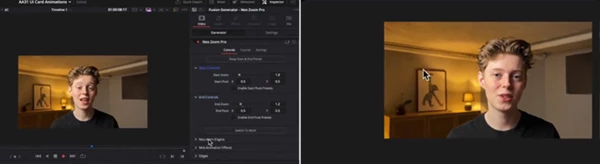
Neo Zoom Pro
Add zoom effects to highlight specific features in products, interviews, or other content.
Neo Gradual Zoom
Apply a subtle continuous zoom that adds depth and premium visual quality without distracting the audience.
Neo Anim
Automatically animate any text or logos to create dynamic title sequences for your videos.
Neo Facecam
Quickly position, resize, and animate facecam footage for gaming videos, tutorials, reaction videos, and livestream content.
Neo Shake Pro
Generate controlled camera shake effects with clean ease-in and ease-out movement that enhances action without looking exaggerated.
Neo Edge Fade
Create soft edge fades and smooth gradients that improve the visibility of text, icons, and graphic overlays.
Neo Shake Transition
Add energetic shake-based transitions that naturally connect fast-paced scenes while maintaining professional motion.
Neo Slide Transition
Create clean slide transitions that work perfectly for business presentations, YouTube videos, promotional edits, and social media content.
Neo Scale In Transition
Produce modern scaling transitions that feel smooth and natural while keeping viewer attention focused on the content.
Smart Motion Blur
Motion blur is rendered only while the animation is active, helping maintain professional visual quality without unnecessary rendering overhead.
Full DaVinci Resolve Compatibility
The plugins work as generators, effects, and video transitions while supporting both the Edit and Fusion pages in DaVinci Resolve 20+, including the Free and Studio versions. Real-world examples include YouTube tutorials, gaming content, cinematic travel videos, educational videos, corporate presentations, social media reels, product promotions, and creator-focused editing workflows.
Pro Tips for Better Results
While Motion Essentials Pack features automatic animation for editors to use without effort, there are a few pro tips to enhance the editing experience and create professional videos.
- Use Neo Gradual Zoom for interviews or storytelling videos to add visual interest.
- Use Neo Shake Pro for action scenes within edited videos.
- Use Neo Anim for creating dynamic and professional title sequences.
- Use Scale In and Slide transitions in different locations within the same editing project for professional editing styles.
- Keep editing transitions smooth within edited videos.
- Use the Smart Motion Blur feature to enhance movements within edited videos.
These editing techniques will help editors of all experience levels create a cinematic editing style while keeping the viewer’s focus on the edited project.
Final Thoughts
Motion graphic editing skills are not a requirement for editors wishing to create smooth editing for their projects. Motion Essentials Pack simplifies editing projects by allowing editors to automatically create zooms, shakes, transitions, facecam edits, and motion graphic effects.
Perfectly suited for editing YouTube videos, cinematic videos, educational content, and more, Motion Essentials Pack is a fantastic edit effects suite for DaVinci Resolve editors looking to improve their editing skills and create seamless, engaging videos. If you are looking for automatic zooms, shakes, transitions, and graphic editing features, the Motion Essentials Pack is an excellent addition to your editing software.

Files Password : gfxplugin.com OR 123456