Downloadable Files
You can download ParticleShapes for free at the end of this page.
Bring Your Shape Layers to Life
Creating eye-catching particle animations in After Effects often requires complex plugins or time-consuming workflows. ParticleShapes offers a much simpler approach by transforming ordinary Shape Layers into beautiful particle systems directly inside After Effects.
Whether you’re designing logo reveals, motion graphics, UI animations, social media content, or Lottie assets, ParticleShapes lets you generate impressive particle effects using only standard After Effects features—no third-party plugins required. With dozens of customization options and an efficient baking workflow, it’s an excellent solution for motion designers who want both speed and creative freedom.
What is ParticleShapes?
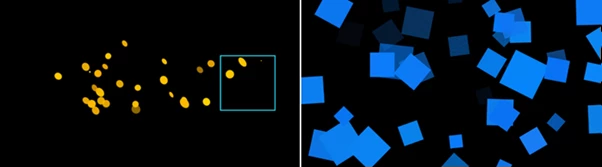
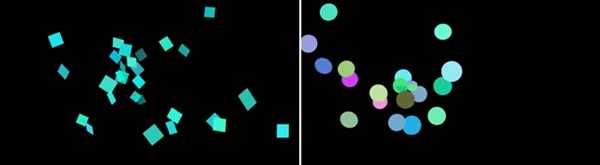
ParticleShapes is an After Effects extension that converts Shape Layers into fully customizable particle animations.
Instead of relying on external particle engines, it uses the built-in capabilities of After Effects to generate particles. This means your projects remain portable, lightweight, and easy to share with teammates or clients without worrying about missing plugins.
The extension gives artists complete control over particle generation, movement, appearance, timing, and animation while keeping everything inside the familiar After Effects workflow.
For example, you can easily:
- Turn logos into exploding particles.
- Create floating particle accents around typography.
- Build stylish UI transitions.
- Generate decorative motion graphics for social media.
- Produce animations that can later be imported into Lottie Creator.
Because everything remains editable, designers can quickly experiment with different looks until they achieve the perfect animation.
Meet ParticleShapes
If you regularly work inside Adobe After Effects, ParticleShapes can dramatically simplify the process of creating professional particle effects.
Instead of manually animating dozens or hundreds of individual elements, the extension generates them automatically while giving you complete creative control.
One of its biggest advantages is that it requires no additional plugins. Anyone with a standard installation of After Effects can open the project without compatibility issues.
Another major benefit is its baking system, which converts particle simulations into editable 3D keyframe animations. This allows smoother previews, faster workflows, and greater flexibility during production.
Features
Turn Shape Layers into Particles
Convert any Shape Layer into an attractive particle animation in just a few clicks. Perfect for:
- Logo animations
- Motion graphics
- Typography effects
- UI animations
- Intro sequences
- Social media videos
12 Ready-to-Use Presets
Start quickly using one of twelve built-in presets. These presets provide an excellent starting point while still allowing complete customization to create your own unique visual style.
Complete Emitter Controls
Control exactly how particles are generated. You can adjust:
- Number of particles
- Emission timing
- Spawn location
- Particle distribution
This makes it easy to create anything from subtle accents to large particle explosions.
Fully Customizable Particle Style
Control how every particle looks throughout its lifetime. Customize:
- Size
- Shape
- Opacity
- Color
- Appearance
- Disappearance
These settings help match the particle effects with your project’s visual identity.
Advanced Particle Behavior
Particle movement is fully adjustable. Modify:
- Speed
- Direction
- Rotation
- Motion style
Whether you’re creating energetic bursts or slow floating particles, the extension gives you complete artistic control.
Additional Particle Forces
Apply global forces to influence the overall animation. Examples include:
- Gravity
- Wind
- Directional drift
- Environmental movement
These forces help produce more natural and believable particle motion.
Bake into 3D Keyframe Animations
Once you’re satisfied with the simulation, bake everything into editable 3D keyframes. Benefits include:
- Faster RAM previews
- Easier editing
- Better project performance
- Greater compatibility
Export for Lottie Creator
One of the most unique capabilities of ParticleShapes is its integration with Lottie Creator. The extension converts 3D particle animations into 2D keyframe animations by:
- Converting 3D position into 2D values
- Mapping Z-position to scale
- Translating 3D rotation into 2D shape ratios
This allows particle animations to be used inside lightweight Lottie projects for web and mobile applications.
No Plugins Required
Since everything is based on standard After Effects functionality, project files remain easy to share.
Clients, teammates, and collaborators only need a regular After Effects installation to open and edit the animation.
This significantly improves collaboration and avoids common plugin compatibility issues.
Tips for Better Results
ParticleShapes provides several tips that will significantly improve your results when creating animations with the extension.
Start with one of the included presets and begin to customize your animation rather than extensively customizing it at the beginning of your project.
Using the presets will allow you to create animations that have more even particles that do not move excessively from one part of your composition to another.
For logo animations, use fewer particles and larger sizes to maintain the brand elements in your logo.
For animations used as background elements for other videos or projects, use more particles with a lighter opacity.
Use particle forces such as gravity or directional movement for your particles to create more natural-looking animations for your projects.
Once you have customized your particle animations to your satisfaction, bake them into 3D animations for easier editing and improved performance within After Effects.
Final Thoughts
ParticleShapes is an excellent solution for motion designers seeking to create professional particle animations within After Effects.
With its various features, built-in projects and presets, baked animations, and no plugin requirement, this program is ideal for users of all experience levels within After Effects.
Whether you are after logo animations, motion graphics, user interface projects, or projects that can be exported into Lottie Creator, ParticleShapes will significantly reduce the amount of time it takes you to create stunning animations for your projects.
In search of a faster way to create impressive animations without the need to use additional After Effects plugins? Then ParticleShapes is definitely worth exploring.

Files Password : gfxplugin.com OR 123456