Downloadable Files
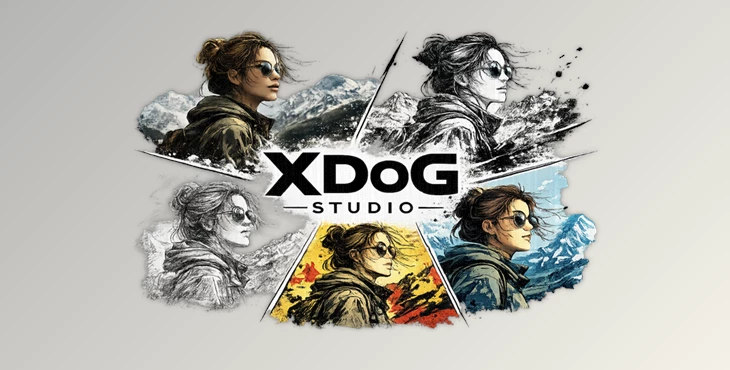
You can download XDoG Studio for free at the end of this page.
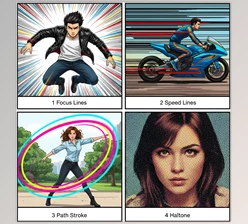
Transform Ordinary Footage into Comic-Style Artwork
The plugin uses the Extended Difference of Gaussians (XDoG) algorithm to produce stunning, artistic line drawings from your footage in Adobe After Effects.
Perfect for motion graphics, music videos, and even cinematic projects, XDoG Studio will give you the ability to stylize your projects like a pro and have fun with the process!
What Is XDoG Studio?
XDoG Studio is a professional stylization plugin for Adobe After Effects that converts videos, images, and compositions into artistic line-based illustrations. Instead of simply detecting outlines, it uses advanced edge-aware image processing to generate natural-looking ink lines, comic outlines, toon shading, sketch effects, and graphic posterization.
Unlike basic cartoon filters, the plugin provides complete control over how lines, edges, colors, and tonal transitions behave, allowing artists to create unique visual styles for different projects.
This level of control helps designers produce cleaner artwork, preserve important details, and create more visually appealing animations that feel handcrafted rather than automatically generated.
Why XDoG Studio Makes Stylization Better
One of the biggest problems with comic-style illustrations in motion graphics is the issue of too many or too few edges in your project.
If there are too many edges in your project, it will look noisy and overly detailed.
On the other hand, if there are too few edges, important details of your project will be lost in the illustration.
XDoG Studio will give you precise control over how many edges appear in your project, so you can control how much detail is retained in your motion graphics project!
With XDoG Studio, you can easily:
- Create comic book footage
- Create manga-style footage in black and white
- Design cel-shaded motion graphics elements
- Produce title sequences for your films and videos
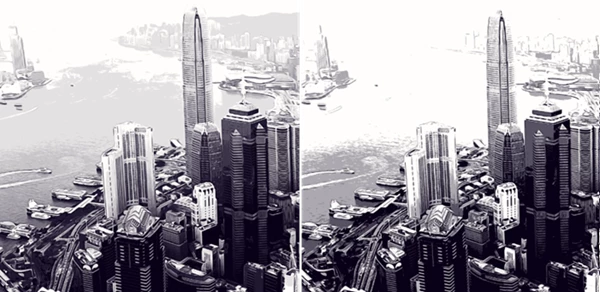
- Create illustrations of architecture and landscapes
- Produce unique music videos
Experiment with motion graphics using colorful DoG RGB processing for your compositions. All of these features provide artists with a variety of effects and allow them to create unique motion graphics projects for a variety of audiences!
Features
GPU-Accelerated
XDoG Studio is designed specifically for After Effects and uses CUDA and OpenCL accelerators to render your project quickly.
Without these accelerators, XDoG Studio will use the CPU to render your composition.
Advanced XDoG & DoG Line Processing
The plugin generates beautiful edge-based illustrations using Extended Difference of Gaussians processing instead of relying on simple outline detection.
This produces cleaner, more natural-looking line art suitable for comics, manga, sketches, and ink illustrations.
Complete Artistic Control
Artists can precisely adjust:
- Detail Scale
- Edge Width
- Sharpness
- White Point
- Transition Hardness
- Threshold Response
- Brightness
- Saturation
- Color Blending
These controls make it easy to develop a unique visual style instead of relying on preset filters.
Posterize Controls
The built-in Posterize tools simplify colors and tonal values into clean graphic regions. This feature is especially useful for:
- Toon shading
- Comic artwork
- Manga effects
- Poster designs
- Cel-shaded animation
- Graphic illustrations
Reducing unnecessary tonal variation creates cleaner compositions that remain easy to read.
Flow-Guided Smoothing
One of the most impressive capabilities of XDoG Studio is Flow-Guided processing.
Instead of producing noisy outlines, it guides line direction according to the structure of the image, creating smoother and more coherent strokes.
This works particularly well for:
- Faces
- Clothing
- Vehicles
- Buildings
- Landscapes
- Organic objects
The result feels closer to hand-drawn illustration while maintaining the original image structure.
DoG RGB Stylized Color Processing
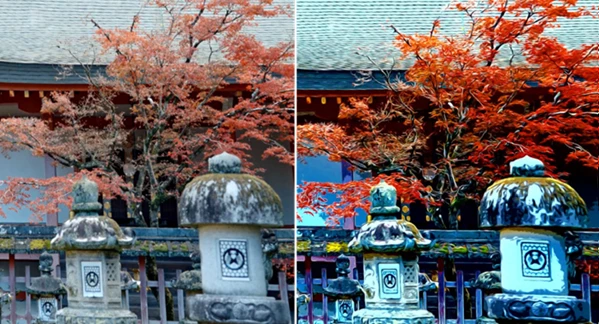
Beyond traditional black-and-white line art, XDoG Studio includes a dedicated DoG RGB mode.
This feature preserves color while applying artistic edge processing, allowing creators to produce:
- Stylized color illustrations
- Comic-inspired visuals
- Graphic posters
- Experimental color effects
- Illustrated motion graphics
The original atmosphere of the footage remains while unnecessary visual complexity is reduced.
Flexible Rendering Options
The plugin supports:
- CUDA rendering
- OpenCL rendering
- CPU fallback mode
Although GPU acceleration is highly recommended for the best experience, the CPU renderer provides compatibility when GPU hardware is unavailable.
Practical Creative Uses
XDoG Studio fits naturally into many creative workflows, including:
- Motion graphics
- Music videos
- Film title sequences
- YouTube intros
- Animated comic effects
- Promotional videos
- Stylized commercials
- Architectural visualization
- Experimental digital art
- Creative social media content
Because it works directly inside After Effects, artists can integrate the effect into existing projects without changing their workflow.
Professional Tips for Better Results
For the cleanest illustrations, start with lower Detail Scale values and gradually increase them until the image contains only the information you actually need.
Flow-Guided Smoothing often produces much more natural linework when working with faces, architecture, and high-detail scenes.
Posterize works best when combined with moderate edge widths, allowing colors and outlines to complement each other instead of competing for attention.
For demanding 4K projects, preview your composition at Half or Quarter Resolution while adjusting parameters. This keeps interaction responsive while maintaining excellent final quality during rendering.
Finally, experiment with DoG RGB mode and blend the stylized result back over the original footage to create illustrations that retain realistic lighting while gaining a bold graphic appearance.
Final Thoughts
XDoG Studio for After Effects is much more than a simple cartoon effect plugin.
It is a complete package that allows users to transform their footage into comic books, manga art, illustrations, toon animations, and more!
By using the XDoG, DoG RGB, Flow-Guided, and Posterize tools, along with GPU-accelerated processing and control over every aspect of the software, XDoG Studio allows artists to have the ultimate creative freedom within their projects!
For those creating motion graphics, cinematic projects, commercials, animations, and more, XDoG Studio will offer the perfect tools for transforming their ordinary footage clips into stunning visual artwork!

Files Password : gfxplugin.com OR 123456