Downloadable Files
You can download the KM-3D Cloth Deform tool for free at the end of this page.
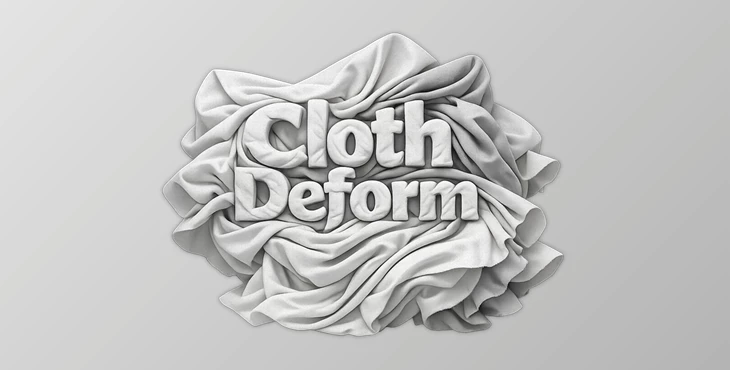
Add Natural Wrinkles Without Running Cloth Simulations
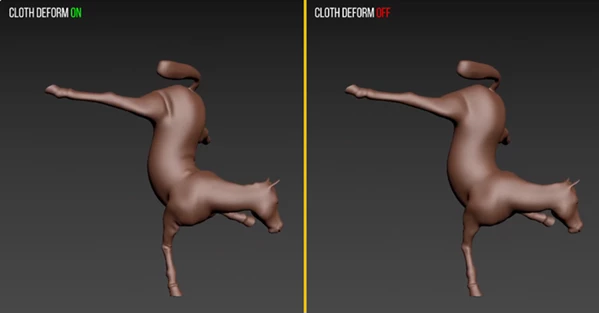
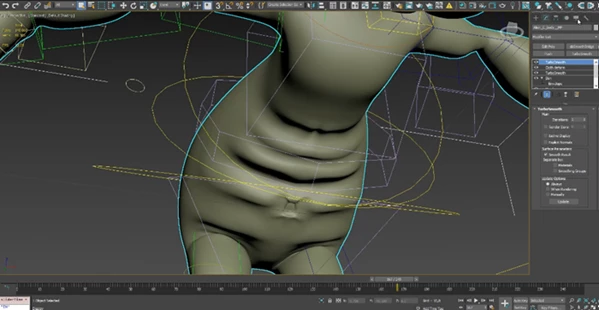
Creating wrinkles on cloth objects usually requires simulating the cloth. It involves setting up cloth simulations, using cache files, and doing a few iterations to get the wrinkles you want. KM-3D Cloth Deform will save you time by generating cloth-like wrinkles on your meshes without having to simulate the cloth. Cloth Deform reads the deformation of the mesh and automatically adds wrinkles to it. This product is perfect for artists who want realistic cloth wrinkles quickly.
What is KM-3D Cloth Deform?
Cloth Deform is a 3ds Max modifier designed to generate realistic cloth wrinkles on top of existing mesh deformations. Rather than performing a physical cloth simulation, it compares the current mesh with its original rest pose and creates wrinkles based on how much the geometry has been stretched or compressed.
Because it is history-independent, every frame is calculated independently. This means you can jump directly to any frame in your animation without simulating previous frames first.
For example:
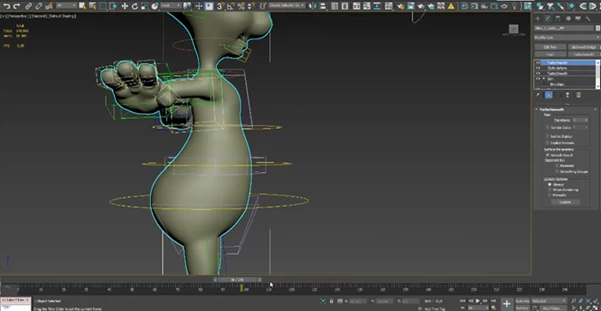
- Add realistic wrinkles to a character’s shirt driven by a Skin modifier.
- Create natural folds on sleeves as an arm bends.
- Enhance animated fabric without increasing simulation time.
- Improve clothing realism during character animation previews.
This workflow saves valuable production time while maintaining visually convincing results.
Why KM-3D Cloth Deform Makes Character Animation Easier
If your character has the right rigging and deformation tools in place, this product will allow for realistic wrinkles on the character’s clothes as they stretch and compress. KM-3D Cloth Deform will save animators from having to wait for the cloth simulations to complete. Since Cloth Deform is history-independent, any changes an artist makes to a character will allow them to immediately see the changes in the character’s clothing.
Whether you are making game cinematics, animation projects, or visualizations of your projects, Cloth Deform will allow your characters’ clothing to be more believable.
Features
Automatic Cloth-Like Wrinkles
KM-3D Cloth Deform will generate realistic cloth-like wrinkles wherever there is a stretch or compression of the mesh object.
Simulation-Free Workflow
Unlike traditional cloth simulators, this tool performs no physics simulation. The result appears instantly without baking or caching animation.
History-Independent Calculation
Each frame is processed independently, allowing artists to jump directly to any point in the timeline without calculating previous frames.
Works with Existing Mesh Deformations
Designed to operate on meshes already deformed by modifiers that squash or stretch geometry, such as the Skin modifier.
Faster Iteration During Production
Since there is no simulation process, artists can make animation or rigging adjustments and immediately preview updated wrinkle behavior.
Lightweight Production Workflow
Eliminates long simulation times while keeping the scene responsive, making it suitable for animation, visualization, and production pipelines.
Wide 3ds Max Compatibility
Compatible with the following versions of Autodesk 3ds Max:
- 2015
- 2016
- 2017
- 2018
- 2019
- 2020
- 2021
- 2022
- 2023
- 2024
- 2025
- 2026
- 2027
Tips for Better Results
- Use even topology on the mesh, as it will allow the wrinkles to be even on the mesh.
- Make sure to apply KM-3D Cloth Deform after the deformation modifiers like the Skin modifier.
- Animation poses can be tested using the character to ensure Cloth Deform works well in all poses of the animation.
- The rest pose of the mesh should be kept as clean as possible because Cloth Deform will compare the mesh to its original rest pose.
- KM-3D Cloth Deform can be combined with other tools that improve the realism of the mesh deformations.
- Use Cloth Deform during the animation preview stage of the animation project so that the animator can quickly see how the character’s clothing will look without having to use the simulation tools.
Final Thoughts
KM-3D Cloth Deform is an excellent alternative to cloth simulations for 3ds Max artists. Cloth Deform will save you time in the animation project by simulating cloth wrinkles directly on the mesh.
This tool will allow you to create more realistic clothing for your characters in animation projects while spending less time on the process. It is well worth considering if your project requires the use of cloth and you want to have it look as realistic as possible.

Files Password : gfxplugin.com OR 123456