Downloadable Files
You can download Lego Generator for free from the end of this page.
Turn Any 3D Model into LEGO Art in Seconds
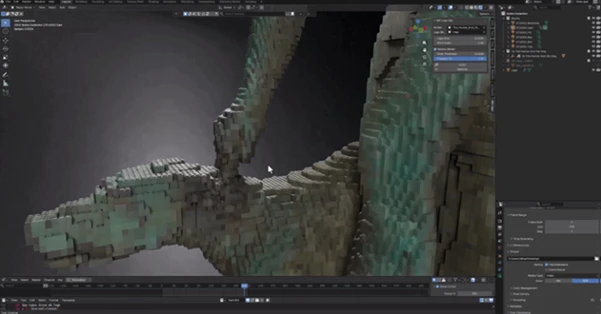
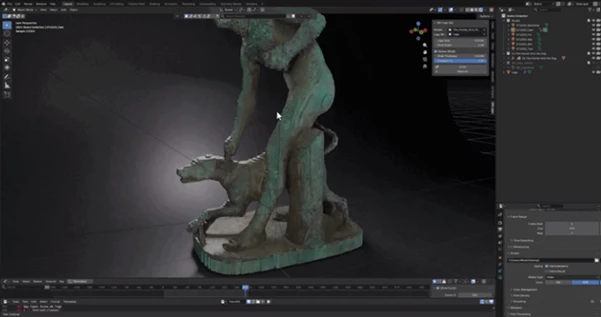
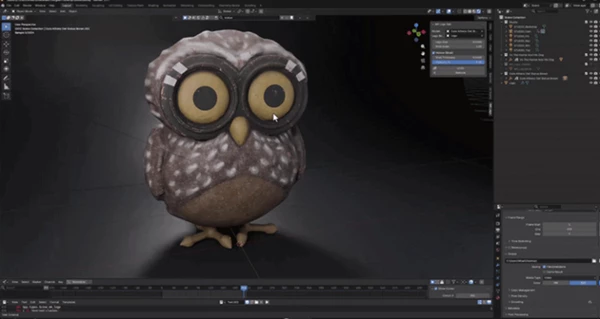
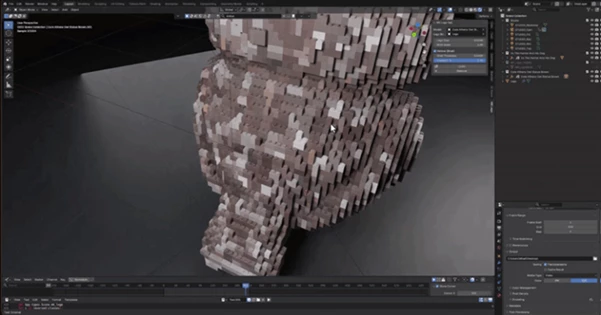
Have you ever wondered what your favorite 3D model would look like if it were built entirely from LEGO bricks? Lego Generator makes that possible with a single click. Instead of manually placing thousands of bricks, this Blender add-on automatically converts any UV-textured model into a detailed LEGO-style mosaic while preserving the original texture colors.
Whether you’re creating stylized renders, concept art, product showcases, or simply experimenting with creative ideas, this tool dramatically speeds up a process that would otherwise take hours—or even days.
What Is Lego Generator?
Lego Generator is a Geometry Nodes add-on for Blender that allows you to automatically turn your 3D model (with UV textures) into a LEGO model. Each LEGO brick will sample the color of the original model textures.
Rather than manually building the model with LEGO bricks, you can generate this LEGO model instantly and the original model will remain untouched.
Imagine taking your favorite 3D model and instantly converting it into a realistic LEGO sculpture. The colors of each individual LEGO brick will match the original 3D model so that the result looks as similar as possible to the original texture art while maintaining its authentic LEGO look.
All of this will save you time in the modeling process.
Build Amazing LEGO Versions Effortlessly
If you’ve ever tried to build a 3D model out of LEGO blocks, you know how much time it takes. With Lego Generator, you can automate the entire process so you can focus on the fun part of creating awesome 3D art.
The non-destructive nature of the Geometry Nodes editor means you can generate LEGO models or remove them at any time throughout your project.
Features
One-Button LEGO Generation
Select your model, click the LEGO button, and watch the entire object transform into a perfectly organized LEGO brick mosaic within seconds.
Automatic Texture Color Sampling
Each individual brick reads the color from the exact position of your original texture, producing accurate color reproduction for both simple and highly detailed models.
Support for Multiple Materials
The add-on works with both single-material and multi-material models. Every material is sampled automatically, eliminating the need for manual baking or complicated setup.
Hollow Shell Generation
Instead of filling the entire object with bricks, the generator creates only the outer shell. This greatly reduces the total brick count, resulting in lighter scenes and faster viewport performance.
Custom LEGO Bricks
You’re not limited to the default brick design. You can:
- Use the built-in LEGO brick.
- Select any object already inside your Blender scene.
- Load custom brick models directly from external Blender (.blend) files.
This flexibility allows you to create unique brick styles for different artistic projects.
Adjustable Brick Size
Control the overall level of detail by adjusting brick size. Starting with larger bricks and gradually reducing their size allows Blender to remain responsive while finding the ideal balance between detail and performance.
Viewport Optimization
Large LEGO models may contain hundreds of thousands—or even millions—of bricks. The Viewport Percentage option lets you preview only a portion of them while editing, while final renders always display the complete model.
Perfect Grid Alignment
All LEGO bricks will align perfectly on a grid so that there are no gaps or incorrect spacing between models.
Completely Non-Destructive
All of the actions are performed within the non-destructive Geometry Nodes editor so your model will remain unchanged.
Simple Interface
All settings for the add-on are located within the N-panel so you can quickly access all settings:
- Model
- Brick
- Size
- Shell thickness
- Viewport percentage
- Generate, Remove
Professional Tips for Better Results
Start with larger bricks during your first generation. This gives you a fast preview and helps you estimate the ideal density before moving to smaller brick sizes.
Always make sure your model has a clean UV unwrap. Better UV layouts produce more accurate texture sampling and smoother color transitions across the LEGO mosaic.
Adjust shell thickness carefully. A thinner shell creates lighter scenes, while thicker shells can improve the appearance of larger objects.
Use the viewport percentage feature while working on high-resolution models. This keeps navigation smooth even when the final model contains an extremely large number of bricks.
Experiment with custom brick objects to create unique artistic styles beyond traditional LEGO appearances.
For large production scenes, gradually reduce brick size instead of immediately generating millions of tiny bricks. This workflow provides much better performance during editing.
Final Thoughts
Lego Generator gives you a lightning-quick and creative way to turn your 3D models into LEGO art. With its ability to automatically sample your texture colors, use the non-destructive Geometry Nodes editor, use custom LEGO models, hollow out your models, and offer viewport optimization, Lego Generator is perfect for 3D artists who want to have awesome results with minimal effort.
Whether you are creating 3D art for fun or for your portfolio, Lego Generator will make your modeling experience more enjoyable and efficient. For anyone who would like to see their 3D models recreated as LEGO models, this is an essential add-on for Blender.

Files Password : gfxplugin.com OR 123456
![Download [Blender] MecaFace by Mecabricks 1.1.0](https://dls4.gfxplugin.ir/Download_Files/22616/SearchSmall/banner.png)