Downloadable Files
You can download Reflow for free from the end of this page.
Turn Any Design into a Fluid Particle Animation
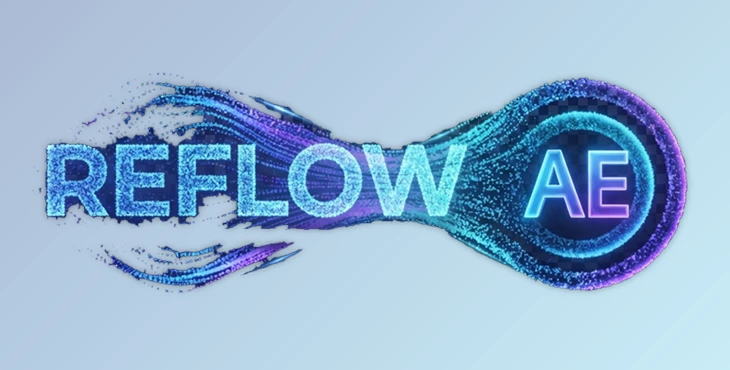
Have you ever wanted to transform your logo into another logo, morph your text into an image, or create some cinematic particle animations without having to build the particle system from scratch? Reflow is designed to allow you to do just that!
Without having to manually animate each of your particles, Reflow will dissolve your one object into particles and then allow them to naturally re-form into your other object of choice. Perfect for motion graphics, title animations, and visual effects (VFX) sequences, Reflow allows you to have professional-quality particle morphing animations at the touch of a button!
What is Reflow and Why Is It Useful?
Reflow is a plugin that will morph one object into another by converting it into thousands of animated particles. The object that you start with will dissolve into those particles and gradually reform into your second object of choice.
Where particles can be used are in the following areas:
- Creating logo animations
- Presenting products
- Creating motion graphics
- Creating film titles
- Creating user interfaces (UI)
- Creating advertisements
- Social media content
- Visual effects (VFX)
Where traditional transitions may show one object slowly fading into the other, Reflow allows the particles of the object to naturally transition into the next object in your composition.
The result is a much more visually engaging transition between your two main objects in your composition. Furthermore, each of these particles has a predictable movement within your composition, which allows for a smooth editing process for your motion graphics and VFX projects.
Reflow Features
One-Slider Particle Morphing
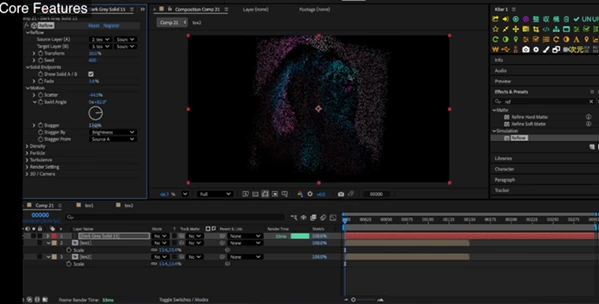
Reflow allows for one of the most crucial features of its own design: the ability to transform your objects through a single Transform slider.
With only one slider to control the entire process, your particles will dissolve from your first object into your second. Furthermore, because each movement of the slider is deterministic, it allows for quick and easy editing of the transformation process of your objects.
Real 3D Camera Integration
Reflow fully supports After Effects’ native 3D environment.
Particles react naturally to your composition camera, including perspective changes and depth of field. Built-in null controllers also make positioning and rotating both source and target layers much easier.
This allows artists to build cinematic camera movements without breaking the particle animation.
Powerful Motion Controls
Every particle’s movement can be customized using:
- Scatter
- Swirl
- Turbulence
- Stream effects
- Explosive burst behaviours
Whether you want subtle flowing particles or energetic explosions, Reflow provides enough flexibility to match almost any creative direction.
Color-Based Animation Timing
One of Reflow’s smartest features is its color-driven transition system. Particle timing can be controlled using:
- Brightness
- Saturation
- Color values
- Alpha transparency
This allows different areas of an image or logo to transition at different times, creating much richer and more natural animations.
Multiple Particle Styles
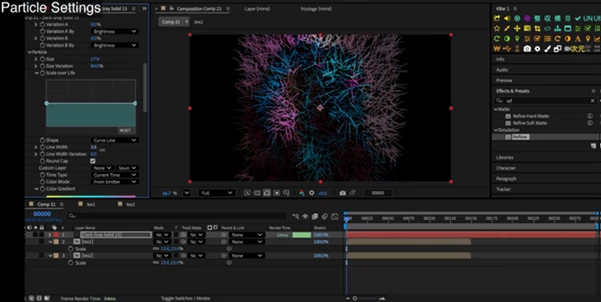
Instead of being limited to simple dots, Reflow offers several particle types including:
- Circles
- Lines
- Arrows
- Curved trails
- Custom layer sprites
You can even replace every particle with your own artwork, allowing for completely unique visual styles.
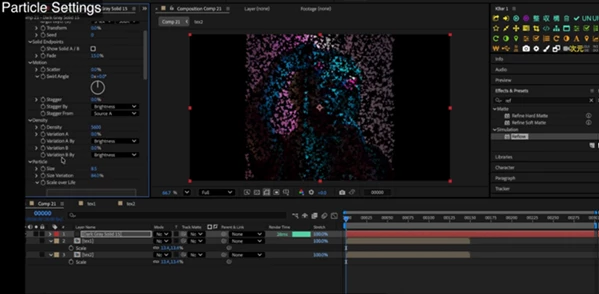
Extensive Particle Customization
Artists have full control over:
- Particle size
- Density
- Opacity
- Color
- Lifetime changes
- Random color generation
- Density based on image brightness
Curved line particles even bend along their motion paths, producing elegant flowing effects that would normally require much more complex setups.
High Performance Rendering
Reflow is built using a multithreaded approach to rendering your composition.
It can handle up to 200,000 particles interactively, making it perfect for commercial projects that require high resolution but still maintain an efficient editing process.
Organic Particle Motion
Reflow also includes built-in turbulence for your particles.
This allows for the movements of the particles to appear more natural and less artificial, which is a common issue with most particle animations.
Practical Examples
Reflow fits naturally into many professional workflows, including:
- Transforming a company logo into a product image
- Morphing one title into another during a trailer
- Creating futuristic HUD transitions
- Building magical particle reveals
- Designing cinematic intro animations
- Creating abstract promotional videos
- Producing elegant brand presentations
- Enhancing music video visuals
Because the transition is generated procedurally, experimenting with different styles takes only a few seconds.
Professional Tips for Better Results
Keep particle counts balanced with your composition size to maintain smooth previews while preserving detail.
Use brightness-based timing to create more natural dissolves where bright areas begin moving before darker regions.
Add subtle turbulence rather than extreme distortion for elegant motion that feels organic.
Take advantage of curved particle trails when creating cinematic logo reveals, as they naturally emphasise motion.
When working in 3D scenes, animate your camera slightly during the transition to enhance depth and realism.
Experiment with custom particle sprites to create branded animations that match the style of your project.
Final Thoughts
Reflow is a plugin that makes one of the most challenging forms of animation in After Effects accessible to everyone. With the ability to control a transformation with one slider, offer extensive customization, include 3D camera support, and give users more control over each individual particle, Reflow ensures that users can create impressive animations without much difficulty.
Thus, whether you are working on title sequences, logo animations, promotional videos, or even cinematic motion graphics projects, Reflow will allow you to create professional particle morphing animations to enhance your projects!

Files Password : gfxplugin.com OR 123456