Downloadable Files
You can download OneClickExport for Photoshop for free from the end of this page.
Export Smarter, Not Harder
Have you ever thought about how many times you have had to export files from Photoshop in the past few weeks? While the process may seem small and simple, there are likely many opportunities to make that process easier.
OneClickExport for Photoshop allows you to do just that: eliminate the interruptions in your creative process when exporting your images. All you have to do is click one button to export the image you’d like from within your application.
What Is OneClickExport for Photoshop?
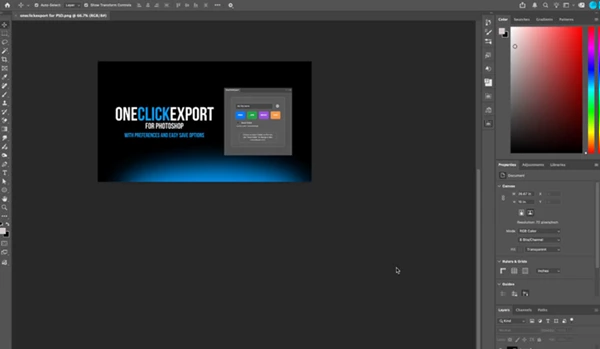
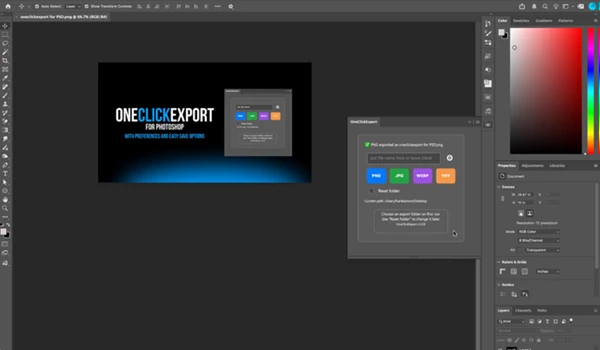
OneClickExport for Photoshop is a dockable panel within Photoshop that will allow you to export your files as various image formats with one click.
This can be especially helpful for those designers who export numerous files each day.
Instead of having to select File > Export > Export As each time you’d like to export a file, you can select the image format of your choice with the click of a button.
Why It Makes Your Workflow Better
Small interruptions add up over time.
Repeatedly opening export windows, selecting file types, adjusting quality settings, and browsing to the same folder can slow down even experienced designers.
OneClickExport removes these repetitive actions by remembering your preferred destination folder and export settings. Once configured, every export becomes nearly effortless.
This means you can:
- Spend more time designing.
- Reduce repetitive manual work.
- Keep your creative flow uninterrupted.
- Deliver assets faster with consistent export settings.
- Minimize accidental export mistakes.
Meet OneClickExport for Photoshop
OneClickExport for Photoshop was designed to help designers export their images as fast as possible. Whether they are working on web graphics, client work, marketing images, or print designs, OneClickExport will help make file exports one-click away from your project files.
Features
One-Click Export
Export your current Photoshop document with a single click.
No more navigating to File > Export > Export As each time you’d like to export your documents.
Four Popular Export Formats
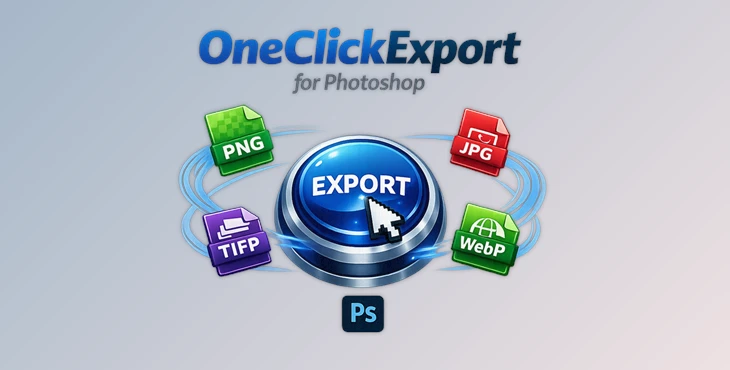
OneClickExport for Photoshop allows you to quickly and easily export your files in four of the most popular image formats:
- PNG
- JPG
- WebP
- TIFF
Each of these buttons allows you to quickly select the desired format without having to navigate through the export dialog box every time.
Dockable Photoshop Panel
The plugin integrates directly into Photoshop as a dockable panel.
It stays available while you work, allowing immediate access without interrupting your layout or workflow.
Remembered Export Preferences
Once you’ve selected your preferred destination folder and export settings, the plugin remembers them automatically.
There’s no need to repeatedly browse folders or configure the same options.
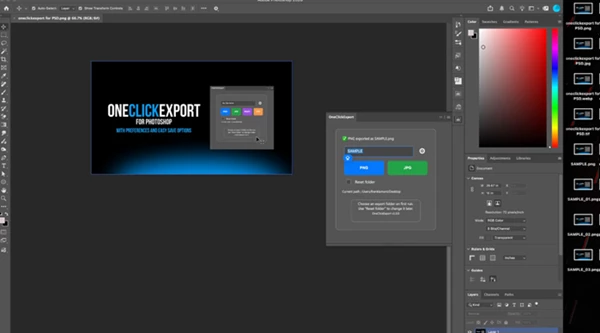
Customizable Export Buttons
Only display the formats you actually use.
You can customize the panel to keep your workspace clean and focused.
Format-Specific Controls
Each supported format includes its own export options. Examples include:
- JPG quality adjustment
- WebP quality settings
- PNG compression options
- TIFF export preferences
This allows you to optimize exports without sacrificing convenience.
Smart File Handling
When exporting over an existing file, you can choose how the plugin behaves.
Options include:
- Automatically overwrite the existing file.
- Automatically generate a numbered version.
This helps prevent accidental file replacement while keeping production moving quickly.
Real-World Applications
OneClickExport fits naturally into many professional workflows.
A UI designer can instantly export interface elements as PNG files.
A web designer can create optimized WebP images for faster websites.
A photographer can quickly generate JPG previews for clients.
A print designer can export high-quality TIFF files for professional production.
Marketing teams creating social media graphics can export multiple revisions throughout the day without constantly reopening export dialogues.
In every case, the plugin reduces repetitive work while maintaining consistent output.
Professional Tips for Faster Exports
If you’d like to get the most out of OneClickExport for Photoshop, here are a few tips to help you with faster exporting of your files:
- Set a folder in which you’d like to export your files prior to beginning your production of files.
- Remove any buttons for image formats you do not use to keep your workspace focused and clean.
- Use PNG files for any design elements that require transparency.
- Use WebP files for any projects that are to be used on websites.
- Use JPG files for any projects that will be used in digital galleries.
- Use TIFF files for any print projects.
Use the automatic versioning of files for any projects that may have numerous iterations that will be delivered to your customers.
Final Thoughts
No task should interrupt your area of focus and creativity.
OneClickExport for Photoshop is a helpful Photoshop tool that will make the export function of your software as fast as possible. By exporting files in various professional formats, remembering your export preferences, and offering you customizable export buttons, OneClickExport will help to make your production process as streamlined and effortless as possible for your Photoshop files.
Whether you are creating files for the web, social media, marketing, or print, this export function will significantly improve the efficiency of your design work.
 OneClickExport for Photoshop by Aescripts (v1.1.8).rar (Size: 664.6 KB - Date: 9/5/2026 12:00:22 PM)
- OneClickExport for Photoshop by Aescripts (v1.1.5).rar (Size: 4.0 MB - Date: 8/10/2026 11:08:50 AM)
- OneClickExport for Photoshop by Aescripts (v1.1.0).rar (Size: 19.0 KB - Date: 8/3/2026 12:01:31 PM)
- Aescripts - OneClickExport for Photoshop v1.0.rar (Size: 4.0 MB - Date: 7/25/2026 10:41:27 AM)
Files Password : gfxplugin.com OR 123456