Downloadable Files
You can download the AE Glass product for free at the end of this page.
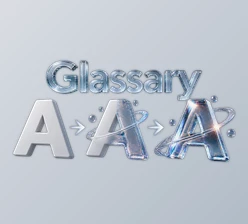
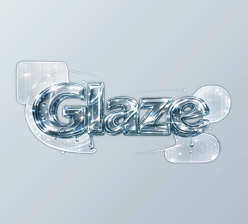
Transform Any Layer into Realistic Glass
Creating realistic glass within After Effects can be challenging and time-consuming, as it usually requires several different visual effects and complex positioning of elements within your composition. However, AE Glass comes along and changes this entirely by allowing you to transform almost any layer into realistic glass within After Effects using one visual effect.
From text, logos, shapes, masks, and more, AE Glass will work with just about anything and allow you to quickly create realistic glass elements without any extra effort from yourself.
What Is AE Glass?
AE Glass is a native visual effect for After Effects that allows you to add realistic glass to your composition by applying the effect to your existing layers. AE Glass does not require the use of any displacement maps or other added elements to your composition, as it will create the effect of glass using adjustable sliders within the After Effects interface.
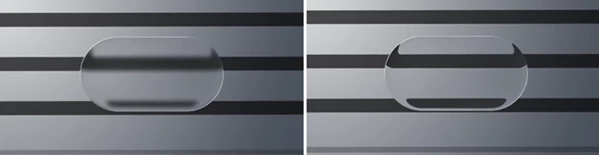
The effect will allow the layers to refract the background and magnify it as it plays within your timeline. This effect is helpful for anyone adding glass elements for projects such as user interfaces, glassmorphism designs, title sequences, and more.
Features
One-Click Real Glass Effect
Simply apply the effect to a compatible layer, and it immediately becomes realistic glass. There is no need to create displacement maps, duplicate layers, or perform additional setup.
Live Refraction
The glass bends and magnifies whatever is positioned behind it in real time. As the background animates, the refraction updates automatically, creating a believable optical effect.
Adjustable Frost
Easily transition from perfectly clear glass to a soft frosted surface using intuitive controls. This is ideal for interface panels, overlays, and modern design elements.
Realistic Edge Lighting
Directional rim lighting naturally highlights the edges of the glass, helping objects stand out and look illuminated within the composition.
Color Dispersion
AE Glass adds subtle spectral color separation around the edges, recreating the rainbow-like effect commonly seen in thick glass materials.
Works with Multiple Layer Types
The effect supports:
- Shape layers
- Text layers
- Logos
- Masks
- Solid layers
- PNG images
- Precompositions
Most projects can use the effect directly without additional preparation.
Simple Animated Controls
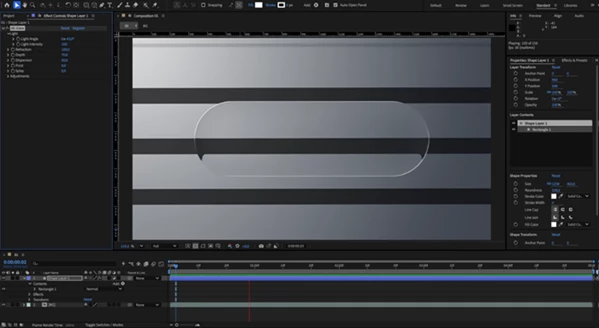
All adjustments are controlled through approximately ten easy-to-use sliders. Every parameter can be animated, making it simple to create evolving glass effects throughout your project.
Native After Effects Effect
Because the effect is built natively for After Effects, it does not require GPU acceleration and supports both 8-bit and 16-bit color workflows.
Real-World Examples
Some of the best projects to use AE Glass on within After Effects include any project that includes the following elements:
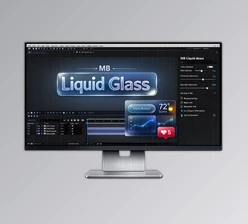
- Animated user interface elements with glass panels
- Glassmorphism website animations
- Logos that need to be revealed with glass effects
- Product advertisements
- Title sequences
- Broadcast graphics
- Social media videos
- Presentation elements
- Transparent information elements
The use of refracted and frosted glass elements will give your projects a more premium and polished look.
Tips for Better Results
For the most convincing glass effect, place visually interesting content behind the glass layer so the live refraction has enough detail to distort naturally.
Experiment with different frost levels depending on the mood of your design. Clear glass works well for premium product showcases, while frosted glass creates elegant interface elements.
Use subtle edge lighting rather than excessive intensity. A natural rim light generally produces a more believable result.
Keep your glass layers in 2D since the effect does not follow After Effects 3D camera perspective.
If using shape layers, always include a fill because strokes alone do not provide enough surface area for the glass effect.
Remember to enable the Adjustment Layer switch so the effect can properly refract the layers beneath it.
Final Thoughts
AE Glass simplifies the process of adding realistic glass elements to your composition within After Effects. With its features including live refraction, frosted edges, edge lighting, and color dispersion, AE Glass allows you to create realistic and premium motion graphics with minimal effort.
From websites to motion graphics and beyond, AE Glass will allow you to achieve realistic glass effects on any of your projects within After Effects.
 AE Glass (v1.3.0 for Win, Mac).rar (Size: 5.3 MB - Date: 10/14/2026 1:47:18 PM)
- AE Glass (v1.2.2 for Win, Mac).rar (Size: 436.3 KB - Date: 9/28/2026 12:19:27 PM)
- AE Glass (v1.2.0 for Win, Mac).rar (Size: 1.2 MB - Date: 9/24/2026 11:37:41 AM)
- AE Glass - AE Plugin by Aescripts (v1.1.0 for Win, Mac).rar (Size: 4.9 MB - Date: 9/12/2026 2:27:51 PM)
- AE Glass - AE Plugin by Aescripts (v1.0.1 for Win, Mac).rar (Size: 1.2 MB - Date: 8/31/2026 11:44:34 AM)
- Aescripts - AE Glass v1.0 (Win, Mac).rar (Size: 1.0 MB - Date: 7/25/2026 10:41:22 AM)
Files Password : gfxplugin.com OR 123456