Downloadable Files
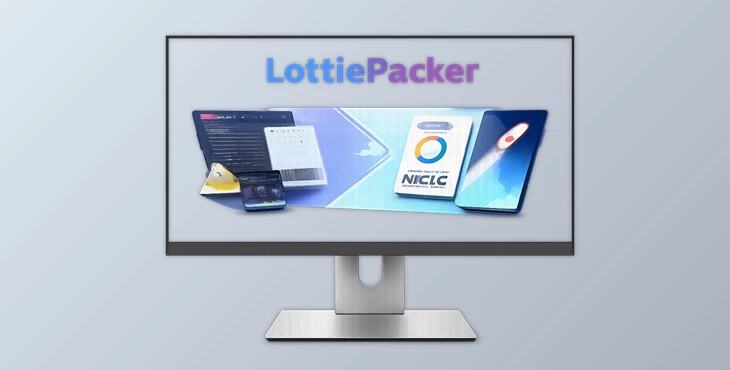
You can download LottiePacker for free from the end of this page.
Introduction: Simplify Your Lottie Animation Workflow
Creating Lottie animations within After Effects is a great process. However, there is quite a bit of preparation that goes into getting ready to export your project.
When creating Lottie animations, After Effects designers typically have to prepare their files by separating them into different files before they are ready for export.
The solution that was created to help Lottie creators speed up the process of preparing their projects for export is called LottiePacker. This powerful plugin for After Effects will automate most of the project preparation for users who would like to reduce the amount of time that they spend preparing their files.
What Is LottiePacker and Why Is It Useful?
LottiePacker is an After Effects extension that was created specifically for those who create Lottie animations for design or contribution platforms.
When creating multiple Lottie animations, After Effects users are required to create multiple compositions within their project files. Each composition will need to be prepared individually before their files can be exported in the correct format for platforms like Bodymovin and LottieFiles.
The main features that will help designers significantly reduce the amount of time that they spend preparing their projects are:
- The ability to extract multiple compositions into separate After Effects files (.aep)
- Built-in tools to clean and prepare vector layers for Lottie export
- Tools to manage the timing of their compositions
- The ability to prepare their composition files for export in the JSON format that Lottie uses
Introducing LottiePacker: A Powerful Tool for Lottie Creators
LottiePacker was created with a purpose and with a target audience in mind. It is a workflow tool for those who use Lottie files and tools like Bodymovin or LottieFiles.
This tool will help users who prepare their After Effects projects to clean them up and ensure they are ready for export and use in other projects.
Features
1-Click Comp to.AEP Extraction
One of the biggest advantages of LottiePacker is its ability to instantly batch-export multiple compositions into independent After Effects project files.
Instead of manually creating separate files through traditional After Effects workflows, you can extract multiple compositions with a single action. This feature is especially helpful when:
- Creating large Lottie animation packs
- Preparing marketplace submissions
- Delivering individual animation assets to clients
- Managing multiple versions of the same project
For example, a motion designer creating 30 animated stickers or UI animations can quickly turn each composition into a separate .aep file without wasting time on repetitive exporting tasks.
Built-in Shape Tools
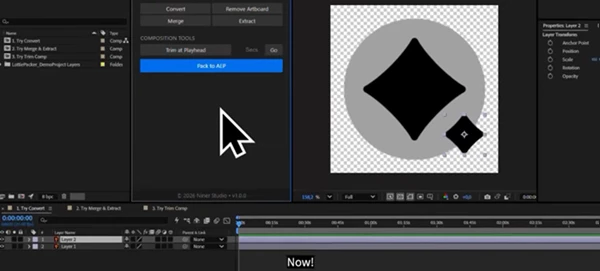
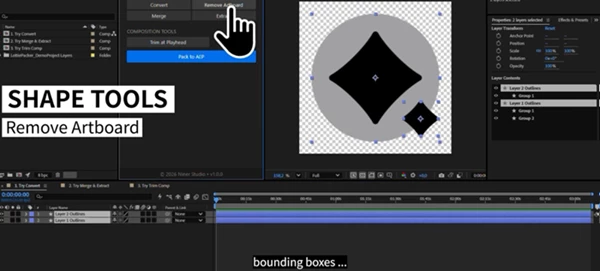
Vector preparation is an important step in creating successful Lottie animations. LottiePacker includes built-in shape tools that help clean and optimize vector-based artwork. These tools allow you to:
- Remove hidden Illustrator artboards
- Clean unnecessary vector elements
- Merge and extract shapes
- Prepare vector layers for better Lottie compatibility
By improving the structure of your shapes, animations become cleaner, easier to edit, and more reliable during conversion.
Smart Composition Tools
Managing multiple compositions can become difficult, especially in large animation projects. LottiePacker provides smart tools that automate common timeline and composition adjustments. With these tools, you can:
- Trim composition durations instantly
- Set custom timeline lengths
- Remove unnecessary empty space
- Organize multiple compositions faster
For example, if several animations contain extra frames before or after the main action, you can quickly adjust them without opening every composition separately.
All-in-One Contributor Workflow
LottiePacker creates a smoother workflow for creators who regularly prepare Lottie assets for sharing, selling, or collaboration.
It helps transform complex After Effects projects into organized, standalone files that are easier to submit and manage.
Whether you are building animation libraries, marketplace products, or client projects, this extension keeps your workflow clean and efficient.
Professional Tips for Using LottiePacker
Keep Your Projects Organized
Before using LottiePacker, maintain a clean After Effects project structure. Use clear layer names, remove unnecessary elements, and organize compositions properly for better results.
Optimize Vector Layers Before Export
Lottie animations work best with simple and optimized vector structures. Cleaning your shapes before export helps avoid compatibility issues and improves performance.
Prepare Files Before JSON Conversion
Use LottiePacker as a preparation step before exporting through Bodymovin or LottieFiles. A cleaner source project usually creates a smoother final animation.
Preview Your Final Results
After exporting your Lottie animation, always test the final output. Checking animations before delivery ensures that timing, shapes, and motion behave correctly across different platforms.
Final Thoughts: A Faster Way to Build Professional Lottie Projects
Creating Lottie animations for platforms like Bodymovin and LottieFiles does not have to be limited by the amount of time that you might spend preparing the project files.
With LottiePacker, designers can prepare their projects in a way that is more streamlined, with fewer issues, and in a way that will prepare them to be exported as high-quality, easy-to-use files.
For anyone who works with Lottie animations regularly, this plugin will save a significant amount of time and help them maintain a professional workflow.
 LottiePacker - Lottie Animators for AE by Aescripts (v2.2.0).rar (Size: 2.6 MB - Date: 8/31/2026 11:45:23 AM)
- LottiePacker - Lottie Animators for AE by Aescripts (v2.1.0).rar (Size: 1.2 MB - Date: 8/19/2026 11:20:19 AM)
- LottiePacker - Lottie Animators for AE by Aescripts (v2.0).rar (Size: 1.4 MB - Date: 8/3/2026 12:01:30 PM)
- Aescripts - LottiePacker v1.0.rar (Size: 11.4 MB - Date: 7/22/2026 11:34:34 AM)
Files Password : gfxplugin.com OR 123456