Downloadable Files
You can download Transform FX Pro for free at the end of this page.
Bring Your 3D Models to Life in Seconds
Animating hundreds or even thousands of separate 3D objects within Blender is one of the more frustrating aspects of the program. Each object must be individually animated, and the complexity of animating mechanical movements can quickly become challenging to manage for Blender users.
Transform FX Pro was created to solve this problem. With a few simple clicks, this Blender add-on can automatically create complex assembly animations of your 3D models. Use it to create futuristic product reveals, VFX edits, sci-fi robotic transformations, or nano-technology animations.
What Is Transform FX Pro?
Transform FX Pro is a professional Blender add-on that procedurally animates how individual parts of a 3D model come together. Instead of manually animating every object, you simply organize your model into a Blender Collection, choose an animation style, and let the add-on generate the complete animation.
This approach saves a huge amount of production time while producing animations that feel smooth, dynamic, and professionally crafted.
Imagine creating a product commercial where hundreds of pieces assemble into a smartwatch, or a sci-fi spaceship materializes from thousands of floating particles. With Transform FX Pro, effects like these become surprisingly simple.
Because every animation is procedural, you can easily adjust speed, direction, bounce, timing, or assembly style without rebuilding everything from scratch. That flexibility leads to cleaner workflows, faster revisions, and higher-quality final renders.
Features
Seven Powerful Procedural Animation Styles
Transform FX Pro includes seven different assembly modes, including:
- Unfold
- Fly-In
- Pop
- Sequence
- One-by-One
- Uniform
- Randomized
Each style creates a unique visual personality, making it easy to match different projects—from elegant product presentations to energetic sci-fi sequences.
One-Click Nano-Tech Swarm
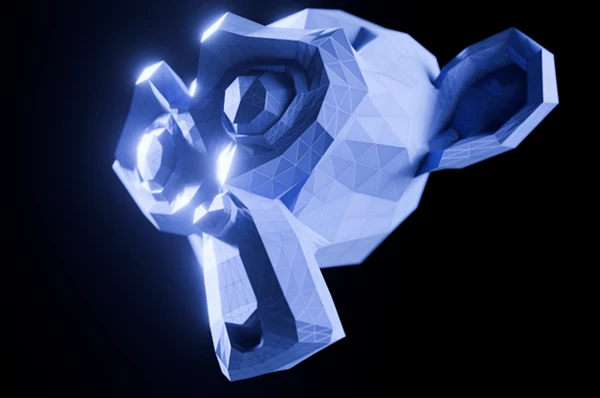
One of the most exciting features is the Nano-Tech mode. With a single click, the add-on automatically breaks a mesh into individual polygons and generates a futuristic swarm animation where thousands of pieces appear from nowhere before assembling into the final object. This effect is perfect for:
- Sci-fi intros
- Robot transformations
- Futuristic UI animations
- Technology commercials
- High-end VFX shots
Dynamic Physics Controls
Real mechanical motion rarely feels perfectly rigid. Transform FX Pro includes procedural physics controls such as:
- Bounce Overshoot
- Shake Intensity
These settings add realistic impacts, vibration, and mechanical locking effects that make animations feel heavier and more believable. Instead of lifeless movement, objects gain convincing weight and energy.
Beautiful Motion with Automatic Easing
Professional animation depends heavily on proper timing. Transform FX Pro automatically applies smooth Bezier easing to every animated piece, creating natural acceleration and deceleration throughout the assembly process. The result is polished motion without spending hours editing animation curves manually.
Live Viewport Updates
Experimenting becomes much faster thanks to real-time viewport synchronization. As you adjust animation speed, direction, bounce, or other controls, your animation updates immediately while the timeline plays. This instant feedback removes guesswork and speeds up creative decision-making.
Flexible Direction Controls
Different projects require different assembly behaviors. Transform FX Pro allows animations to build:
- Along the X axis
- Along the Y axis
- Along the Z axis
- From the center outward
- Using radial spiral motion
These options make it easy to create everything from industrial assembly sequences to cinematic transformation effects.
Simple Four-Step Workflow
The workflow is intentionally straightforward:
- Place your objects inside a Blender Collection.
- Select the Collection inside the Transform FX Pro panel.
- Choose an animation style and adjust the procedural settings.
- Click Generate and play the animation.
This streamlined process lets artists spend less time configuring animations and more time refining the final look.
Professional Tips for Better Results
For product animations, combining the Fly-In style with subtle Bounce Overshoot creates a premium mechanical feel.
If you’re creating futuristic scenes, experiment with Nano-Tech Swarm together with Radial Spiral direction for dramatic materialization effects.
Avoid using maximum shake values on every project. Small amounts of vibration usually produce more realistic mechanical movement.
Because the animation is procedural, don’t hesitate to test different animation styles before rendering. Small adjustments can dramatically improve the final presentation.
For cinematic work, combine Transform FX Pro with Blender’s depth of field, motion blur, and high-quality lighting to create even more impressive results.
Final Thoughts
For those who struggle with the effort and time required to manually animate hundreds of individual Blender models, Transform FX Pro will greatly assist in automating this step in your production pipeline.
With various available animation styles, directional features, physical controls, and automatic features for easing and live updates in the viewport, this add-on will prove to be a valuable addition to your Blender installation as a 3D animator.
If you are looking for a way to produce your Blender animations faster and with more dynamic results, Transform FX Pro is an essential add-on to download and use in your projects.

Files Password : gfxplugin.com OR 123456