Downloadable Files
You can download the ATOMOON Procreate Brushes for free from the end of this page.
Create Beautiful Digital Paintings with the ATOMOON Procreate Brushes
Finding the right brush can completely change the way you paint digitally. Whether you’re sketching clean line art, adding rich textures, blending colors, or creating watercolor effects, the right brush helps your artwork look more natural and expressive.
ATOMOON Procreate Brushes is a carefully designed brush collection that gives artists everything they need for different painting styles, making the creative process smoother, faster, and much more enjoyable.
What is ATOMOON Procreate Brushes and Why Is It Useful?
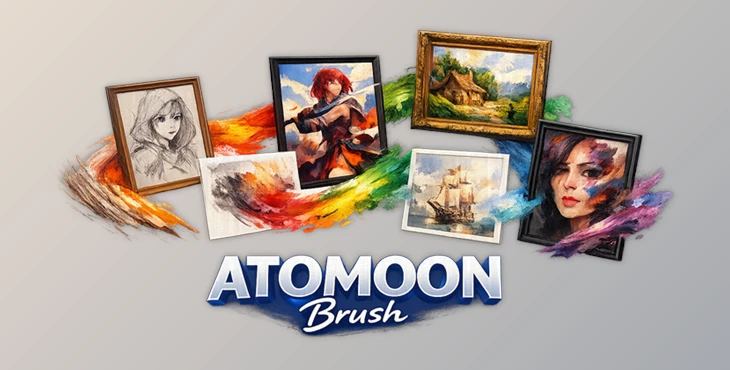
ATOMOON Procreate Brushes is a professional digital painting brush collection designed for artists who want more control over line work, coloring, textures, blending, and watercolor effects. Instead of switching between dozens of unrelated brushes, this pack provides five specialized brush categories that cover the most common painting techniques.
Imagine drawing a character illustration. You can start with clean sketches using the Line brush, apply smooth base colors with Basic, create realistic fabric or skin textures using Impasto, add watercolor backgrounds with Water, and finish everything by blending transitions with Smear. This workflow saves time while producing more polished and professional artwork.
Because every brush has been optimized and tested, artists spend less time adjusting settings and more time focusing on creativity.
Why ATOMOON Procreate Brushes Makes Digital Painting Better
Professional-looking artwork often comes from using the right tool for each stage of painting. Each brush in this collection has a specific purpose, helping improve both quality and efficiency.
Features
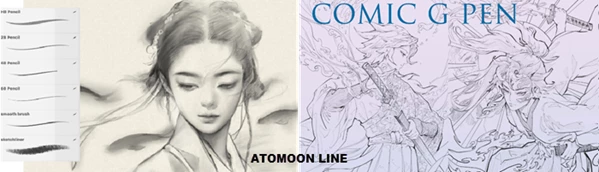
ATOMOON LINE
Designed for soft, delicate line work and precise details.
- Excellent for sketches and construction lines
- Great for comic art and ink-style illustrations
- Produces smooth, natural contours
- Makes character details look cleaner and more realistic
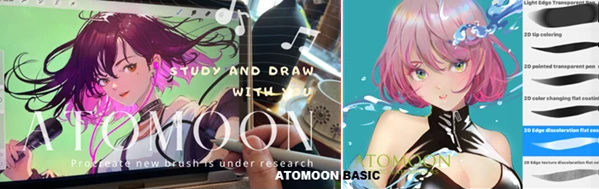
ATOMOON BASIC
A versatile brush for everyday painting.
- Ideal for flat colors and realistic rendering
- Works well with both 2D illustration and digital painting
- Carefully tested brush settings for natural coloring
- Comfortable for beginners and experienced artists alike
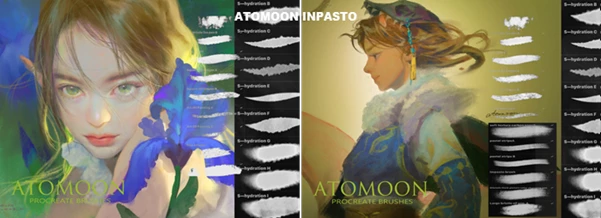
ATOMOON IMPASTO
Perfect for adding texture and expressive brush strokes.
- Simulates rough traditional painting styles
- Suitable for oil painting effects
- Great for charcoal and pastel-inspired artwork
- Creates depth through visible brush texture
ATOMOON WATER
Built for soft watercolor-style painting.
- Produces smooth flowing color transitions
- Creates natural watercolor effects
- Excellent for backgrounds, skies, and environmental art
- Gives paintings a softer artistic appearance
ATOMOON SMEAR
A dedicated blending and smudging brush.
- Smoothly mixes colors together
- Softens hard edges
- Creates realistic gradients
- Adds depth and visual harmony
Real Project Examples
The ATOMOON Procreate Brushes is useful for creating all types of digital art projects.
Some of the most popular projects that feature this brush collection include:
- Character concept art and illustrations
- Comic and manga art projects
- Fantasy art projects
- Digital watercolor art projects
- Digital portrait art projects
- Children’s book illustration projects
- Digital painting projects with textured elements
- Professional illustration projects
Instead of searching for dozens of different brushes for specific projects, the ATOMOON Procreate Brushes collection allows you to complete your most common digital painting projects using only five specialized brushes.
Professional Tips for Better Results
There are a few simple techniques and tips for using the ATOMOON Procreate Brushes collection to create even better digital art projects.
- Always begin your digital illustration project using the Line brush.
- Use the Basic brush for your coloring projects.
- Only use the Impasto brush for special features of your digital painting project.
- Use the Water brush for the background of your digital illustration project.
- Use the Smear brush to blend your digital art project instead of blurring it with your editing program.
- Use all five types of brushes for your digital painting project instead of only using one type of brush.
- Use the different brushes for varying degrees of pressure on your touchscreen in your digital art program.
These few tips will significantly improve the look of your digital art projects.
Final Thoughts
If you’re looking for a digital art program or collection of digital art brushes that will simplify your art program and give you complete control over your digital painting project, then the ATOMOON Procreate Brushes are the one for you.
Whether you’re just beginning your journey into digital art programs or whether you’ve spent years perfecting your digital art skills, the ATOMOON Procreate Brushes will significantly improve your digital art projects by giving you better control over each project stage. Use the right brush for each project stage to create stunning digital art that others will admire and share on the popular social media platforms.

Files Password : gfxplugin.com OR 123456