Downloadable Files
You can download the Workflow Toolkit for free from the end of this page.
Transform Your Photos in Just One Click
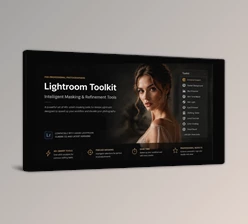
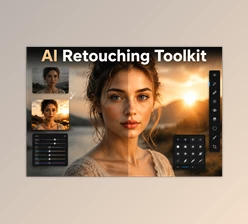
Photo editing doesn’t have to be complicated. Whether you’re editing travel photos, portraits, landscapes, or product images, finding the perfect balance of lighting, contrast, and color can take time. Workflow Toolkit simplifies the entire process by providing professionally designed Lightroom presets that instantly improve your photos while still giving you complete creative control.
Instead of spending minutes adjusting dozens of sliders, you can achieve professional-looking results with a single click and fine-tune the final look whenever needed.
What Is Workflow Toolkit?
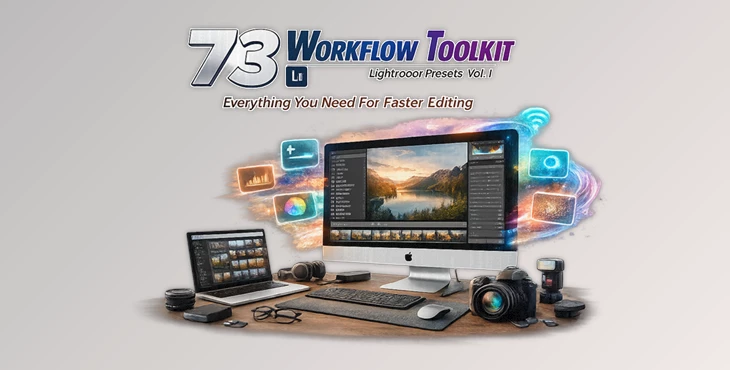
Workflow Toolkit Presets Vol 1 includes 73 professional presets that were specifically created to allow photographers to edit their RAW files or JPG files with ease. These professional presets include both one-click editing options and presets that can be stacked on top of each other in order to fine-tune your editing process according to your preferences.
Each preset allows photographers to enhance features of the digital photo, such as exposure, color, contrast, clarity, sharpness, and more. All these features can be applied to both RAW files from professional cameras and JPG files from mobile devices.
A Complete Editing Toolkit for Lightroom
Rather than offering only creative filters, Workflow Toolkit focuses on building a complete editing system that works for almost every photography style.
Features
73 Professional Lightroom Presets
The package includes a carefully organized collection of presets that work together as a complete editing workflow instead of isolated effects.
Stackable Editing Presets
Photographers can choose to apply more than one editing preset to their photos. These editing presets work in a way that allows photographers to apply exposure, clarity, vibrance, grain, and other editing options individually to ensure the look and feel of the digital photos is to their satisfaction.
One-Click Base Presets
Quickly establish the overall style of your image before making additional adjustments.
Exposure & Contrast Controls
Fine-tune brightness and contrast without manually adjusting Lightroom sliders every time.
Color Enhancement
Includes presets for:
- Saturation
- Vibrance
- Warming
- Cooling
- Green Tint
- Magenta Tint
These controls help create different moods while maintaining realistic skin tones and balanced colors.
Sharpness & Detail Tools
Dedicated presets improve image clarity through:
- Sharpening
- Clarity
- Noise Reduction
- Edge Softening
- Soft Focus
This combination helps produce crisp images without introducing excessive digital artifacts.
Film Style Effects
Creative presets such as Grain and Emulsion allow photographers to recreate classic film-inspired aesthetics with just a few clicks.
Lens Optimization
The toolkit also includes presets for:
- Lens Vignetting
- Lens Profile Correction
- Distortion Correction
- Center Lighting
These adjustments help improve optical quality while keeping editing efficient.
Compatible With Multiple Image Formats
Workflow Toolkit Presets Vol 1 supports:
- RAW
- JPG
- DNG
- TIFF
and works with Lightroom 4, 5, 6, and Creative Cloud.
Where Workflow Toolkit Makes a Difference
Workflow Toolkit includes editing presets that are applicable to a variety of photography projects, whether they include portrait, landscape, travel, wedding, or even product photography.
Portrait photographers can use the editing presets in Workflow Toolkit Presets Vol 1 to enhance their portraits by balancing the exposure of the digital photos while enhancing the colors and sharpness of the features of the individuals in the digital photos.
Landscape photographers can use the editing presets to enhance the contrast and clarity of their digital photos.
Travel photographers can use the editing tools to quickly enhance digital photos taken during vacation.
Wedding photographers can apply these editing options to all the digital photos taken at wedding receptions.
Even product photographers can use this editing software to enhance the digital photos of their products.
Tips for Better Results
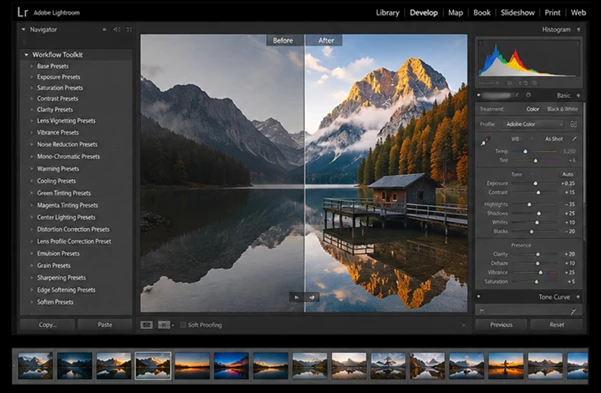
Start with one of the Base Presets before applying additional adjustments. This creates a solid foundation for the rest of your edits.
When working with RAW files, use the Exposure presets before adding contrast or color adjustments. This preserves image quality and gives Lightroom more editing flexibility.
Avoid stacking too many creative presets at once. Small adjustments often produce more natural and professional-looking photographs.
Use Grain and Emulsion presets sparingly. A subtle film texture usually appears more authentic than an overly stylized effect.
After applying your preferred preset combination, make small manual adjustments to white balance or cropping for the best final result.
Final Thoughts
Workflow Toolkit Presets Vol 1 offers far more than a collection of Lightroom filters. It provides a complete editing workflow that helps photographers work faster while maintaining creative flexibility. The combination of one-click presets and stackable adjustments makes it suitable for beginners who want quick improvements as well as experienced photographers who prefer precise control over every image.
If you’re looking for a practical way to speed up Lightroom editing while producing consistent, professional-quality photos, Workflow Toolkit is an excellent addition to your editing toolkit.

Files Password : gfxplugin.com OR 123456