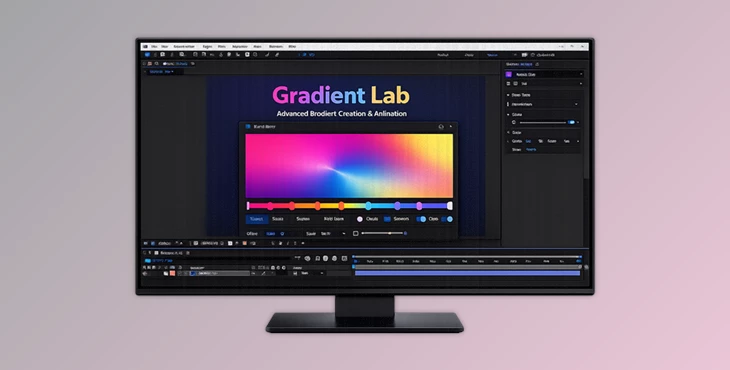
Downloadable Files
You can download Gradient Lab for free at the bottom of this page.
Create Beautiful Animated Gradients in Seconds
Creating animated gradient backgrounds from scratch can take up a lot of time. Whether you’re creating YouTube videos, Instagram content, advertisements, or presentations, gradients can take up a lot of editing time.
Gradient Lab was built with the idea of making gradient editing as fast and easy as possible. With just a few clicks, users can generate animated gradient backgrounds that can be used for any editing project within After Effects.
What Is Gradient Lab?
Gradient Lab is a free After Effects toolkit that will automatically generate gradient backgrounds for your projects using professionally designed templates. These templates will save you the time and effort required to create each gradient background from scratch.
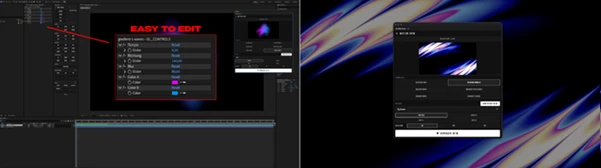
All of the gradient backgrounds created by Gradient Lab are made within After Effects and are fully editable within a dedicated control layer. This allows you and your projects to have complete control over every aspect of each gradient.
For example, users can generate a colorful animated gradient background for their YouTube videos or use the same gradient background but change the colors to fit with their brand to create a presentation video for their company.
Gradient Lab Features
Gradient Lab simplifies the creation of gradient backgrounds for your projects with its incredibly fast editing workflow.
Features
- Six unique animated template categories
- 68 professionally designed presets
- One-click background generation
- Native After Effects workflow
- No third-party plugins required
- Fully editable using a dedicated control layer
- Adjustable colors
- Customizable animation speed
- Direction controls
- Blur customization
Multiple aspect ratio support:
- 16:9
- 9:16
- 1:1
- 3:4
- Compatible with both Windows and macOS
Included Templates
- Colorama Waves
- Gradient Waves
- Gradient Swirls
- Gradient Ripple Waves
- Colorama Wobbles
- Gradient S Waves
These templates are suitable for many creative projects, including YouTube videos, Instagram Reels, TikTok content, corporate presentations, product advertisements, motion graphics, title sequences, livestream backgrounds, event visuals, and promotional campaigns.
Instead of spending hours creating animated gradients manually, users can focus more on creativity while the tool handles the technical setup.
Professional Tips for Better Results
When using Gradient Lab to create animated gradient backgrounds for your projects, there are a few tips that will improve the visual outcomes of your projects.
Use colors that match the branding of your project.
Change the animation speed to match the project's mood.
Adding a blur will make the backgrounds look more premium for your projects.
Since all gradients are editable, feel free to experiment with the different templates to find the perfect gradient background for your editing project.
Final Thoughts
Gradient Lab will make it easier for users to create stunning animated gradient backgrounds for their projects. With six unique template categories containing over 60 professionally designed presets, users can create gradient backgrounds for any project in After Effects.
Whether you are a new editor or an experienced After Effects editor, Gradient Lab will make it easier for you to create gradient backgrounds at lightning speed for any editing project. With its wide variety of templates and the ability to edit all gradients within After Effects, it has become a must-have tool in the editing software.

Files Password : gfxplugin.com OR 123456