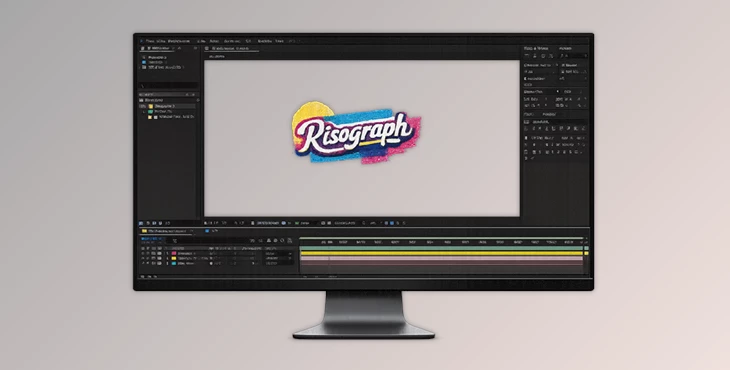
Downloadable Files
You can download Risograph for free at the end of this page.
Bring Vintage Prints to Life
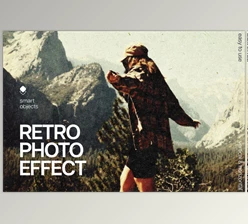
Digital artwork can often look too clean these days. While digital artwork’s precision is helpful for several projects, sometimes all artists want is a bit of vintage print charm. In such instances, the Risograph filter is perfect for giving your digital designs a touch of analog character.
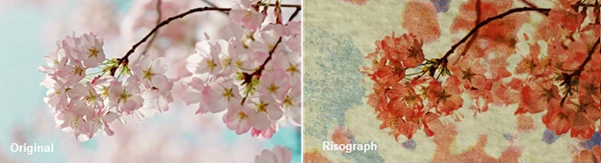
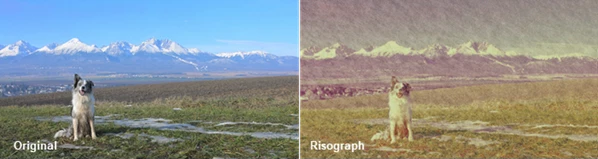
Risograph recreates what happens during the printing process of a real digital duplicator. Whether your digital project is a poster, an album cover, a magazine spread, a motion graphic, or an abstract work of art, the Risograph effect will give it that print charm that all vintage print collectors adore.
What is Risograph?
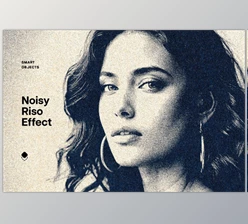
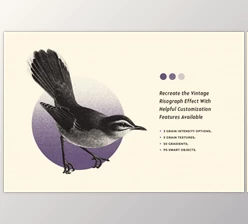
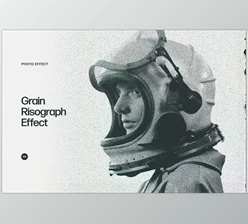
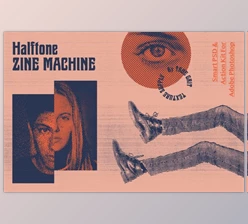
The Risograph filter simulates the look of analog printing by Risograph printers. This vintage print process features bold inks, layered colors with halftone dots, and a few imperfections in the artwork print.
Risograph recreates every stage of the print process. Risograph treats each color in your design as if it came through an ink printing plate. Any printing errors are allowed to appear so the final digital print looks as if it were printed on demand.
The result is a much more convincing print filter that features the same errors that occur during the print process using a Risograph printer.
Some of the best projects that feature the Risograph filter include:
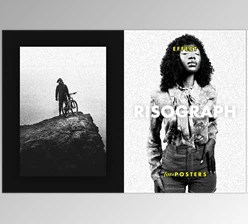
- Retro concert posters that feature ink layering
- Magazine covers with unique print errors
- Animated title sequences
- Social media graphics with textured elements
- Branding projects with nostalgic characters
Risograph — A Complete Print Simulation System
Rather than stacking multiple effects together, Risograph provides one complete printing engine that simulates nearly every stage of a real Risograph press.
Features
7 Professional Halftone Screen Types
Choose from seven different screening methods, including:
- Classic Dots
- Lines
- Stipples
- Blue Noise
- Bayer
- Voronoi
- Diffusion-inspired patterns
Each screen allows independent control over frequency, angle, intensity, offsets, and overall appearance, making it easy to create anything from clean commercial prints to heavily stylized artwork.
Realistic Ink Layer Simulation
Every ink behaves as an individual printing plate. You can control:
- Dot gain
- Ink opacity
- Overprinting
- Ink pooling
- Plate response
- Coverage limits
Because colors physically interact with one another, the final artwork looks much closer to real printed material than ordinary blending modes.
Authentic Printing Imperfections
One of the strongest aspects of Risograph is its ability to recreate the imperfections that make physical prints so attractive. You can introduce:
- Registration drift
- Ghost impressions
- Roller marks
- Uneven ink transfer
- Ink fading
- Speckles
- Drum wear
- Repeatable print noise
Instead of making artwork look damaged, these subtle variations create depth, realism, and visual character.
Paper & Surface Controls
Printing doesn’t stop with ink. Risograph also simulates the paper itself by allowing you to customize:
- Paper color
- Surface texture
- Grain
- Warp
- Lighting response
- Physical paper appearance
You can even preserve the original artwork as the substrate or export transparent ink-only layers for advanced compositing workflows.
55-Color Ink Library
Choose from an extensive collection of 55 professional ink colors inspired by real risograph printing. Mix multiple inks together to build rich overprints and vibrant layered artwork that would normally require physical printing.
Machine Profiles & Ready-to-Use Presets
Instead of starting from scratch, Risograph includes:
- 29 Press Presets
- 11 Machine Profiles
- DPI configurations
- Ready-made ink kits
These presets provide excellent starting points while remaining fully customizable.
GPU-Accelerated Workflow
Despite simulating a complex printing process, Risograph runs through a GPU-native rendering engine. This makes the effect practical for:
- Motion graphics
- After Effects projects
- OpenFX workflows
- Professional compositing
- Animation production
Large projects remain responsive while maintaining high visual quality.
Real-World Creative Uses
Risograph is suitable for many different creative projects, including:
- Vintage poster design
- Album artwork
- Editorial illustrations
- Magazine layouts
- Motion graphics
- Animated typography
- Branding concepts
- Packaging design
- Social media campaigns
- Experimental digital art
- Independent zines
- Print mockups
For example, a motion designer can animate typography while allowing realistic ink misregistration to shift slightly over time, creating the feeling of a continuously running printing press. Similarly, branding designers can create handcrafted packaging concepts that feel authentic instead of digitally perfect.
Professional Tips for Better Results
To achieve the most convincing risograph look, keep these techniques in mind:
- Use only two or three ink colors for a classic printed appearance.
- Slight registration offsets usually look more realistic than dramatic misalignment.
- Experiment with different halftone angles to prevent repetitive patterns.
- Combine subtle paper grain with light ink pooling for greater depth.
- Avoid using every imperfection at maximum intensity—small variations often look far more authentic.
- Start with one of the included machine presets before building your own custom print style.
- Export transparent ink layers when combining Risograph with additional compositing effects.
These simple adjustments often produce artwork that closely resembles genuine printed pieces.
Final Thoughts
If you are searching for a way to add the unique characteristics of analog printing to your design projects, the Risograph print filter plugin will do the job exceptionally well.
From the ink used to the physical print paper and the print errors, this tool will give your digital projects that unique handmade look and character that analog printing is known for. Use it for static or moving designs and give your clients a vintage look to their projects.