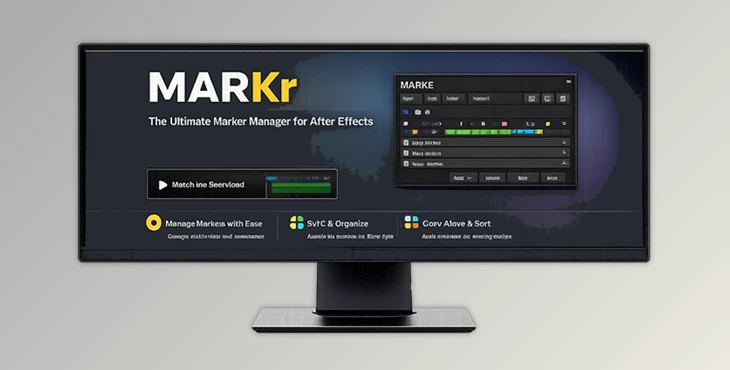
Downloadable Files
You can download the MARKr product for free at the end of this page.
Make Your Text Stand Out Instantly
Creating eye-catching titles and captions often requires more than just good typography. Small details like animated highlights, underlines, scribbles, or strike-through effects can dramatically improve readability and visual appeal. However, building these animations manually usually takes time and repetitive keyframing.
MARKr eliminates that process by letting you add fully animated text marks with a single click. Whether you’re producing YouTube videos, motion graphics, social media content, or professional title sequences, MARKr keeps your text dynamic while automatically adapting to every edit you make.
What is MARKr and Why Is It Useful?
MARKr is a plugin for Adobe After Effects that allows you to create animated text highlights, underlines, scribbles, strike-throughs, and half-boxes around your text with the click of a mouse button.
Once you have created the text effects with MARKr, they are linked directly to your text. If you change your text in any way, the highlight will automatically adjust to follow the text, whether you change the text’s font size, position, or size in the composition.
For instance, if you make a YouTube video that features subtitles that you want to edit after you have finished animating the text with MARKr, the highlight will automatically adjust to the new text; you will not have to manually adjust it every time you edit the text.
MARKr is especially useful for projects such as:
- Motion graphics titles
- Educational videos
- Social media content
- Product promotions
- Kinetic typography
- Video captions and subtitles
- Lower third animations
All of the text highlights that you create with MARKr are live-linked to the text, so they will continue to be flexible and adaptable from the first draft of your project to the final exported file.
MARKr - Fast Animated Text Styling for After Effects
If you work with text animations within After Effects, MARKr could be of great use to you.
Instead of having to manually create shapes and text animations, MARKr automatically generates these text marks that you can then edit.
Features
One-Click Animated Text Effects
Create professional animated marks instantly:
- Scribble strokes
- Strike-through lines
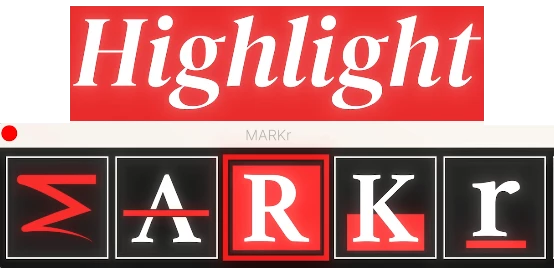
- Marker highlights
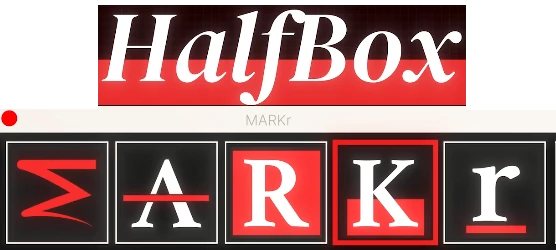
- Half-height highlight boxes
- Animated underlines
Every effect is generated in just one click without building the animation manually.
Live Connection with Your Text
One of MARKr’s biggest advantages is its live linking system. Whenever you:
- Rewrite the text
- Change the font size
- Move the text layer
- Resize the composition
The highlight automatically follows your content without requiring any adjustments.
Fully Adjustable Appearance
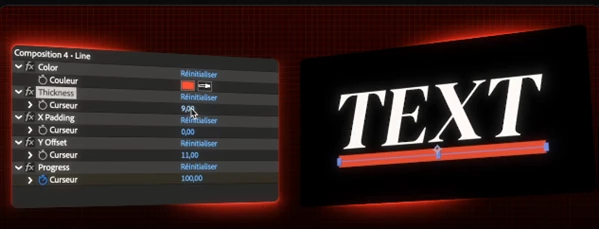
Every generated mark can be customized to fit your design style. Available controls include:
- Thickness
- Horizontal padding
- Vertical offset
- Animation progress
- Custom colors
This flexibility allows subtle editorial styles as well as bold, colorful motion graphics.
Animated or Static Styles
Choose between:
- Fully animated reveal effects
- Instant static highlights using Alt-click
This makes the tool suitable for both motion graphics and static design layouts.
Multiple Text Layers
MARKr supports applying effects to several text layers simultaneously, making it ideal for projects containing multiple captions, subtitles, or title cards.
Universal Compatibility
The tool works across virtually every After Effects version and supports any language, making it suitable for international projects and multilingual content creators.
Real Project Examples
MARKr fits naturally into many creative workflows.
For YouTube creators, animated underlines can emphasize important keywords during tutorials.
Motion designers can use marker highlights to direct viewers toward key messages in promotional videos.
Educational content becomes easier to follow when important terms are visually highlighted during explanations.
Social media advertisements gain extra energy with animated scribbles and dynamic strike-through effects.
Corporate presentations can use clean underline animations to maintain a professional appearance while improving readability.
Instead of spending several minutes creating each animation manually, MARKr generates polished results almost instantly.
Professional Tips for Better Results
Ensure that all highlight colors match the brand colors of the video projects that you are creating.
Do not create animated text for every line of text in your projects. Only highlight the most important terms.
For professional corporate videos, use the default thickness settings for text highlights. For social media videos, use thicker highlight settings.
Use underlines and typography in your projects; avoid using too many visual effects.
For projects that use subtitles, ensure that you let MARKr follow your text as you make changes to it throughout the editing process.
Final Thoughts
MARKr has transformed the most tedious part of many motion graphics projects into a faster and more enjoyable experience.
MARKr allows you to create animated highlights, underlines, and other effects that remain attached to your text. Thus, you will save time and keep your projects flexible from the start to the finish.
MARKr is appropriate for anyone who creates YouTube videos, promotional content, educational content, or professional motion graphics content. MARKr’s features make it a valuable addition to your After Effects software.

Files Password : gfxplugin.com OR 123456