Downloadable Files
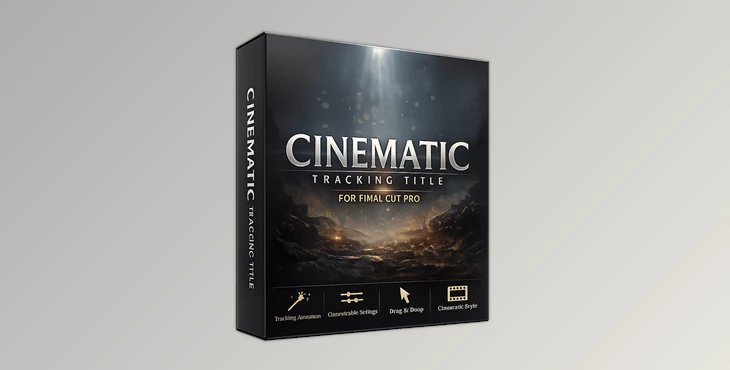
You can download Cinematic Tracking Title for Final Cut Pro for free from the end of this page.
Create Cinematic Titles That Feel Like Hollywood
The title sequence for your film or video project is critical to establishing the tone for your video. A well-designed title sequence can make your video appear much more polished.
One of the most popular techniques for creating cinematic titles is tracking animation. This technique expands the tracking of each letter in your title. This effect is popularly used in movie trailers, brand commercials, documentaries, and cinematic intros for a more upscale and professional look.
Final Cut Pro does not allow for keyframing of the tracking of letters within your title. This is one of the limitations that the Cinematic Tracking Title for Final Cut Pro was created to solve.
What Is Tracking Animation?
Tracking animation involves changing the spacing between the letters in your title. You can adjust the tracking of the letters in your title so that it appears to expand or contract.
This effect can be used for a variety of projects:
- Movie title sequences
- Documentary introductions
- Brand commercials
- Corporate presentations
- Luxury product advertisements
- Cinematic YouTube intros
- Wedding films
- Travel videos
As the tracking of the letters in your title changes, the title maintains its size. This makes for a more elegant, professional look for your titles without overly drawing the viewer’s attention away from the video.
Cinematic Tracking Title for Final Cut Pro
Cinematic Tracking Title for Final Cut Pro is a lightweight title template designed specifically to add beautiful tracking animation inside Final Cut Pro.
Instead of manually trying to recreate this effect—or discovering that Final Cut Pro doesn’t even support keyframing title tracking—you simply drag the title into your timeline and customize the animation using the included controls.
The package contains a fully adjustable title file that works across all project sizes, making it suitable for everything from social media videos to high-resolution cinematic productions.
Features
Elegant Cinematic Tracking Animation
Create smooth horizontal letter spacing animations that mimic the typography often seen in Hollywood movie titles.
Drag-and-Drop Workflow
Simply place the title onto your timeline without building complicated animations from scratch.
Fully Adjustable Parameters
Customize the animation to match the pacing and style of your own project.
Solves Final Cut Pro’s Tracking Limitation
The title provides an easy workaround for the fact that Final Cut Pro does not support keyframing the tracking parameter natively.
Works with Any Project Size
The title is compatible with different timeline resolutions, making it flexible for HD, 4K, vertical videos, and other project formats.
Easy Installation
The download includes step-by-step installation instructions, allowing users to get started quickly.
Wide Compatibility
Recommended for Final Cut Pro version 10.4.7 or later.

Tips for Better Cinematic Results
To get the most out of the tracking animation for your title, use these tips:
- Use slow animation speeds to even out the look of the title.
- Fade the title in and out for a more premium look.
- Choose a font that stands out the least and uses as few typographical elements as possible.
- Give your title space to breathe in the video composition.
- Sync your title to the soundtrack to allow the audience to focus on the video’s content and not the title.
- Do not overdo the tracking animation for your title.
Final Thoughts
As with any other aspect of your videos, the typography for your titles plays a crucial role in the video’s quality. The subtle animation of your titles can dramatically change the viewer’s experience of your videos.
Cinematic Tracking Title for Final Cut Pro allows you to easily create the most popular tracking animations that define the look of Hollywood movies.
Whether you are creating film titles, YouTube video intros, brand commercials, documentaries, or promotional videos, this template will allow your titles to breathe, look professional, and be seamlessly compatible with your other editing tools in Final Cut Pro. With its drag-and-drop features and compatibility with Final Cut Pro 10.4.7 or later, this is a free tool you can’t afford to miss when prepping your editing project.

Files Password : gfxplugin.com OR 123456