Downloadable Files
You can download AlignAll for free from the end of this page.
Stop Fighting Layer Alignment
If you’ve ever tried to align multiple layers within After Effects, you know how restrictive the native Align panel can sometimes be. It’s limited in how many types of layers it works with, how 3D objects are supported, and how it handles different sizes of layers.
AlignAll was created to solve these issues for After Effects designers looking to align their 2D and 3D layers with ease.
What Makes AlignAll Different?
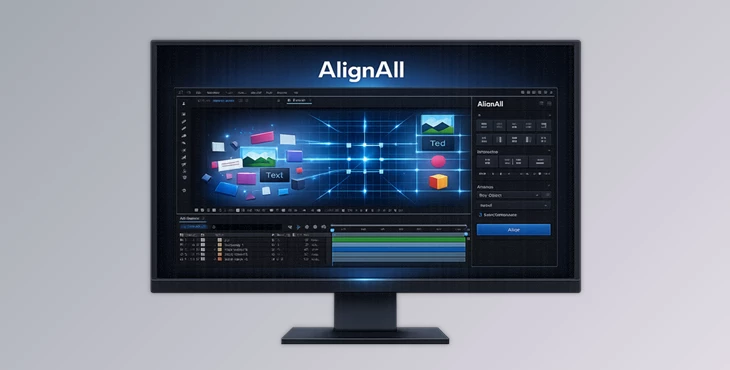
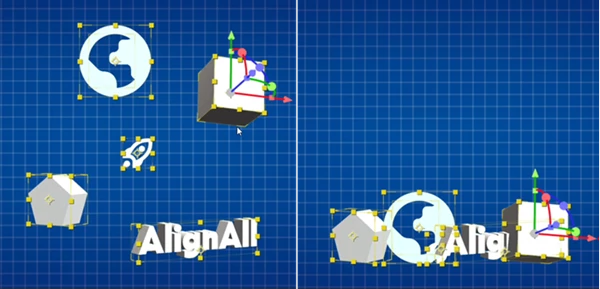
At its core, AlignAll is an advanced alignment and distribution panel created specifically for After Effects. Instead of relying on the limitations of the native Align panel, it introduces professional alignment tools similar to those found in applications like Illustrator and Figma—but fully adapted for both 2D and 3D layers.
This means you can align objects based on the composition, a selected group of layers, or even a specific key object. More importantly, the plugin understands 3D space, camera perspective, parent relationships, and different object sizes.
Imagine arranging dozens of floating UI elements in a 3D scene, aligning multiple product renders in perspective, or distributing text layers evenly without manually adjusting every position. Tasks that normally require constant tweaking become quick and predictable.
These capabilities lead to cleaner layouts, more consistent spacing, and significantly less time spent correcting positioning errors.
Meet AlignAll
AlignAll has been built as a native tool for After Effects but with additional alignment features that will make your life as a motion graphics designer easier.
With AlignAll, you can align the following layer types:
- Standard 2D layers
- 3D solids
- Images
- Shape layers
- Text layers
- Pre-compositions
- Extruded text
- Extruded shapes
- Parametric meshes
Features
Smart Alignment Targets
AlignAll allows users to align their layers to the composition, to the current selection of layers in their project, or to a key object within their composition. This is perfect for when one object should remain unaligned with the others being positioned.
True 3D Layer Alignment
The native Align panel cannot properly align 3D layers.
AlignAll lets you accurately align and distribute 3D objects while respecting their real position in 3D space.
This is especially useful for product showcases, camera animations, and cinematic motion graphics.
Even Distribution for Different Layer Sizes
Instead of spacing objects by their center points, AlignAll distributes layers based on their actual dimensions.
The result is clean and visually balanced spacing similar to professional UI design tools like Figma. Perfect for:
- Icon grids
- Product cards
- Text layouts
- Interface animations
- Infographics
Align Layers by Depth
Need every object to sit at the same depth? AlignAll allows you to align layers toward:
- Front
- Center
- Back
This makes organizing complex 3D scenes much easier.
Camera View Alignment
When cameras rotate inside After Effects, positioning layers manually can become confusing.
AlignAll can align layers directly from the camera’s perspective, allowing objects to move naturally relative to what the viewer actually sees.
This saves a huge amount of manual adjustment during camera animation.
World Coordinate Alignment
Sometimes you need mathematical precision instead of camera-relative movement.
AlignAll also supports alignment based on world coordinates, making it ideal for technically accurate scenes and structured 3D layouts.
Shared Parent Support
Parented layers often create unexpected alignment issues.
If selected layers share the same parent hierarchy, AlignAll correctly calculates their positions using the shared parent rotation.
This keeps grouped animations consistent while avoiding broken layouts.
Scale Compensation
When aligning objects in camera view, their apparent size can change.
Scale Compensation automatically adjusts scale and position so layers maintain the same visual appearance while still aligning correctly in 3D space.
Action Safe & Title Safe Alignment
Need broadcast-safe positioning? You can instantly switch between:
- Composition edges
- Action Safe
- Title Safe
making it simple to prepare graphics for television and professional video delivery.
Distance-Based Distribution
Instead of equal spacing by position, you can define an exact distance between objects. The distribution is anchored to the Key Object, giving you much greater control over layouts. This is extremely useful for menus, product showcases, interface elements, and presentation graphics.
Pro Tips for Better Results
- Always use a key object to align the rest of the layers in your composition. This way, one crucial layer will remain in place, and the others will align to it according to your specifications.
- Use the alignment to the camera view in conjunction with your animated cameras in After Effects to allow your layers to align correctly to what the audience views.
- Always use scale compensation when aligning to the camera view, especially for layers of different depths.
- Use distance-based distribution to align the objects within your composition for menus, product showcases, or any other presentation graphics.
- Organize the parents of your layers before aligning them in complex compositions to ensure correct results.
- Use the world coordinates or camera view alignment depending on what is needed in the composition for your project.
Final Thoughts
AlignAll removes frustrations with the native After Effects Align panel and gives users an advanced alignment tool for both 2D and 3D elements.
Ideal for anyone creating interface elements or motion graphics, AlignAll gives you more control over your layers and saves you time with every alignment within your projects.
It’s an essential After Effects plugin for anyone doing motion graphics work.

Files Password : gfxplugin.com OR 123456