Downloadable Files
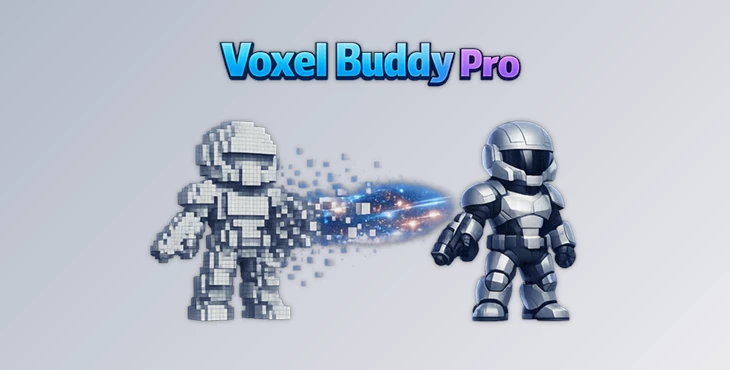
You can download the Voxel Buddy Pro for free from the end of this page.
Create Stunning Volumetric Effects Without Leaving After Effects
Have you ever wanted to build cinematic smoke, fog, fire, or abstract voxel effects directly inside Adobe After Effects without learning a complex 3D application or running time-consuming simulations? Voxel Buddy Pro makes that possible. It transforms familiar After Effects elements into fully volumetric voxel scenes that can be animated, lit, and customized with incredible flexibility.
Instead of relying on heavy fluid simulations, you get a fast GPU-powered workflow that gives you complete artistic control while staying inside the software you already know.
What is Voxel Rendering and Why Does It Matter?
Voxel rendering allows After Effects to create volumetric effects like smoke, fog, fire, and even clouds by rendering your layers as three-dimensional voxels. These effects can be further edited and controlled within the software. This type of rendering is especially useful for:
- Creating cinematic title sequences
- Building visual effects
- Designing motion graphics
- Creating futuristic transitions
- Adding volumetric effects to graphics for broadcast
- Creating procedural smoke, fog, and other effects
All of these effects can be edited within After Effects, making for a fast and enjoyable experience when experimenting with new techniques and effects.
Meet Voxel Buddy Pro
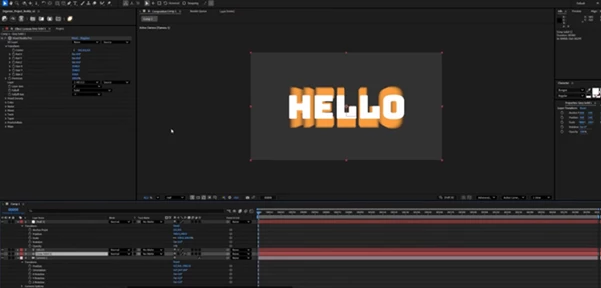
Voxel Buddy Pro is a real-time GPU-accelerated ray marching voxel engine designed specifically for Adobe After Effects. It creates true volumetric voxel effects directly inside your composition while fully supporting After Effects cameras, lights, and animation tools.
Instead of exporting scenes to another 3D application, you can build complex volumetric shots using familiar After Effects layers, compositions, and primitive objects.
Whether you’re creating cinematic smoke, glowing energy, icy environments, stylized clouds, or procedural transitions, Voxel Buddy Pro provides a fast, artist-friendly workflow that stays completely inside After Effects.
Features
Real-Time GPU Acceleration
Voxel Buddy Pro will utilize GPU acceleration via OpenGL or Metal to create its volumetric effects in real-time.
Native After Effects Camera and Light Support
Voxel Buddy Pro will work with all of the 3D cameras and lights built into After Effects to provide you with a realistic preview of your project.
Composition-Based Voxel Creation
Your compositions, videos, images, and precompositions can all be used to create your voxel effect. This gives you the freedom to define your creation within After Effects.
Primitive Shape Support
Create your voxel effects from the following After Effects 3D primitives:
- Cub
- Spheres
- Cylinders
- Cones
- Torus
- Other supported primitive shapes.
Voxel Buddy Pro also offers a variety of volumetric deformation tools that allow you to animate each of these objects.
Powerful Volumetric Deformation Tools
Voxel Buddy Pro includes the following deformation tools to allow further editing of your created voxels:
- 3D Noise
- Waves
- Twist
- Taper
- Pinch
- Inflate
- Wipe Controls
- Animated Offsets
- Density Falloff
Each of these will allow you to change your base object into smoke, fire, lava, magical effects, and more.
Fully Art-Directed Motion
All of the features within Voxel Buddy Pro can be animated within After Effects using keyframe animation tools. Animate the following features:
- Wave phase
- Twist centers
- Noise fields
- Density
- Thresholds
- Wipe progression
- Pinch regions
- Scale
- Falloff
- Color blending
All of these features can be controlled within After Effects.
Professional Volumetric Lighting
Control the lighting for your voxels to define their appearance.
- Shadow mixing
- Color blending
- Solid/Gas balance
- Density
- Lighting response
- Raymarch quality
All of these features can be controlled to give you the volumetric look that you would like within your project.
High Quality Ray Marching
For even higher quality volumetric effects, Voxel Buddy Pro allows you control over the ray marching of your volumetric compositions.
- Step Count
- Overscan
- Render Bounds
Increase quality only before rendering your compositions to save time in the editing process.
Real Creative Uses
Voxel Buddy Pro allows you to create the following types of projects:
- Cinematic smoke effects
- Fire title animations
- Fog effects in your scenes
- Ice effects
- Magical effects
- Abstract art projects
- Sci-fi energy effects
- Volumetric logo animations
- Broadcast graphics
- Music videos
- Motion graphics projects
- Experimental animations
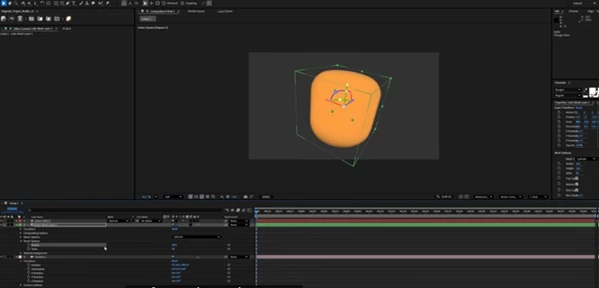
Because Voxel Buddy Pro is built within After Effects, you can easily make changes or further edit your projects at any time.
Professional Tips
Animate Distortions Instead of Objects
Rather than moving the entire voxel object, animate wave, twist, or noise parameters to create more natural flowing motion.
Start with Lower Quality
Keep the raymarch step count low while designing your scene. Increase it only before rendering to save a significant amount of preview time.
Use Existing Compositions
Drive voxel generation using animated precompositions, videos, or graphic elements you already have instead of rebuilding assets from scratch.
Combine Cameras with Lighting
Since the plugin supports native AE cameras and lights, subtle camera movement and realistic lighting dramatically improve the cinematic feel.
Layer Multiple Noise Effects
Using different noise scales and offsets creates much richer volumetric textures than relying on a single distortion.
Experiment with Color Blending
Mix solid and gaseous shading styles to achieve unique looks ranging from realistic smoke to stylized sci-fi energy.
Final Thoughts
If you've ever wished for Adobe After Effects with the ability to include native volumetric voxel rendering, Voxel Buddy Pro comes incredibly close. This plugin allows for the creation of voxel-based simulations within After Effects without the need for any simulation software or 3D software altogether.
From smoke and fog simulations to fire, ice, abstract simulations, and much more, this program allows for experimentation within a fast and easy-to-control program that can be used for commercial or personal projects alike.

Files Password : gfxplugin.com OR 123456