Downloadable Files
You can download the Real Camera Lens Transitions for free from the end of this page.
Make Every Scene Change Feel Like a Real Camera Move
Have you ever noticed how professionals use lens transitions from real cameras to cut from one scene to the next without using any flashy post-production transitions? Many filmmakers rely on the behavior of a real camera lens to create these edits.
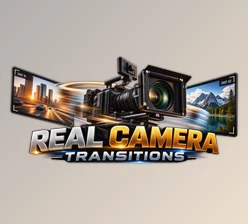
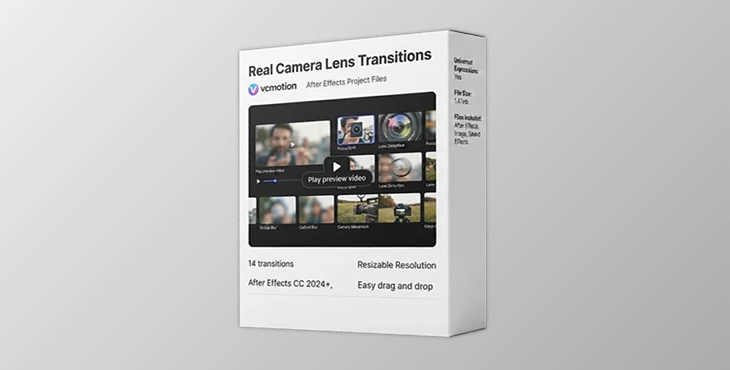
The Real Camera Lens Transitions for After Effects aim to recreate how a real camera lens behaves when making transitions from one scene to the next. The effect recreates the behavior of a lens changing focus, using optical blur, lenses with natural distortions, and showing a gradual movement of the lens to recreate how it would have looked when photographed through a camera with these features.
What Are Real Camera Lens Transitions?
Camera lens transitions are editing techniques used to cut from one scene to another that are inspired by the behavior of real camera lenses. The behavior of a camera lens includes changing its focus from one subject to another in a scene, using optical blur for focus adjustments, introducing distortions to the lens to mimic the way real lenses behave, making gradual movements with the lens, and seamlessly continuing the edit from one scene to the next.
These editing techniques work best for editing content such as travel films from two different locations, documentaries from different interviewees, or wedding edits from the ceremony to the reception.
Why Real Camera Lens Transitions Stand Out
If you’re looking for an easy way to create more professional edits, this project (Videohive 64234760) offers a ready-to-use collection of high-quality transitions built specifically for After Effects.
Features
- 14 professionally designed lens transitions
- Compatible with After Effects CC 2024 and newer
- Inspired by authentic camera lens behavior
- Realistic focus shifts and optical blur
- Natural lens distortion effects
- Smooth camera-inspired movement
- Fully customizable timing
- Adjustable blur intensity
- Flexible movement controls
- Easy editing and quick customization
Instead of spending hours building complex transition animations from scratch, you can simply apply a preset, customize it, and match it perfectly to your footage. These transitions work especially well for:
- Travel films
- Wedding videos
- Documentaries
- Lifestyle content
- Commercial videos
- Cinematic edits
- Promotional projects
- Social media storytelling
The result is a polished visual style that feels much closer to professional filmmaking.


Tips for More Cinematic Results
Here are a few editing techniques and tips to improve the performance and outcome of your editing projects that use the Real Camera Lens Transitions for After Effects:
- Use Real Camera Lens Transitions in projects that feature movement within the edit.
- Use Real Camera Lens Transitions with natural timing between edits.
- Adjust the focus and optical blur to a moderate intensity.
- Use the transitions in ways that support the story being told within your project.
- Use the same movement speeds for all transitions within your project.
- These simple editing techniques will give your projects a smoother editing experience.
Final Thoughts
Editing projects to feel more cinematic doesn’t necessarily mean adding a ton of editing features and transitions. Often, it means finding ways to make the transitions from one scene to the next feel more natural. This project (Videohive 64234760) recreates the behavior of a real camera lens within After Effects with realistic changes in focus, optical blur, lens distortions, and the movement of the lens within the editing project.
These transitions will work well for those editing travel films, wedding videos, documentaries, lifestyle channels, commercial and promotional videos, and cinematic editing channels. The features are easy to edit and customize for each project to create professional-looking edits.

Files Password : gfxplugin.com OR 123456