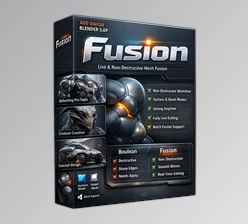
Downloadable Files
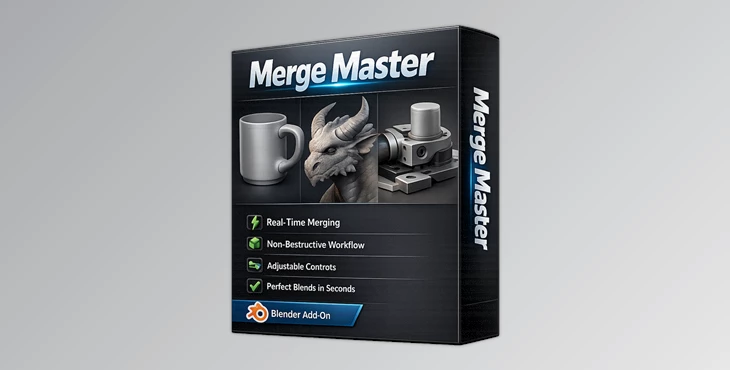
You can download the Merge Master product for free from the end of this page.
Bring Separate Meshes Together Without Destroying Your Model
Have you ever wanted to join two objects together in Blender without resorting to destructive modeling techniques? Most modeling software requires you to make permanent changes to your objects before you can join them together.
Merge Master allows you to join multiple objects together without any destruction of your original models. This is ideal for projects involving products, concept art, or hard-surface models.
What Is Merge Master and Why Does It Matter?
Merge Master is a professional Blender addon that creates smooth, seamless connections between separate meshes without permanently changing either object.
Unlike traditional workflows that depend on Boolean modifiers or destructive remeshing, Merge Master preserves your topology, UV maps, and editable geometry throughout the entire process. Every adjustment happens in real time, allowing artists to preview the final result instantly before deciding to bake the mesh.
This dramatically improves both flexibility and creative freedom.
Imagine designing a futuristic vehicle where dozens of mechanical parts need to blend naturally into the body. Instead of rebuilding the topology every time you reposition a component, Merge Master lets you move, adjust, and refine every connection while everything stays completely editable.
The same workflow is equally valuable for:
- Product visualization
- Industrial design
- Hard-surface modeling
- Organic concept sculpting
- Rendering and look development
- 3D printing preparation
Because everything remains reversible, artists can test different design ideas without worrying about ruining hours of previous work.
Features That Make Merge Master Stand Out
Real-Time Non-Destructive Mesh Blending
Merge Master creates smooth live adhesions between objects without modifying the source meshes.
Every slider updates instantly, allowing you to preview changes in real time without waiting for recalculations or rebuilding geometry.
Original Topology Always Stays Safe
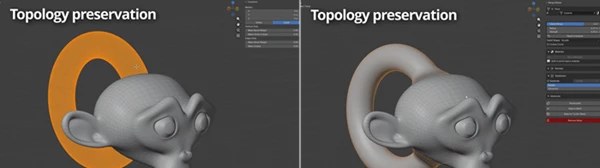
One of the biggest advantages is complete topology preservation.
Your vertices, edges, faces, and mesh structure remain exactly as they were created. Even while the merge is active, you can continue editing Object A and watch the adhesion update automatically.
This keeps your modeling workflow flexible from start to finish.
UV Maps Remain Perfectly Intact
Most mesh-merging workflows require UV fixes afterward.
Merge Master avoids that problem entirely by preserving all UV data during the blending process, making it much easier to continue texturing, baking, or exporting assets later.
Live Material Blending
The optional Blend Materials feature creates smooth transitions between the materials of both objects.
You can independently control how much each material blends into the other, producing much more natural-looking seams for renders and product visualization.
Fast Single-Slider Workflow
Instead of adjusting multiple settings individually, Global Merge controls several important parameters—including strength, radius, and normal blending—with a single slider.
Beginners achieve excellent results immediately, while advanced users can still fine-tune every parameter individually.
Optional Boolean Cleanup
If your final model is intended for manufacturing or 3D printing, Merge Master can automatically remove hidden internal geometry during baking using optional Boolean operations.
The result is a cleaner printable mesh without unnecessary internal surfaces.
Multiple Objects on One Surface
Several objects can be blended onto the same target mesh simultaneously.
Each connection stores its own independent settings, making it easy to build highly detailed mechanical assemblies or complex concept models without interfering with previous assemblies.
Advanced Falloff Control
Merge Master includes several built-in falloff presets such as:
- Smooth
- Linear
- Sharp
- Sphere
For even greater precision, artists can design completely custom falloff curves to control exactly how the transition behaves.
Flexible Subdivision Modes
The addon provides two subdivision methods:
- Simple Mode offers fast, visually clean results on almost any mesh.
- Advanced Mode generates mathematically accurate adhesions for projects requiring maximum precision.
This flexibility allows artists to balance speed and quality depending on the project.
Bake When You’re Ready
When the design is finalized, Bake to Mesh permanently generates the finished geometry.
If desired, Merge Master can also keep a backup of the original live setup, making it easy to revisit previous versions later.
Full Reversibility
Perhaps the most valuable feature is that nothing is permanent until you choose.
Removing the setup instantly restores your original objects with identical topology, UVs, and geometry.
That level of freedom makes experimentation far less stressful during the creative process.

Professional Tips for Better Results
- To get the best results with Merge Master, please adhere to the following tips:
- Apply the scale of your objects before using Merge Master.
- Keep the default settings for the strength-to-radius setting.
- Gradually increase the strength of the adhesion.
- Only use the advanced subdivision mode if your mesh has a high polygon count.
- Avoid seams in your UV maps inside the area of adhesion if you are blending the materials of your models together.
- For metallic or glossy renders in Blender’s Cycles render engine, bake your models using the Bake for Cycles option.
- Keep the blend materials and the subdivision settings separate.
- Save a backup of your model before baking.
Final Thoughts
Joining separate meshes together in Blender is one of the most time-consuming tasks in Blender. Merge Master will significantly reduce the time it takes to join meshes without compromising your original models.
Whether you are working on product art concepts, hard-surface models, organic models, or any form of render scenes in Blender, Merge Master will save you time and effort.
Once you have experimented with the product and learned how to use its features effectively to join meshes together, it will become an indispensable tool in your Blender modeling workflow.