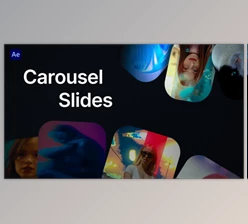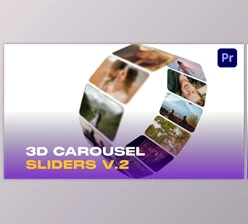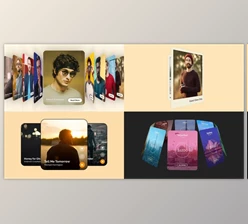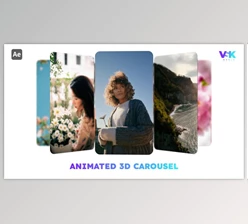
Downloadable Files
You can download the Carousels and Galleries project for free from the end of this page.
Create Modern Carousel Animations in Minutes
Looking for a quick way to create modern carousel animations with a few simple steps? The Carousels and Galleries After Effects template will allow you to create stunning image galleries without spending hours on the animation of each element in the project.
Use this professionally designed template to create modern, clean, and professional videos for numerous projects, whether you are making a promotional video for your brand, a business presentation, a YouTube video, or social media content.
What Is a Carousel and Gallery Animation?
Carousel and gallery animations are used in a variety of creative projects to highlight different images or videos. Each project will allow you to create a sequence of videos or static images with a clean, smooth transition from one to the next.
These types of animations are commonly used in projects to highlight the following content:
- Product showcases
- Photography portfolios
- Fashion promotions
- Travel presentations
- Business presentations
- Event highlights
- Social media advertisements
- Creative reels and promotional videos
The main benefit of using carousel and gallery animations is that they allow for more information to be presented to the audience in an organized way that is easy to follow without being too overwhelming. Additionally, the use of smooth transitions between each static image or video adds to the feeling of the project being premium and memorable to the viewer.
Meet Carousels and Galleries
This project (Videohive 64222519) template allows you to create stunning image galleries without spending too much time on the animation of each individual element in your project.
This professionally designed After Effects template will allow even beginners to create an amazing image gallery in minutes.
Features
Fast Rendering
The project is optimized for quick rendering, allowing you to preview edits faster and export projects with less waiting time.
No Plugins Required
All features of this project will work within After Effects without the need for any third-party plugins.
After Effects CC 2021 and Above
This project was created to work with the latest versions of After Effects, including CC 2021 and newer versions.
Easy Customization
Simply replace the media files in the project with your own media to quickly create a new project.
Animation Speed Control
Gain control over the speed of the animations within the project to match your project's content.
Roundness Control
Customize the corner roundness of design elements to achieve either a sharp modern style or a softer, more elegant appearance.
Background Color Control
Quickly switch background colors to match your brand identity or overall visual theme without rebuilding the composition.
Universal Expressions
Expressions have been universalized, meaning the project works correctly regardless of the language version of After Effects installed on your computer.
Organized Project Structure
A clean project layout helps you locate compositions and settings quickly, making editing easier even for less experienced users.
Helpful Documentation
A PDF help file is included to guide users through customization and setup.
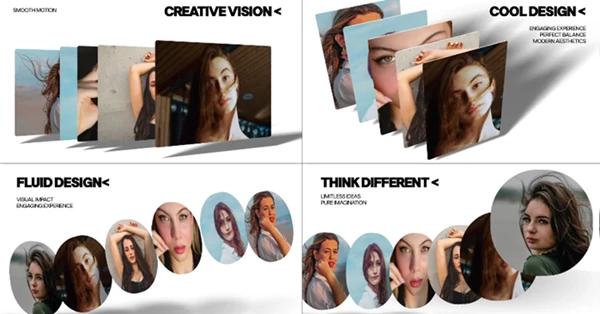
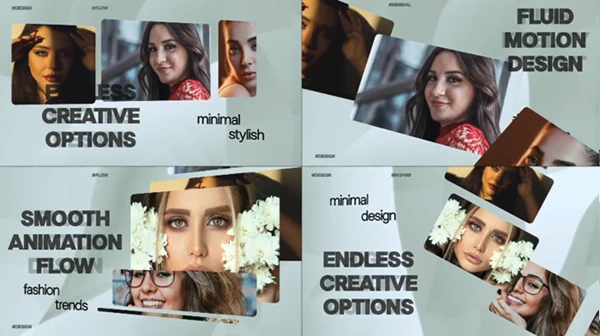
Professional Tips for Better Results
Getting the most out of Carousels and Galleries doesn’t require advanced animation skills. A few simple practices can make your final video look much more polished.
- Keep image quality consistent: Using photos with similar resolution and color quality creates a cleaner overall presentation.
- Match animation speed to your content: Faster transitions work well for promotional videos, while slower movements are ideal for portfolios and storytelling.
- Choose complementary background colors: A subtle background helps your images remain the center of attention.
- Avoid overcrowding each slide: Giving each image enough space improves readability and creates a more premium appearance.
- Maintain a consistent visual style: Similar color grading and image tones make the gallery feel cohesive from beginning to end.
Final Thoughts
If you are looking for a way to quickly create modern, professional gallery animations for your projects, this project (Videohive 64222519) After Effects project may be just what you need. With its customizable features, fast rendering abilities, no requirement for any plugins, and its easy-to-use project structure, this After Effects template will save you time and effort when creating your video projects.
Perfect for creating promotional, business, and social media videos, the Carousels and Galleries project from Template Forest is an essential tool for any designer looking to speed up their editing process.

Files Password : gfxplugin.com OR 123456