Downloadable Files
You can download Smart Trees for free at the end of this page.
Bring Nature to Life with Incredible Detail
Creating realistic trees has always been one of the biggest challenges in 3D environment design. Whether you’re building a cinematic forest, an architectural visualization, or a game-ready landscape, high-quality vegetation can dramatically improve the realism of your scene.
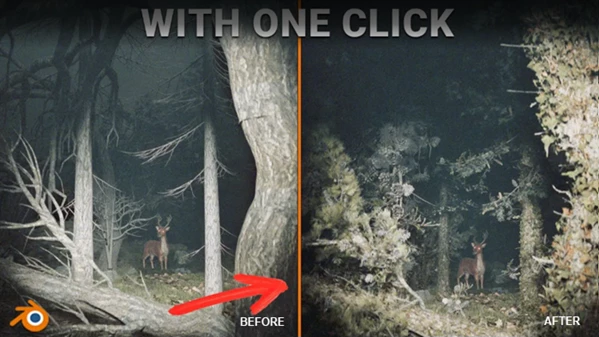
Smart Trees is designed to solve this challenge by combining powerful Blender Geometry Nodes with highly detailed photo-scanned assets. Instead of relying on traditional displacement maps or simple textures, it lets you generate countless realistic tree variations while keeping your workflow efficient and lightweight.
What is Smart Trees?
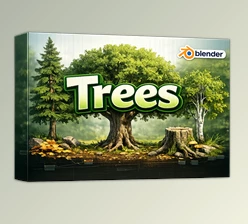
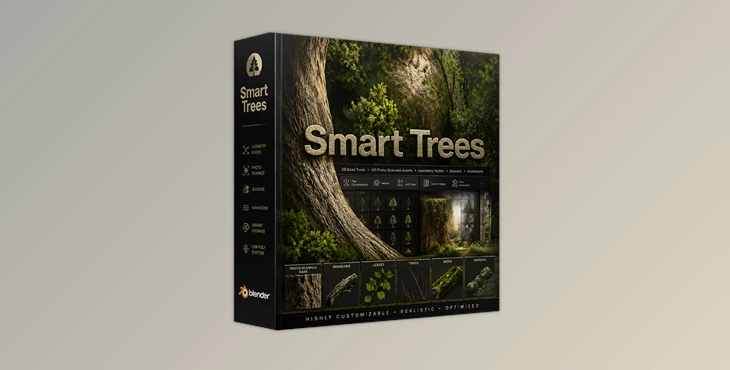
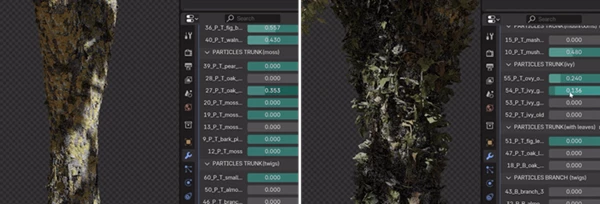
Smart Trees is a Geometry Nodes asset package for Blender that includes 38 customizable procedural tree bases. Each tree acts as a flexible foundation that can be transformed into countless unique variations directly inside Blender’s modifier panel.
Unlike conventional tree libraries that depend mostly on textures, Smart Trees uses 69 photo-scanned tree components. These scanned elements are distributed procedurally across every tree, producing highly realistic bark, branches, and natural imperfections that would be difficult to recreate manually.
This approach allows artists to generate forests that feel organic instead of repetitive.
Why does this matter?
Because real-world trees never look identical. With procedural controls and photo-scanned assets working together, you can quickly build forests where every tree has its own shape, density, and appearance without manually editing dozens of models.
This results in:
- More believable environments
- Faster scene creation
- Better visual quality
- Greater artistic freedom
Why Smart Trees Make Blender Workflows Easier
Building large natural environments usually requires balancing quality with performance.
Many traditional tree libraries become very heavy quickly because every imported tree is stored inside the Blender project.
Smart Trees solves this by using Blender’s Library Override and Import Link workflow. Assets remain outside the Blender project while still being fully editable.
Even if you import an entire forest, your Blender project can remain surprisingly small, making projects easier to manage and much faster to open.
This also improves viewport responsiveness and rendering performance, especially on systems with limited hardware resources.
Features
38 Fully Customizable Tree Bases
Each included tree serves as a procedural foundation that can be reshaped using Geometry Nodes. Small adjustments can completely transform the appearance, allowing virtually unlimited tree variations.
69 High-Resolution Photo-Scanned Parts
Instead of simulated bark created through displacement, Smart Trees uses real photo-scanned tree elements. This produces:
- Extremely detailed bark
- Natural branch structures
- Realistic surface variation
- Organic imperfections
The result is a level of realism that closely resembles real trees.
Unlimited Procedural Variations
Every procedural control allows artists to generate unique trees without duplicating identical assets. Perfect for:
- Forests
- Parks
- Nature scenes
- Large landscapes
- Architectural visualization
Lightweight Scene Management
The package is carefully optimized around Blender’s asset linking system. Benefits include:
- Tiny Blender project files
- Reduced memory usage
- Faster viewport navigation
- Better render performance
- Easier project organization
Animated Trees
Trees can be animated naturally, making them suitable for:
- Wind simulations
- Cinematic shots
- Nature animations
- Environmental effects
Subtle movement instantly makes outdoor scenes feel more alive.
Seasonal Controls
Changing the season is simple. Artists can modify:
- Leaf colors
- Seasonal appearance
- Overall foliage style
This makes the same tree library useful for spring, summer, autumn, and many different artistic styles.
Mesh Control
Additional mesh controls provide greater flexibility when adapting trees to different scenes, allowing artists to fine-tune their models without rebuilding them from scratch.
Real-World Creative Uses
Smart Trees works well across many different Blender projects. Some common examples include:
- Cinematic forest environments
- Open-world game scenes
- Architectural visualizations
- Nature documentaries
- Fantasy landscapes
- Product visualization backgrounds
- Outdoor animations
- Drone-style environment flythroughs
Instead of manually modeling every tree, artists can quickly populate large scenes while maintaining visual variety.
Tips for Getting More Realistic Results
To make the most of Smart Trees, try combining multiple tree variations instead of duplicating a single design. Even small procedural adjustments create more believable forests.
Mix seasonal settings with slight color variation to avoid uniform-looking vegetation.
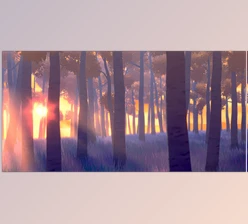
Use animated trees together with realistic lighting and atmospheric effects like fog or volumetric lighting for much more cinematic outdoor scenes.
Since the assets are lightweight, consider building larger forests rather than placing only a few isolated trees. The procedural workflow makes this surprisingly efficient.
Final Thoughts
The level of realism of your 3D scenes is determined by the number of natural environments that you include. Vegetation is one of the most noticeable aspects of any environment.
Smart Trees includes Geometry Nodes and procedural elements to create trees with realistic bark and branches that can be customized for your project files.
With Smart Trees, artists can create unique forests for their projects without sacrificing performance or spending hours creating vegetation for their 3D scenes and animations.

Files Password : gfxplugin.com OR 123456