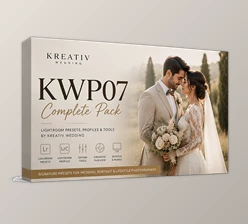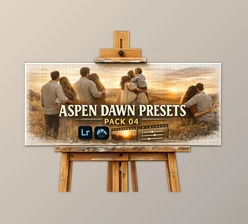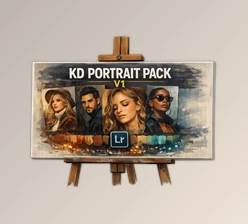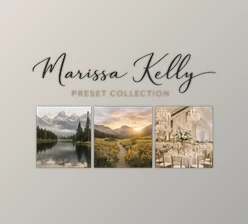
Downloadable Files
You can download the Color Preset Pack for free at the end of this page.
Transform Your Photos with Just a Few Clicks
Color grading has the power to change the mood of a photo considerably. To get a professional look from scratch takes time. Using a high-quality Color Preset Pack makes it easier to get a professional color grading look in less time.
What Is a Color Preset Pack?
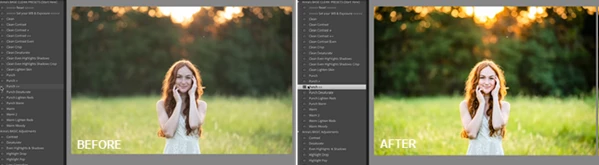
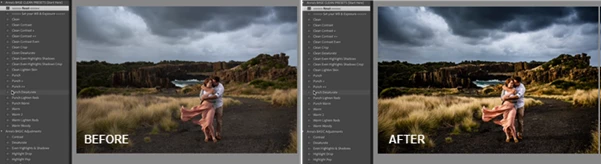
A Color Preset Pack is a collection of pre-configured editing settings designed to instantly improve the appearance of your photos. Instead of manually adjusting exposure, colors, contrast, and tones for every image, you can apply a preset with a single click and customize it further if needed.
This approach not only speeds up your workflow but also helps maintain a consistent editing style across an entire photo collection.
For example, if you’re editing a wedding gallery, travel album, or Instagram feed, using matching presets creates a cohesive and professional visual identity while saving valuable editing time.
Meet the Color Preset Pack
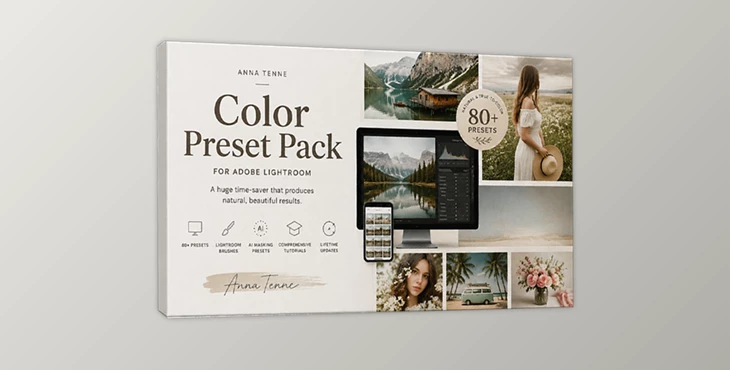
The Color Preset Pack includes more than 80 professional editing tools designed to deliver rich colors, bold contrast, and accurate tones while remaining fully customizable.
Instead of relying on a single preset, the pack introduces a flexible mix-and-match workflow that allows photographers to build their own editing style by combining multiple adjustments.
Features
Over 80 Professional Presets
The collection includes more than 80 carefully designed presets, offering a wide variety of creative looks ranging from clean and crisp edits to vibrant and punchy color styles.
True-to-Color Editing
Special color adjustments help correct difficult green tones and overly orange skin, making images appear more balanced and natural without sacrificing vibrant colors.
Fully Customizable Mix-and-Match Workflow
Each preset can be used individually or combined with others to create a personalized editing style. This flexibility makes it easy to achieve unique results while maintaining consistency across different projects.
Adjustment Presets Included
Beyond color presets, the pack also provides adjustment presets that give you greater control over your editing workflow and allow quick refinements without starting from scratch.
Built-In Brushes for Lightroom Classic
Included brushes make local adjustments easier, while the provided guide explains how to manually add them to Lightroom CC for broader compatibility.
One-Click Masking Presets
The all-new Masking Presets allow you to edit specific parts of an image—including your subject, background, sky, and more—with a single click. This makes selective editing significantly faster while giving you greater creative control.
Preset Tutorial Included
A complete tutorial explains how to install, use, combine, and customize the presets so both beginners and experienced editors can get the most from the collection.
Real-World Uses
The Color Preset Pack is ideal for:
- Portrait photography with natural skin tones.
- Travel photography that highlights vibrant scenery.
- Lifestyle and influencer content with consistent aesthetics.
- Social media feeds that maintain a recognizable visual style.
- Everyday photo editing where speed and quality are equally important.
Tips for Better Results
Although the presets produce impressive results instantly, a few simple techniques can make your edits look even more professional.
Start by selecting the preset that best matches your original image instead of applying the same preset to every photo. Small exposure adjustments before applying the preset often produce cleaner and more balanced results.
Take advantage of the mix-and-match workflow by combining different presets instead of relying on only one. This allows you to create a signature editing style while keeping every image unique.
Use the Masking Presets whenever your subject or sky needs individual attention. Making targeted adjustments rather than global edits helps preserve natural depth and realism.
Finally, don’t hesitate to customize the settings after applying a preset. Every image is different, and slight adjustments to exposure, white balance, or contrast can elevate the final result.
Final Thoughts
The Color Preset Pack offers a complete editing toolkit that goes beyond traditional presets. With more than 80 presets, adjustment tools, brushes, masking presets, and an included tutorial, it provides a fast and flexible workflow for photographers who want professional-looking results without complicated editing.
Whether your goal is clean and natural images or bold and vibrant colors, this collection gives you the freedom to build your own style while dramatically reducing editing time.

Files Password : gfxplugin.com OR 123456