Downloadable Files
You can download GradientFix Pro for free at the end of this page.
Bring Your Lottie Gradients Back to Life
If you’ve ever imported a Lottie JSON animation into After Effects and discovered that all your beautiful gradients suddenly turned black and white, you already know how frustrating the process can be. Rebuilding every gradient manually is not only time-consuming but also incredibly difficult when animations contain multiple color stops and keyframes.
GradientFix Pro was created to solve exactly this problem. With a simple repair workflow, it restores lost gradient colors, animated gradient transitions, and missing gradient fills directly inside After Effects, allowing you to continue editing your animation without starting over.
Why Gradient Restoration Matters
Gradients play a major role in modern motion design. They add depth, lighting, atmosphere, and visual quality that flat colors simply cannot provide.
Unfortunately, during the Lottie JSON to After Effects workflow, gradient information may become corrupted or disappear completely. Instead of colorful animated backgrounds, buttons, icons, or illustrations, designers often end up with black-and-white gradients or completely broken animations.
Imagine importing a mobile app animation created for a product presentation. Without proper gradients, the design instantly loses its professional appearance. Restoring every gradient manually could easily take hours.
That’s where GradientFix Pro dramatically improves the workflow by rebuilding the original gradient information automatically.
Repair Complex Gradients in Seconds
Rather than forcing designers to recreate every Gradient Fill and Gradient Stroke manually, GradientFix Pro analyzes the original Lottie JSON file and reconstructs native After Effects gradients automatically.
The result is an editable After Effects project that closely matches the original animation, including colors, gradient stops, timing, and animated transitions.
Whether you’re working on interface animations, product showcases, explainer videos, or marketing assets, the script significantly reduces repair time and helps maintain visual consistency.
Features
Restore Broken Lottie Gradients
Automatically repairs black-and-white gradients created after importing Lottie JSON files into After Effects.
Recover Gradient Fills and Strokes
Missing Gradient Fills and Gradient Strokes are rebuilt automatically so your artwork looks complete again.
Rebuild Animated Gradient Keyframes
GradientFix Pro recreates animated gradient keyframes from the original JSON data, preserving smooth transitions throughout the animation.
Preserve Original Colors and Timing
Instead of approximating gradients, the script restores original color stops, animation timing, and gradient flow for a much more accurate result.
Compatible with Bodymovin and LottieFiles
Works with animations imported through both Bodymovin and LottieFiles workflows, making it suitable for many existing motion design pipelines.
One-Click Workflow
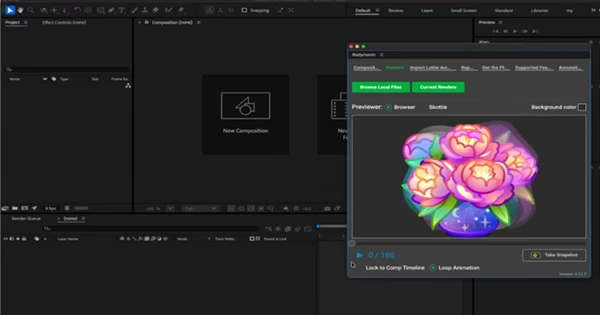
Simply choose the original JSON file, select your composition, and start the repair process with a single click.
Real Project Examples
Suppose you’re editing a mobile onboarding animation received from a developer. After importing the JSON file, all gradient buttons become grayscale.
With GradientFix Pro, the original animated gradients are restored automatically, allowing you to continue editing without manually rebuilding dozens of layers.
Another common example is marketing animations exported for websites. Gradient backgrounds, animated icons, and UI elements often lose their appearance after import. GradientFix Pro quickly reconstructs these assets so they remain editable inside After Effects.
Motion designers working with multiple client revisions can also save countless hours by repairing imported animations instead of recreating them from scratch.
Tips for Better Results
Always keep the original Lottie JSON file alongside your project, since GradientFix Pro uses it to rebuild the missing gradient information accurately.
Before running the repair process, make sure the correct main composition is selected. This allows the script to identify and restore the appropriate animation layers.
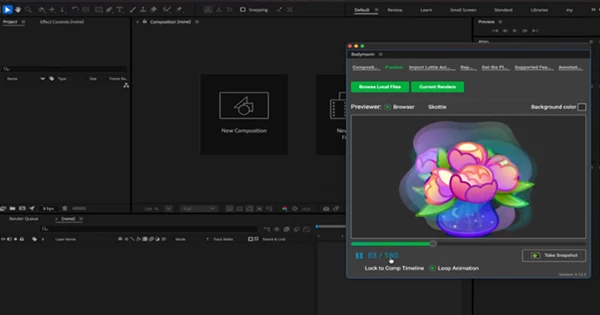
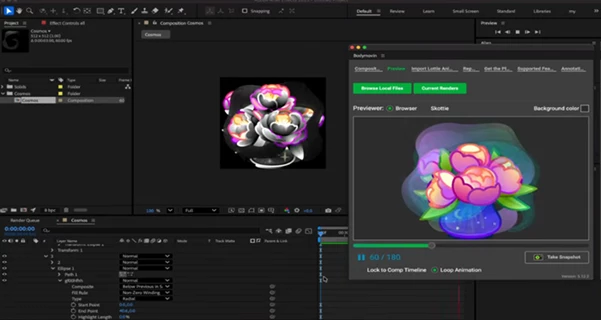
After the repair is complete, preview the animation to verify that the gradient timing matches the original motion. Because the gradients remain native After Effects elements, you can continue customizing colors, positions, and animation just like any other project.
Keeping your project organized with properly named compositions and assets also makes future revisions much easier.
Final Thoughts
After Effects and Lottie animations can become frustratingly difficult to work with because of the gradient issues that often occur during the importing process.
GradientFix Pro will eliminate this problem for you by automatically restoring any lost gradient fills, strokes, colors, and keyframes from your original Lottie animation JSON file.
Instead of spending time rebuilding gradients, you can focus on creating an outstanding animation. Any motion designer, UI animator, or developer who works with After Effects can benefit from using GradientFix Pro to save time and maintain the original visual quality of the Lottie animations.

Files Password : gfxplugin.com OR 123456