Downloadable Files
You can download KO BandFill for free at the end of this page.
Create Stunning Motion Graphics with Less Effort
If you’ve ever wanted to build beautiful animated patterns, smooth gradients, stylish transitions, or abstract backgrounds without stacking multiple effects together, KO BandFill makes the process surprisingly simple.
Instead of relying on complicated layer setups, this native After Effects plugin generates fully procedural band-based patterns from a single effect. With just a few controls, you can switch between completely different geometries while keeping your animation intact, making experimentation both fast and enjoyable.
Whether you’re designing modern motion graphics, UI animations, logo reveals, or creative visual effects, KO BandFill gives you a flexible foundation that encourages creativity.
What is KO BandFill?
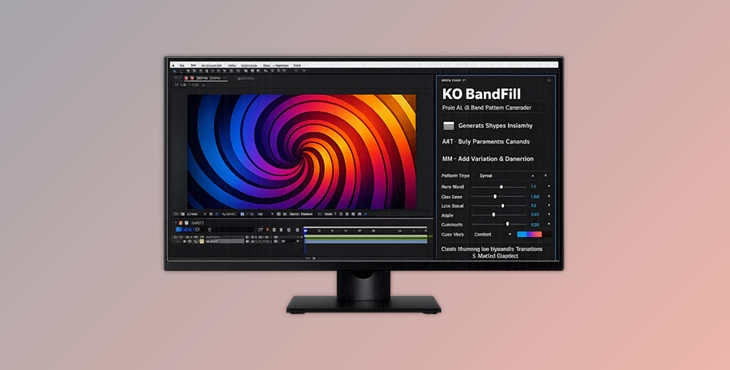
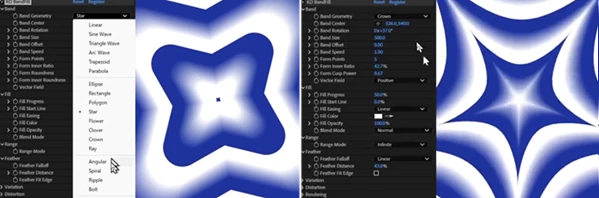
KO BandFill is a procedural pattern generator for Adobe After Effects that fills layers with customizable band-shaped graphics. It includes 20 different geometric modes, including linear, radial, wave, spiral, and many other pattern styles.
Unlike traditional effects that require rebuilding your setup when changing styles, every geometry in KO BandFill shares the exact same control system. This means you can instantly swap between different shapes without breaking your animation or adjusting dozens of settings again.
This consistency dramatically speeds up the creative workflow because you spend more time exploring ideas instead of rebuilding effects.
Why Procedural Geometry Makes a Difference
Procedural graphics remain perfectly clean regardless of project resolution. Since every shape is generated mathematically instead of relying on rasterized textures, edges stay crisp, and anti-aliasing remains accurate even after scaling.
This brings several real-world advantages:
- Create seamless animated backgrounds for YouTube intros and presentations.
- Design stylish wipe transitions without additional masking.
- Generate clean gradients and abstract textures for product videos.
- Produce geometric overlays for promotional graphics.
- Build custom motion graphics elements that remain fully editable throughout the project.
Because everything stays procedural, you can easily change colors, spacing, feathering, and animation at any point without starting over.
Features
20 Flexible Geometry Modes
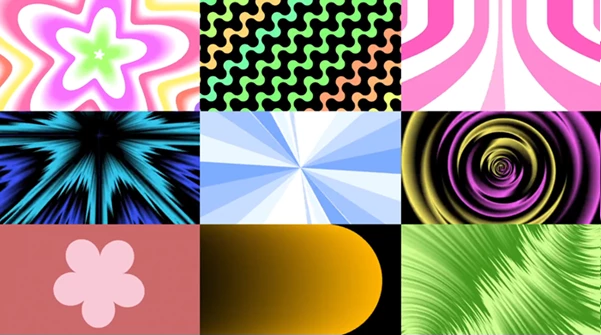
Choose from twenty different procedural geometries, including straight bands, radial fills, waves, spirals, and many other styles.
Since every mode uses identical controls, switching between looks becomes effortless while preserving existing animations.
Shared Control System
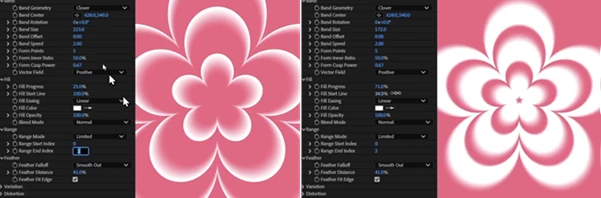
A single-parameter layout controls every geometry.
This predictable workflow makes the plugin easy to learn and allows designers to experiment freely without constantly adapting to new interfaces.
Variation and Distortion Controls
The Variation and Distortion tools introduce randomness, animated movement, shifting colors, opacity changes, and dynamic edge deformation.
Even subtle adjustments can generate completely fresh visual styles, making every project feel unique.
Precision Mathematical Rendering
KO BandFill renders every band analytically rather than sampling pixels. The result is:
- Perfect anti-aliasing
- Sharp edges at every resolution
- Clean feathered transitions
- Accurate distortion without quality loss
This level of precision is especially valuable for professional motion graphics and high-resolution video production.
Fast CPU Performance
Although GPU acceleration is not required, KO BandFill remains extremely fast because each pixel is calculated using lightweight mathematical operations.
Additional professional support includes:
- Multi-Frame Rendering
- 32-bit Float Processing
- Native Apple Silicon compatibility
- Windows and macOS support
This ensures reliable performance even in demanding production environments.
Free Basic Version Included
The free KO BandFill Basic edition uses the same rendering engine and includes five geometry types along with the complete core parameter set.
This allows users to build real projects without watermarks, time limits, or licensing restrictions before upgrading if additional geometries are needed.
Professional Tips for Better Results
Start by animating only one or two parameters at a time. Even simple adjustments to band spacing or movement can produce elegant motion graphics without overwhelming the composition.
Experiment with Variation before increasing Distortion. Small variations often create more natural and visually pleasing movement than aggressive distortion values.
Use feathered edges when creating transitions or soft gradients. They blend much more naturally with footage and help avoid harsh graphic edges.
Try switching between geometry modes after completing your animation. Since all modes share the same controls, you’ll often discover completely new visual styles without any extra work.
For modern motion design, combine KO BandFill with color palettes that match your branding. Procedural graphics become even more impressive when paired with carefully selected colors.
Final Thoughts
KO BandFill is much more than a pattern generator. It is a flexible procedural design tool that helps motion designers create backgrounds, gradients, transitions, textures, and abstract graphics from one simple effect.
Its consistent control system, mathematically accurate rendering, fast performance, and creative Variation tools make it useful for both everyday editing and advanced motion graphics production.
Whether you’re producing YouTube content, commercial advertisements, UI animations, explainer videos, or creative visual effects, KO BandFill offers an efficient way to build professional-looking graphics while keeping your workflow clean, flexible, and enjoyable.