Downloadable Files
You can download Track to New Null for free at the end of this page.
Save Time on Every Tracking Task
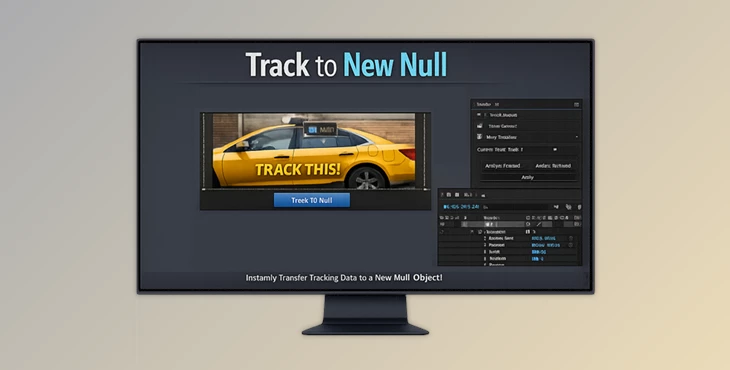
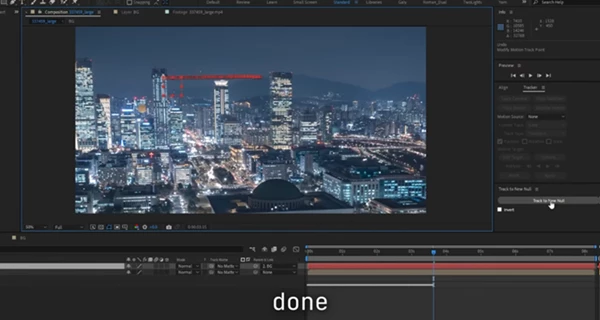
Tracking data in After Effects often takes extra time to set up a Null and place the tracking data onto the Null. Track to New Null does this for you with one click.
The plugin creates a new Null object with the tracking data parented to your original tracked layer. This helps you save time on every project and focus on your creative work instead of repetitive tasks with setup.
What Is Track to New Null?
Track to New Null is an After Effects panel that automatically converts tracking data into a newly created Null layer with no manual setup required.
Whether you’re using After Effects’ built-in Motion Tracker or Mocha AE, the plugin handles the technical work instantly. Instead of copying keyframes and creating helper layers yourself, everything is generated automatically with a single button.
This improves workflow because:
- You eliminate repetitive manual steps.
- Tracking setups remain organized and easy to edit.
- Parenting becomes more reliable for complex animations.
- You can continue animating the original layer while the Null follows its movement.
For example, imagine tracking a moving billboard so you can attach graphics or text. With Track to New Null, the tracking Null is ready immediately, allowing you to begin compositing within seconds.
One Click Makes Tracking Easier
Rather than replacing After Effects’ tracking tools, Track to New Null enhances them by automating the most repetitive part of the workflow.
The plugin creates a clean Null object that already contains the baked tracking data while remaining parented to the tracked layer. This means future animation or repositioning of the source layer continues to affect the Null naturally.
Whether you’re building motion graphics, replacing signs, attaching visual effects, or preparing stabilization workflows, this saves valuable production time.
Features
One-Click Null Creation
Generate a brand-new Null layer with baked tracking information instantly. No configuration windows or complicated setup—just press the button.
Why it helps
You spend less time preparing your scene and more time creating animations or visual effects.
Supports After Effects Motion Tracker
Works directly with AE’s native Motion Tracker.
- Single-point tracking transfers Position.
- Multi-point tracking transfers Position, Rotation, and Scale automatically.
Real-world example
Track a phone screen or a moving package and attach graphics without manually rebuilding transformation data.
Full Mocha AE Compatibility
If you prefer using Mocha AE for planar tracking, the panel also supports Position, Rotation, and Scale from Mocha tracks.
Why it matters
You can keep using your preferred tracking workflow without changing how you work.
Built-In Invert Option
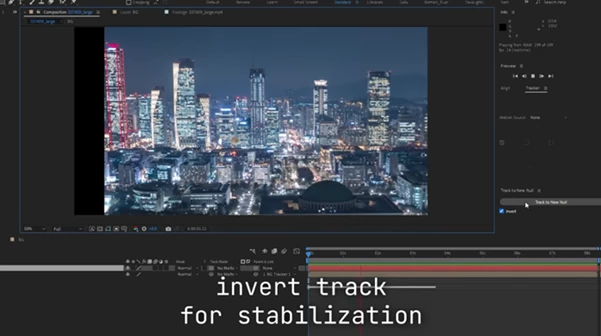
Need quick stabilization? Simply enable the Invert option to reverse the tracking motion. Parent your shaky footage to the generated Null, and the movement is effectively stabilized.
Practical use
Perfect for handheld shots where you need fast stabilization before adding motion graphics.
Smart Parenting
The generated Null is automatically parented to the original tracked layer.
Why this improves your workflow
Even if you reposition, scale, or animate the source layer later, the tracking relationship remains intact.
Clean Minimal Interface
The panel focuses on doing one job extremely well. There are no unnecessary settings or confusing options—just one simple button that performs the entire workflow.
Real Project Examples
- Motion Graphics: Attach animated titles to moving objects without manually copying tracking keyframes.
- Screen Replacement: Track laptops, tablets, TVs, or phones and quickly prepare a Null for inserting replacement screens.
- Visual Effect: Parent particles, lights, or explosions to tracked objects in seconds.
- Camera Tracking Support: Use tracked Null objects as reliable anchors when building larger composite scenes.
- Shot Stabilization: Invert the track and stabilize handheld footage almost instantly.
Professional Tips
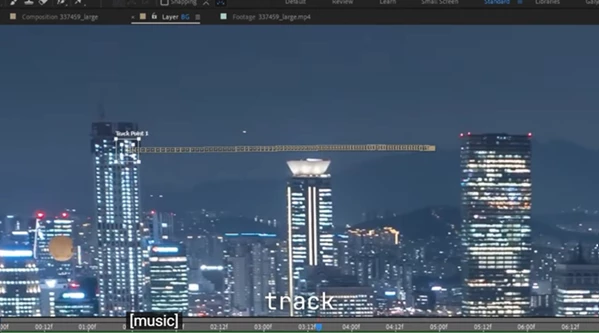
- Use multi-point tracking whenever possible to capture rotation and scale for more accurate results.
- When working with Mocha AE, create a clean planar track before generating the Null for better precision.
- Keep your tracking Null organized by renaming it based on the object you’re tracking.
- For stabilization, enable the Invert option first and test the result before adding additional effects.
- Use the generated Null as the parent for text, logos, UI graphics, or 3D layers to keep your compositions flexible.
- Even after creating the Null, you can safely animate the original layer because the parenting relationship is preserved.
Final Thoughts
Track to New Null is a small utility that removes one of the most repetitive parts of motion tracking in After Effects. Instead of spending time creating helper layers, transferring keyframes, and fixing parenting, everything happens with one click.
Whether you work with the native Motion Tracker or Mocha AE, this tool helps keep projects cleaner, speeds up everyday workflows, and lets you focus on animation and compositing instead of setup. If motion tracking is part of your daily workflow, Track to New Null can become one of those simple utilities that save time on almost every project.

Files Password : gfxplugin.com OR 123456