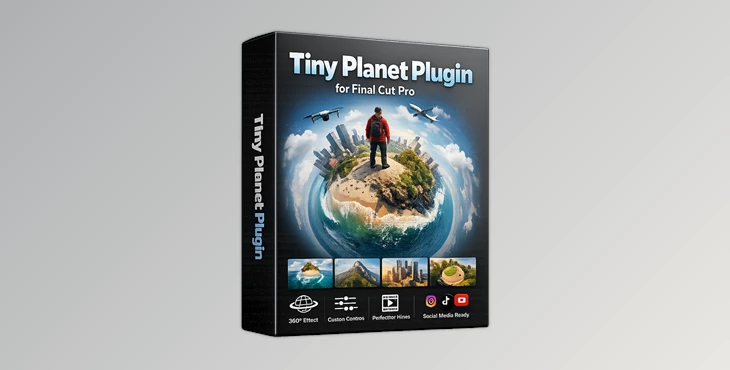
Downloadable Files
You can download the Tiny Planet Plugin for Final Cut Pro for free from the end of this page.
Transform Ordinary Footage into Stunning Tiny Planets
Have you ever wondered how individuals convert their ordinary footage of landscapes into stunning, tiny planets that they feature in their videos? The Tiny Planet Plugin for Final Cut Pro allows even non-specialists to easily produce these effects within Final Cut Pro software without the necessity of using a 360 camera to shoot the videos.
From drone footage to travel videos, this Tiny Planet Plugin for Final Cut Pro allows editors to easily create these effects on ordinary 2D footage. The software also features a variety of controls for editors to customize the effect to their project and intended audience.
What Is Tiny Planet Plugin for Final Cut Pro?
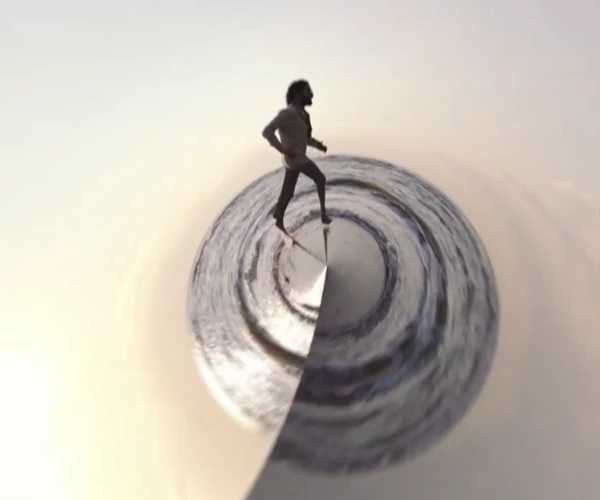
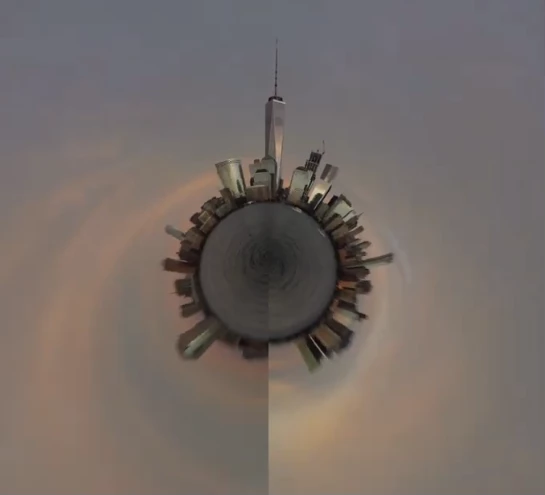
Tiny Planet Plugin for Final Cut Pro is a professionally designed preset that converts ordinary 2D landscape footage into a unique “Tiny Planet” projection effect. This style creates the illusion that your footage wraps around a miniature globe, producing a dramatic and visually engaging perspective.
Unlike complex 360° editing techniques, Tiny Planet Plugin for Final Cut Pro allows editors to recreate the popular tiny planet effect directly inside Final Cut Pro using a simple drag-and-drop workflow.
This approach improves production speed while giving creators access to a cinematic effect that immediately captures viewers’ attention. The customizable controls also allow you to fine-tune the projection, making every project look unique instead of relying on a generic preset.
Create Amazing Planet Effects with Ease
Instead of spending time learning advanced panoramic workflows, this plugin gives you everything you need in a single preset.
It includes one professionally designed Tiny Planet preset with 14 intuitive adjustment controls, allowing you to customize the appearance with precision. Whether you’re creating:
- Travel videos
- Drone cinematography
- Outdoor adventure films
- Nature documentaries
- YouTube intros
- Instagram Reels
- Creative promotional videos
- Cinematic landscape sequences
The plugin helps produce dynamic visuals that instantly make your projects stand out.
Features
Turn Regular Footage into Tiny Planets
Convert your 2D footage of landscapes to stunning, miniature planet effects that will captivate your audience.
14 Adjustable Controls
Get full control over the editing effect with the 14 adjustable controls included with the Tiny Planet effect.
Simple Drag-and-Edit Workflow
Tiny Planet Plugin for Final Cut Pro was designed for editors with the simplest of drag-and-edit workflows to incorporate the effect into their projects.
Ideal for Landscape Projects
This effect works best with landscape footage, which comes in the same aspect ratios as the planets it creates.
Consistent Performance
Compatible with projects at various resolutions while maintaining a streamlined editing workflow.
Installation Guide Included
Step-by-step installation instructions help users get started quickly without unnecessary setup confusion.

Professional Tips for Better Tiny Planet Results
For the most impressive results, start with wide landscape footage that contains plenty of visible sky and ground. This gives the plugin more visual information to wrap into a realistic miniature planet.
Drone footage often produces the strongest effect because the elevated camera angle naturally enhances the circular perspective.
Experiment with the 14 adjustment controls instead of relying on default settings. Small changes can dramatically alter the final composition and help create a more unique look.
Try using the Tiny Planet effect as an opening shot before transitioning into standard footage. This creates a memorable introduction that immediately captures your audience’s attention.
If you’re editing travel content, nature films, or cinematic montages, combining the effect with color grading and smooth camera movement will make the final result feel even more polished.
Final Thoughts
Tiny Planet Plugin for Final Cut Pro offers an easy way to recreate one of the most recognizable cinematic effects using ordinary footage. With its customizable controls, beginner-friendly workflow, and ability to transform landscapes into creative miniature worlds, it becomes a valuable addition to any Final Cut Pro editing toolkit.
If you enjoy producing visually distinctive videos, this plugin is an excellent way to experiment with creative perspectives while keeping your workflow fast and efficient.

Files Password : gfxplugin.com OR 123456