Downloadable Files
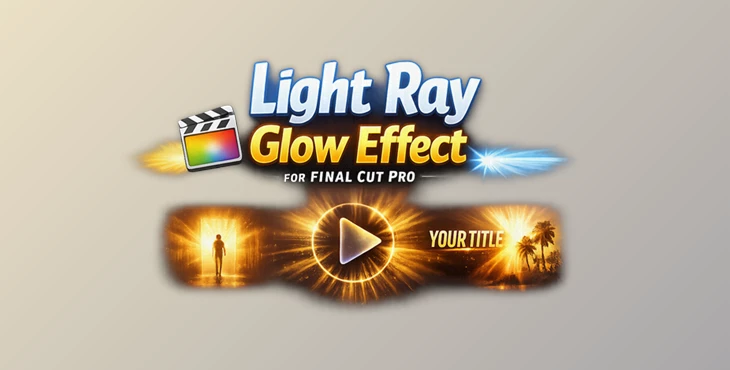
You can download Light Ray Glow Effect for Final Cut Pro for free at the end of this page.
Add Beautiful Light Rays in Seconds
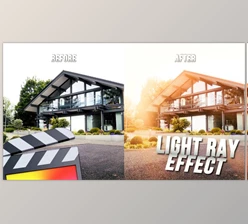
Lighting can completely transform the mood of a video, but creating realistic light rays often requires complicated compositing or time-consuming visual effects. Light Ray Glow Effect for Final Cut Pro makes this process incredibly simple by allowing you to add cinematic light rays with just a few clicks.
Whether you’re editing travel videos, music videos, commercials, product showcases, or cinematic sequences, Light Ray Glow Effect for Final Cut Pro helps create dramatic lighting that naturally draws the viewer’s attention to the most important part of your scene.
What Is a Light Ray Glow Effect?
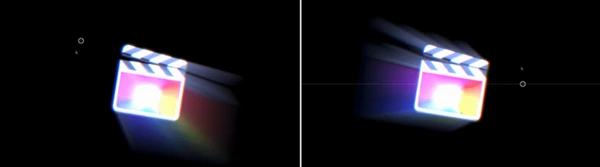
A light ray glow effect adds beams of light emanating from a specific source in your video. This effect adds depth to your project and makes your video look more like a cinematic cut.
Use light rays for the following video types:
- Cinematic opening scenes
- Music videos
- Promotional videos
- Product commercials
- Wedding films
- Fantasy and dramatic storytelling
- Social media content
Adding light rays enhances the visual storytelling of your videos. The light rays naturally draw the audience’s attention to the subject in your video.
Make Every Scene Shine
Light Ray Glow Effect for Final Cut Pro is a dedicated plugin built specifically for Final Cut Pro users who want an easy way to create stunning glow and light ray effects.
Instead of building the effect manually with multiple layers and masks, you simply apply the effect and customize it using intuitive controls. The included on-screen adjustments make positioning and fine-tuning quick and comfortable directly inside the viewer.
Features
Designed Exclusively for Final Cut Pro
The plugin integrates directly into your editing workflow, making it easy to drag, drop, and customize without leaving Final Cut Pro.
Highly Adjustable Light Rays
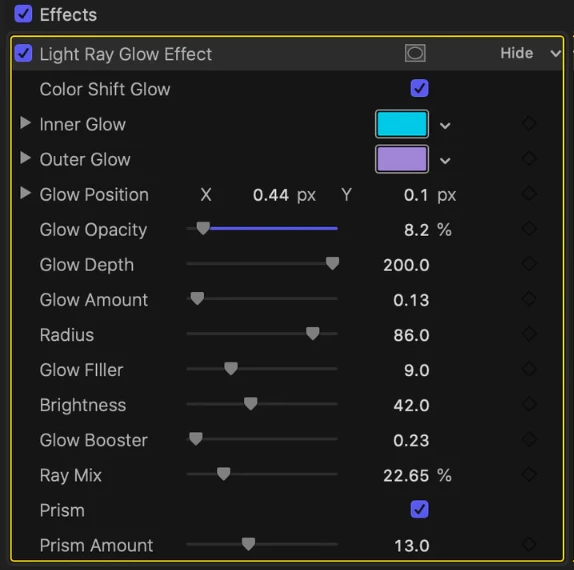
Extensive controls allow you to fine-tune the intensity, direction, size, and overall appearance of the light rays so they match virtually any shot.
On-Screen Editing Controls
Adjustments can be made visually inside the preview window, making positioning faster and much more intuitive than using numerical values alone.
Works at Any Resolution
The plugin is fully compatible with projects of any size and resolution, making it suitable for everything from HD videos to high-resolution professional productions.
Quick Installation
The package includes clear step-by-step installation instructions so you can begin using the effect immediately.
Real Project Examples
Light Ray Glow Effect for Final Cut Pro works particularly well for:
- Highlighting a product in commercial videos
- Creating sunrise or sunset atmospheres
- Adding magical lighting to fantasy scenes
- Enhancing portraits with cinematic glow
- Improving travel montages with dramatic sunlight
- Giving music videos a modern, premium look
Pro Tips for Better Results
Small adjustments often create the most realistic lighting. Instead of maximizing the glow strength, gradually increase the intensity until the rays blend naturally with your footage.
Place the light source where natural sunlight or practical lights would realistically exist. This makes the effect feel integrated instead of artificially added.
Combine the glow effect with subtle color grading for an even more cinematic appearance. Warm highlights and slightly reduced shadows often complement light rays beautifully.
Avoid applying identical settings to every shot. Since lighting conditions change throughout a project, adjusting the effect scene by scene creates a far more believable final result.
If you’re working with dramatic scenes, keep the rays soft and directional rather than overly bright. Controlled lighting generally produces a much more professional finish.
Final Thoughts
The Light Ray Glow Effect for Final Cut Pro adds a level of cinematic lighting to your videos without too many visual effects. With the ability to customize the glow and light rays in your videos, this is an essential tool for all video editors of any skill level editing in Final Cut Pro.
Use Light Ray Glow Effect for Final Cut Pro for your next commercial, cinematic, travel, social media, or even creative storytelling video project.

Files Password : gfxplugin.com OR 123456