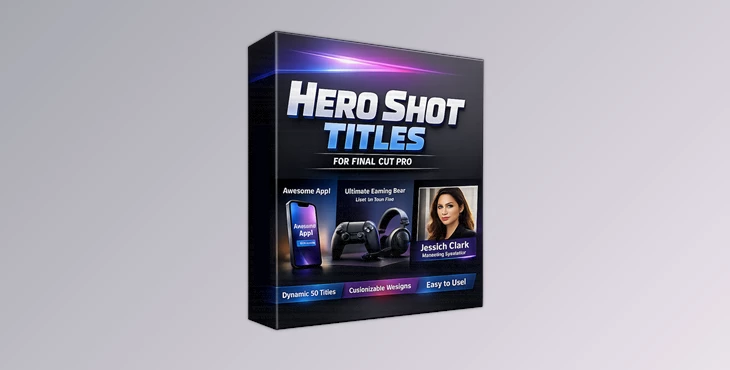
Downloadable Files
You can download Hero Shot Titles for Final Cut Pro for free from the end of this page.
Create Eye-Catching Hero Titles in Minutes
Titles are often the first thing viewers notice in a video. A well-designed title can instantly make your project feel more professional and visually engaging. If you want your footage, products, or featured subjects to stand out with clean floating callout graphics, Hero Shot Titles for Final Cut Pro offers an efficient and highly customizable solution.
Instead of building complex motion graphics from scratch, this title pack lets you add stylish hero titles directly inside Final Cut Pro with just a few adjustments.
What are Hero Shot Titles for Final Cut Pro?
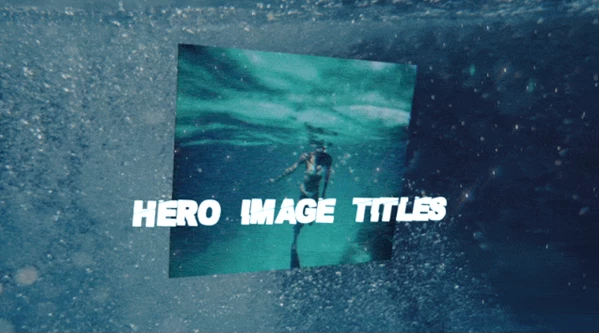
Hero Shot Titles for Final Cut Pro is a collection of professionally designed title templates created exclusively for Final Cut Pro. These templates are designed to display floating hero images, product highlights, callouts, lead titles, and lower thirds using customizable Drop Zones.
The pack includes six different title templates, allowing editors to choose between single-image and dual-image layouts, extended title versions, lead titles, and lower third graphics.
These ready-made templates improve workflow because they eliminate the need to manually animate complex title elements while still providing extensive customization options. This means editors can achieve polished results much faster while maintaining complete creative control.
Features
6 Professional Title Templates
The package includes six unique title files designed for different editing situations:
- Hero Shot Titles (1 Dropzone)
- Hero Shot Titles Long (1 Dropzone)
- Hero Shot Titles (2 Dropzones)
- Hero Shot Titles Long (2 Dropzones)
- Hero Shot Titles Lead Title
- Hero Shot Titles Lower Third
Having multiple layouts makes it easy to match different video styles without creating new graphics from scratch.
Highly Customizable Design
Unlike simple title presets, Hero Shot Titles for Final Cut Pro provides extensive customization options.
Editors can personalize fonts, layouts, positioning, colors, and other design elements to match their branding or project style.
Greater customization means your titles feel unique rather than looking identical to every other template available online.
Flexible Drop Zone Support
Drop Zones allow you to quickly insert images, logos, or graphics directly into the title animation.
Whether you’re introducing a product, highlighting a person, or showcasing a feature, replacing media takes only a few clicks.
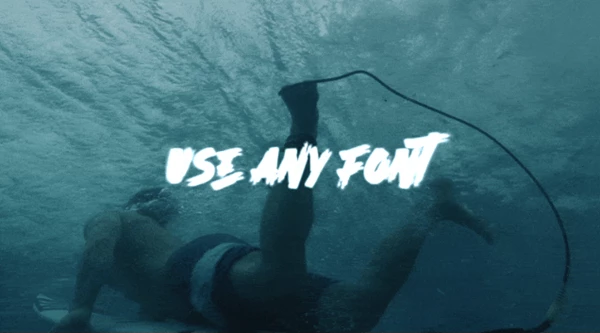
Compatible with Any Font
The templates work with virtually any font installed on your system.
This flexibility helps maintain brand consistency across corporate videos, YouTube content, promotional videos, documentaries, tutorials, and presentations.
Works with Every Project Resolution
The templates are compatible with all project sizes.
Whether you’re editing Full HD, 4K, vertical social media videos, or widescreen cinematic content, the titles adapt without additional setup.
Installation Guide Included
The download includes step-by-step installation instructions, making it easier to add the templates to your Final Cut Pro library.
Real-World Editing Examples
These templates fit naturally into many different production styles, including:
- Product showcase videos
- Technology reviews
- YouTube intros
- Promotional advertisements
- Corporate presentations
- Educational tutorials
- Documentary interviews
- Real estate videos
- Social media marketing
- Brand presentations
For example, a product reviewer can display floating product images beside key specifications, while a documentary editor can introduce speakers using elegant lower-third titles that look clean and modern.
Pro Tips for Better Results
Keep your hero images high-resolution to maintain professional quality throughout the animation.
Choose fonts that complement your project’s visual identity instead of selecting overly decorative styles.
Use consistent spacing and color palettes across multiple titles to create a cohesive editing style.
Avoid overcrowding titles with excessive text. Short, clear headlines keep viewers focused on the most important information.
If you’re using the two Drop Zone versions, select images with similar lighting and composition for a more balanced appearance.
Because the templates offer extensive customization, spending a few extra minutes adjusting spacing and typography can significantly improve the final result.
Final Thoughts
Hero Shot Titles for Final Cut Pro is an excellent collection of professionally designed titles that editors can use for their projects. Each title is customizable, includes support for any font, works with projects of any resolution, and comes with an installation guide included with the download.
Hero Shot Titles for Final Cut Pro is ideal for users who work with YouTube videos, commercials, presentations, products, documentaries, and more.

Files Password : gfxplugin.com OR 123456