Downloadable Files
You can download the VHS Transition Pack for Final Cut Pro for free at the end of this page.
Bring Authentic VHS Style to Your Edits
Modern video editing is incredibly clean, but sometimes that perfection removes the nostalgic feeling that makes footage memorable. Whether you’re creating a music video, retro commercial, travel montage, YouTube intro, or cinematic sequence, digital cuts can often feel too sharp and artificial.
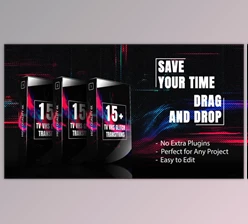
VHS Transition Pack for Final Cut Pro solves this by adding authentic analog-inspired VHS transitions between your clips. Instead of using ordinary cuts, you can recreate the imperfect movement, texture, and glitch effects of classic VHS tapes, giving your projects a unique vintage personality with very little effort.
What Makes VHS Transitions So Effective?
VHS editing transitions are perfect for adding the feel of analog editing to digital projects. These editing transitions will allow editors to introduce imperfections into their digital edits that will simulate the feel of VHS videotapes from decades past.
These types of edits are perfect for enhancing digital editing projects because they can:
- Feature smooth transitions with authentic VHS editing movements
- Add a vintage feel to digital edits
- Make digital edits feel more cinematic
- Add a retro feel to editing projects
- Enhance the editing software’s compatibility with older editing software
These types of edits will allow editors to create the impression of each VHS edit having been made with minimal effort.
Meet VHS Transition Pack for Final Cut Pro
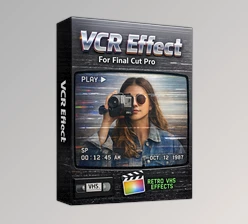
If you’re looking for an easy way to recreate classic VHS aesthetics inside Final Cut Pro, VHS Transition Pack for Final Cut Pro provides a collection of professionally designed analog transitions that are ready to use.
The package includes multiple directional VHS movements with realistic organic textures and glitch effects, allowing editors to create dynamic transitions without complicated editing techniques.
Features
Authentic Organic VHS Textures
Each VHS transition within the VHS Transition Pack for Final Cut Pro features textures that are inspired by the analog editing era to help editors recreate the vintage feel of VHS videotapes.
Dynamic Glitch Movement
These transitions feature glitch movements that are dynamically designed to resemble old VHS videotapes with minimal digital editing.
Multiple Directional Effects
The pack includes several transition styles, including:
- VHS No Pan
- VHS Up
- VHS Down
- VHS Left
- VHS Right
- VHS Bend Up
- VHS Bend Down
- VHS Bend Left
- VHS Bend Right
This variety allows you to choose transitions that best match the pacing and direction of your edit.
Easy Installation
Step-by-step installation instructions are included, making the setup process simple even for users who are new to Final Cut Pro plugins.
Lightweight Package
With a download size of approximately 197 MB, the pack remains compact while providing a versatile collection of transition effects.
Compatible with Final Cut Pro
Designed for Final Cut Pro 10.4.7 or later, ensuring smooth integration into modern editing workflows.
Perfect for Many Types of Projects
The transitions work especially well for:
- Retro music videos
- Vintage documentaries
- YouTube content
- Travel films
- Social media edits
- Fashion videos
- Creative advertisements
- Short films
- Experimental video projects
For example, instead of cutting directly between two travel shots, applying a VHS Bend transition can create the impression of switching between old camcorder recordings, instantly adding nostalgic storytelling.

Tips for Better VHS Results
Although the transitions work well immediately after installation, a few simple techniques can make them look even more convincing.
- Match the transition direction with the camera movement whenever possible.
- Combine VHS transitions with film grain for a stronger analog appearance.
- Avoid using every transition in the same project to maintain visual impact.
- Pair retro color grading with VHS effects for a more authentic aesthetic.
- Experiment with different transition styles depending on the rhythm of your edit.
- Use them during scene changes rather than every cut to preserve their uniqueness.
These small adjustments help the transitions blend naturally into your overall edit while maintaining a professional finish.
Final Thoughts
Creating convincing VHS edits within editing software can be challenging. Editors have to use several editing programs to simulate VHS editing for their videos. The VHS Transition Pack for Final Cut Pro will make this entire editing process easier for editors with the addition of ready-to-use VHS editing transitions.
Whether editors are creating retro videos, music videos, or editing for social media, these editing transitions will make it easier to create authentic VHS editing for their projects with minimal effort.
For editors looking for a program that will allow them to add authentic VHS editing to their projects in Final Cut Pro, the VHS Transition Pack for Final Cut Pro is an excellent editing transition tool.

Files Password : gfxplugin.com OR 123456