Downloadable Files
You can download LP Traditionalizer for free from the end of this page.
🎨 Give Your Digital Art a More Natural Look
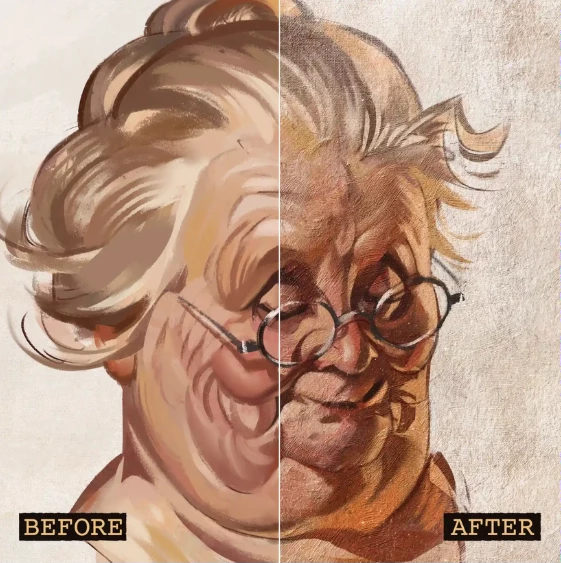
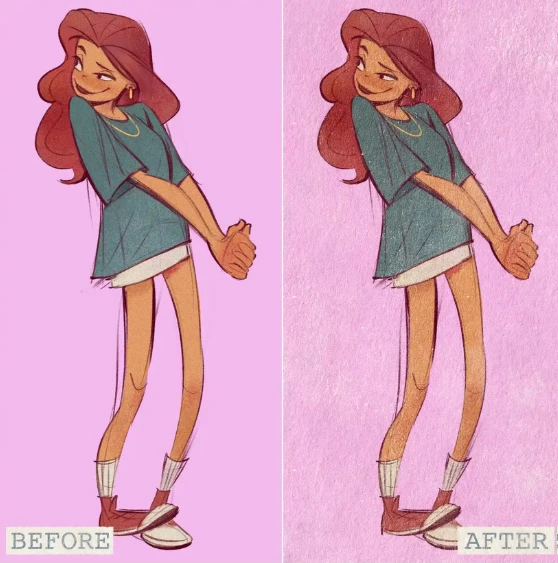
Even the most detailed digital paintings can sometimes feel too clean and perfectly smooth. Traditional artwork, on the other hand, contains subtle paper fibers, canvas grain, paint texture, and natural imperfections that give every piece its own unique personality.
LP Traditionalizer is designed to help artists recreate that handcrafted appearance by providing a collection of professional Photoshop textures, surfaces, patterns, brushes, and a sample project. Instead of creating these effects from scratch, you can apply them quickly and focus more on your creative process.
✨ What Is LP Traditionalizer?
LP Traditionalizer is a Photoshop texture pack that helps digital artists introduce realistic traditional media effects into their artwork.
The package includes a variety of texture overlays, painting surfaces, Photoshop patterns, and custom brushes that work together to simulate the look of materials such as canvas, charcoal paper, acrylic paint, oil painting, fresco, gesso, and more.
These assets can be combined in different ways to add depth, organic texture, and a less artificial appearance to digital illustrations.
Whether you’re creating concept art, character illustrations, digital paintings, or stylized artwork, adding realistic textures can make your final image feel richer and more visually engaging.
🚀 What’s Included in LP Traditionalizer?
The package focuses on providing practical Photoshop resources that are ready to use immediately.
Features
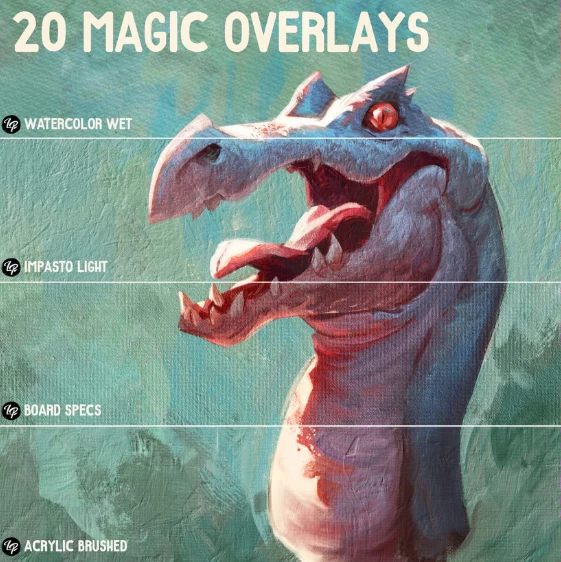
Traditional Texture Overlays
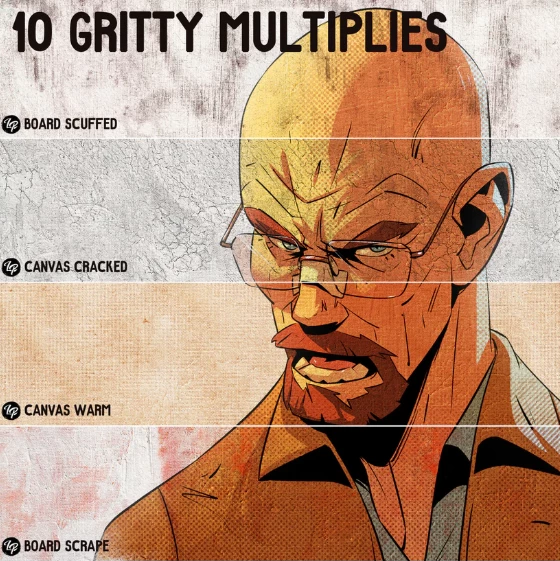
LP Traditionalizer includes ten high-quality overlay textures that can be placed over your artwork to create realistic surface detail. Overlay styles include:
- Acrylic
- Canvas
- Charcoal
- Craquelure
- Fresco
- Gesso
- Impasto
- Kraft
- Oil
- Palette
These overlays can be blended with your artwork using different layer modes to create subtle or dramatic traditional effects.
Painting Surface Textures
The package also contains ten matching painting surfaces that can be used as realistic backgrounds or integrated into existing artwork. Available surface styles include:
- Acrylic
- Canvas
- Charcoal
- Craquelure
- Fresco
- Gesso
- Impasto
- Kraft
- Oil
- Palette
Using textured surfaces helps artwork feel less flat while introducing natural visual variation that resembles traditional media.
Photoshop Pattern Files
LP Traditionalizer includes Photoshop Pattern (.PAT) files for both the overlays and surfaces.
These patterns allow you to apply repeating textures quickly inside Photoshop without manually positioning texture images every time.
Photoshop Brush Set
The included LP Traditionalizer.abr brush library complements the texture collection by allowing artists to paint with textured brush strokes that blend naturally with the overlays and surfaces.
Using matching brushes helps maintain a consistent traditional look throughout the entire illustration.
Editable Photoshop Sample Project
The package also includes the Lucas Peinador – LP Traditionalizer Grandma.psd sample file.
This editable project allows artists to explore layer organization, study how textures are applied, and experiment with different blending techniques using the included assets.
💡 Tips for Better Results
Using textures effectively often comes down to subtle adjustments rather than strong effects. Here are a few practical tips to achieve a more natural result.
- Keep overlay opacity low: Small adjustments often produce a more believable traditional appearance.
- Experiment with blending modes: Modes such as Overlay, Soft Light, Multiply, and Screen can produce very different visual styles.
- Combine surfaces and overlays: Using both together creates more depth than relying on a single texture.
- Use textured brushes for finishing details: Adding small textured strokes near focal areas can make artwork feel more organic.
- Adjust colors after applying textures: A slight color correction can help textures blend naturally into your artwork.
- Study the included PSD file: Examining the sample project is a great way to understand how different texture layers can work together.
🎯 Final Thoughts
Adding realistic texture is one of the easiest ways to make digital artwork feel more expressive and handcrafted.
LP Traditionalizer provides a carefully organized collection of Photoshop overlays, painting surfaces, pattern files, brushes, and an editable sample project that can easily become part of your creative workflow.
Whether you’re illustrating characters, creating digital paintings, designing concept art, or experimenting with mixed-media styles, these resources offer a simple way to introduce authentic tradit

Files Password : gfxplugin.com OR 123456