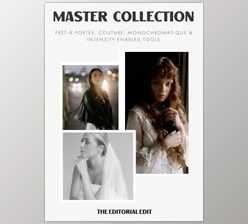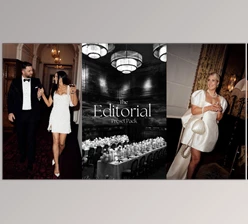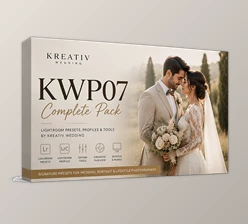
Downloadable Files
You can download the Union of Two Preset Pack for free at the end of this page.
Create a Timeless Editorial Look with Ease
Editing a beautiful photo takes more than a few clicks to produce a timeless editorial look. It can take hours of editing to achieve that look for an entire gallery of edited photographs.
Union of Two Preset Pack was created to make it easier for photographers to achieve that magazine look in less time. With AI masking tools and an editing course, photographers can produce professional-looking edited photographs in less time.
What is the Union of Two Preset Pack?
Union of Two gives photographers complete control over editing tools to create timeless and true-to-life colors from their edited photographs.
With the inclusion of AI editing tools that make it easier to edit lighting, colors, and subject separations on the spot, photographers no longer have to edit every aspect of a photograph manually.
Instead, photographers can use the professionally crafted presets to edit every photo in a gallery with one-click adjustments that suit the lighting of the subject in the photographs.
With the Union of Two Preset Pack, photographers can edit for the following lighting situations:
- Flash photography
- Indoor lighting
- Portraits
- Black and white
The benefits of using the editing tools include faster editing time, consistency in photo galleries, skin tones that stay true to the subject in the photograph, editorial styles, and fewer editing hours spent on difficult lighting situations.
Photographers who work with editorial photos, portrait subjects, or even fashion shoots can benefit from this editing suite.
Why Photographers Love the Union of Two Preset Pack
Professional editing is often about consistency rather than dramatic effects. Union of Two Preset Pack focuses on subtle improvements that make images feel refined instead of over-processed.
Its collection includes both color and black & white presets, giving photographers flexibility for different creative styles while maintaining a recognizable signature look.
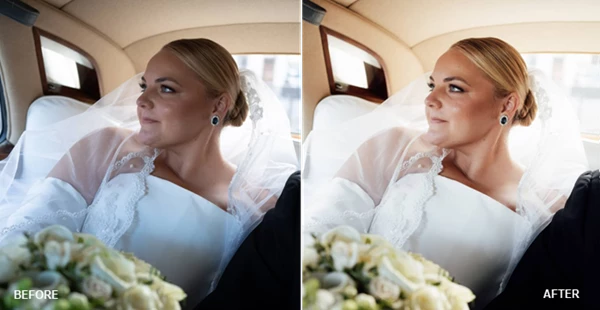
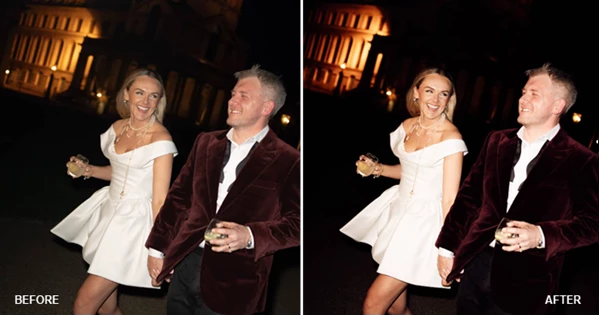
Even difficult situations such as orange indoor lighting, direct flash photography, high ISO images, or backlit portraits become much easier to edit using the included AI tools.
Features
14 Editorial Lightroom Presets
The collection includes carefully designed color and black & white presets inspired by modern editorial photography.
Highlights include:
- Classic Editorial Look
- Soft Editorial Style
- Strong Contrast Look
- Warm Natural Tones
- Vintage Sepia Style
- Direct Flash Enhancement
- Golden Flash Look
- Window Light Optimization
- Orange Light Correction
- Multiple Black & White Styles
Each preset is designed for one-click editing while remaining fully adjustable for individual creative preferences.
AI Masking Tools
Union of Two Preset Pack also includes six intelligent AI tools that automate complex local adjustments. These tools include:
- Subject Pop AI
- Subject Warmth AI
- Sky Saver AI
- Flash Enhance AI
- Group Photos AI
- Backlit Portrait AI
Instead of manually creating masks and local adjustments, photographers can enhance subjects, recover skies, improve lighting, and balance portraits almost instantly.
Complete Editing Course
Alongside the presets, the package includes a comprehensive editing course exceeding one hour in length. The lessons demonstrate:
- Installing presets correctly
- Editing complete galleries
- Working with difficult lighting
- Building a consistent editorial workflow
- Creating the signature Union of Two look
This makes the toolkit useful even for photographers who are still developing their editing style.
Broad Camera Compatibility
The presets are designed to work with RAW files from many popular camera systems, including:
- Canon
- Sony
- Nikon
- Fujifilm
- Leica
- Panasonic
They are also compatible with:
- Lightroom
- Lightroom Classic
- Lightroom Mobile
- Adobe Camera Raw
This allows photographers to maintain the same editing style regardless of their preferred device or workflow.
Real Editing Scenarios
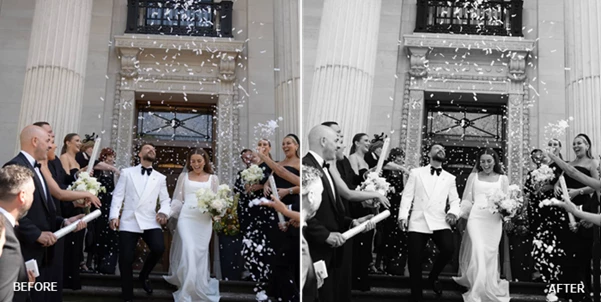
Union of Two Preset Pack is especially useful in situations where lighting changes constantly throughout a shoot. For example:
- Wedding photographers can quickly maintain consistent colors from outdoor ceremonies to indoor receptions.
- Portrait photographers can recover backlit images without extensive masking.
- Fashion photographers can create clean editorial tones suitable for magazines.
- Lifestyle photographers can apply one cohesive look across hundreds of images.
- Event photographers can rescue difficult orange indoor lighting with specialized presets.
These practical improvements help photographers spend less time behind the computer and more time shooting.
Pro Tips for Better Results
To get the most from Union of Two Preset Pack, keep these simple recommendations in mind:
- Start with the Classic preset as your editing foundation before making creative adjustments.
- Shoot in RAW whenever possible to maximize color and dynamic range.
- Use the AI masking tools after selecting your preset for cleaner local enhancements.
- Match your white balance before applying presets for the most accurate colors.
- Fine-tune exposure first, then adjust contrast and color if needed.
- Keep edits subtle to preserve the timeless editorial appearance.
- Apply the same preset across an entire gallery for better visual consistency.
- Experiment with the black & white collection for emotional storytelling and elegant portraits.
Final Thoughts
Photographers who spend hours editing their galleries for a professional and timeless editorial look can drastically reduce that time with the tools included in the Union of Two Preset Pack editing software suite.
Whether you edit wedding, portrait, fashion, or lifestyle photography, the editing tools will allow you to maintain your editing style and the natural colors of your subjects.
For those looking to add an editing style to their photography that is easy to use and offers professional results, the Union of Two Preset Pack editing suite is a must-have editing tool for all photographers.

Files Password : gfxplugin.com OR 123456