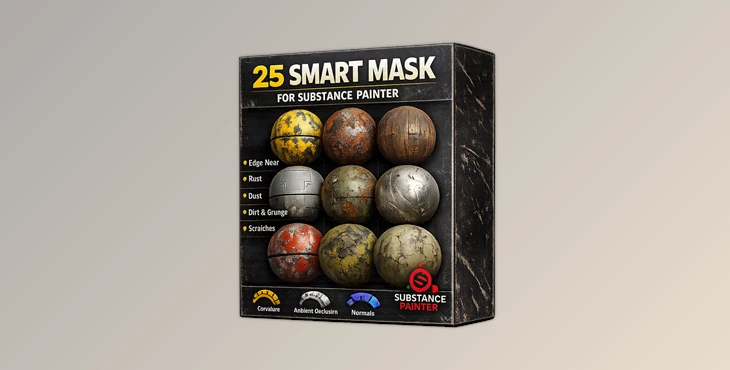
Downloadable Files
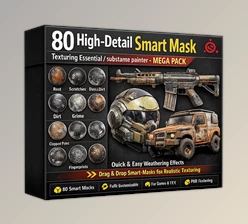
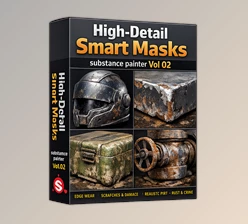
You can download the SMART MASK FOR SUBSTANCE PAINTER for free at the end of this page.
Create Realistic Surface Details in Less Time
Adding believable wear, dirt, scratches, and edge damage is one of the most important parts of creating realistic 3D materials. Instead of painting every detail manually, smart masks automatically react to the geometry and texture information of your model, producing convincing results with only a few adjustments.
If you want to speed up your texturing workflow while maintaining professional-quality materials, SMART MASK FOR SUBSTANCE PAINTER provides a practical collection of ready-to-use masks that make the entire process faster and more enjoyable.
What Is a Smart Mask and Why Does It Matter?
A Smart Mask is a procedural masking system inside Substance Painter that automatically places effects such as dust, edge wear, rust, scratches, and dirt based on your model’s baked mesh maps.
Instead of manually painting every damaged edge or dusty corner, a Smart Mask analyzes the surface and applies realistic effects where they naturally occur.
For example:
- Add worn paint to the edges of metal machinery.
- Create dusty corners on architectural assets.
- Generate realistic scratches on weapons or tools.
- Produce aged materials for game environments.
This procedural workflow not only saves valuable production time but also creates more consistent and believable textures across different assets.
Meet SMART MASK FOR SUBSTANCE PAINTER
SMART MASK FOR SUBSTANCE PAINTER is a collection of 25 practical, high-quality Smart Masks designed for artists working in Adobe Substance Painter.
The package includes professionally prepared .spmsk files that are fully compatible with Substance Painter 7.1.0 and newer. Instead of building complex masking systems from scratch, you can simply load a mask and immediately start customizing it to match your project.
Whether you’re creating game assets, cinematic props, industrial models, or realistic environment pieces, these masks provide an excellent starting point for fast and efficient texturing.
Features
25 High-Quality Smart Masks
A complete collection of professionally designed Smart Masks suitable for many different material types and artistic styles.
Ready-to-Use Workflow
Simply import the mask into Substance Painter and begin adjusting its parameters without creating complex masking setups manually.
Professional .spmsk Format
All masks are provided in the native .spmsk format for seamless integration into your existing projects.
Compatible with Modern Versions
Works with Substance Painter 7.1.0 and above, making it suitable for current production workflows.
Faster Texture Creation
Reduce repetitive work by letting procedural masks generate natural surface effects automatically.
Flexible Customization
Each mask can be modified and combined with your own materials to create unique results without losing procedural control.
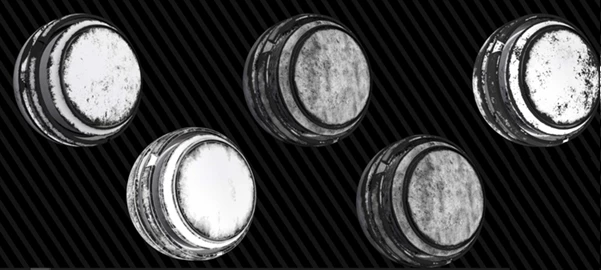
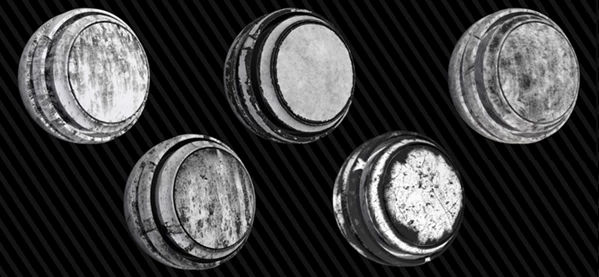
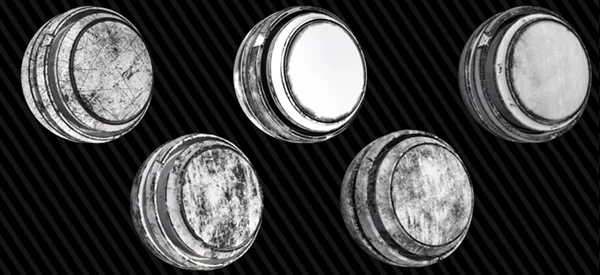
Tips for Better Results
Although Smart Masks provide excellent results immediately, a few small adjustments can make your textures even more convincing.
Start by using clean and accurate baked mesh maps, since Smart Masks rely heavily on curvature, ambient occlusion, and world-space information.
Adjust mask intensity instead of accepting the default values. Small changes often create more natural-looking materials.
Layer multiple Smart Masks together to build complex surfaces with different levels of wear and aging.
Finally, combine procedural masking with a small amount of manual painting to add unique storytelling details that make every asset feel handcrafted.
Final Thoughts
You don’t have to spend hours manually creating Smart Masks for your 3D models. SMART MASK FOR SUBSTANCE PAINTER gives artists a collection of 25 professional Smart Masks that will make the process of creating realistic 3D models much easier.
These 3D models can be used for a variety of industries and projects. From games to film, these tools will make your texturing process faster while maintaining quality. These Smart Masks provide an excellent starting point for any 3D artist looking to create realistic 3D materials for their projects.

Files Password : gfxplugin.com OR 123456