Downloadable Files
You can download TimePilot Pro for free from the end of this page.
Make Timeline Navigation Faster and Smarter
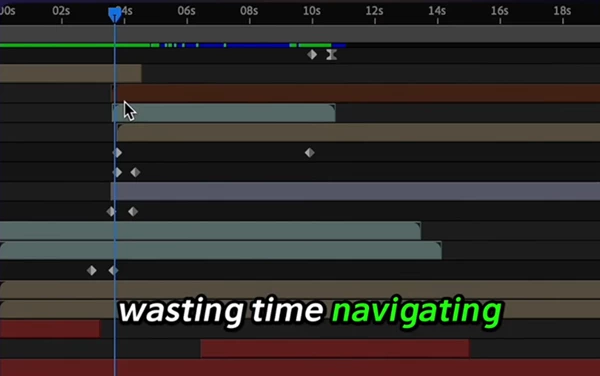
Working within After Effects can often take you away from your project and into the timeline, searching for the perfect frame to edit your project. With dozens of layers and keyframes in your composition, it can be difficult to find the specific frame you are looking for.
TimePilot Pro was designed with the professional editor in mind to eliminate the frustration of navigating your compositions manually. With the extension, you can navigate to any point within your composition without leaving your project. This is essential for editing motion graphics, visual effects, UI animations, and much more.
What is TimePilot Pro?
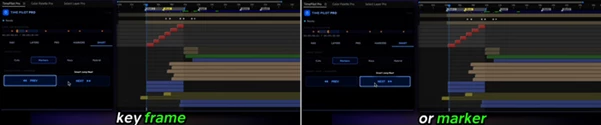
At its core, TimePilot Pro is an advanced timeline navigation and editing extension for Adobe After Effects. It introduces context-aware navigation, allowing the timeline to respond intelligently based on your selected layers, keyframes, cuts, and markers.
Rather than relying on manual scrubbing, you can instantly jump to important moments in your composition. For example:
- Move directly to the first or last keyframe of an animation.
- Jump between layer cuts without searching visually.
- Navigate composition markers in seconds.
- Trim compositions and work areas automatically.
- Align layers precisely with the playhead.
This intelligent workflow significantly reduces repetitive actions, making editing sessions much faster and more enjoyable.
Features
Smart Timeline Navigation
One of the biggest strengths of TimePilot Pro is its context-aware navigation system.
Instead of treating every frame equally, it understands the important moments inside your composition. Depending on your selected mode, it can intelligently jump between:
- Layer In and Out points
- Animation keyframes
- Composition markers
- Layer markers
- A combination of all timeline events using Hybrid Mode
This means you always land exactly where your next edit needs to happen.
Transport Controls for Faster Editing
The extension also provides powerful transport controls directly inside its panel. You can:
- Jump instantly to the beginning or end of the composition
- Move frame-by-frame for precise adjustments
- Skip forward or backward by ten frames
- Jump directly to Work Area boundaries
- Automatically fit the Work Area around selected layers
- Trim the composition to match the active Work Area
These controls remove many repetitive timeline operations that editors perform dozens of times every day.
Live Timeline Radar
One of the most visually useful features is the integrated Timeline Navigator. Instead of relying only on the traditional After Effects timeline, TimePilot Pro displays an interactive radar that represents your entire composition. The radar displays:
- Current playhead position
- Composition duration
- Work Area
- Composition markers
You can simply click anywhere on the radar to teleport the playhead instantly to that exact timecode, making navigation incredibly fast even inside very long projects.
Layer Navigation Tools
Managing multiple layers becomes much easier thanks to dedicated layer navigation controls. You can instantly:
- Jump to the selected layer’s In Point
- Jump to its Out Point
- Find the earliest In Point among multiple selected layers
- Locate the latest Out Point
- Navigate directly to the previous or next cuts
This precision is especially valuable during animation polishing and timing adjustments.
Professional Trimming Tools
TimePilot Pro also introduces editor-style trimming functions. These include:
- Trim layer in points
- Trim layer Out points
- Move layer boundaries directly to the playhead
- Preserve internal animation timing while repositioning layers
- Automatically trim empty animation space based on existing keyframes
These tools help clean up timelines quickly while maintaining animation accuracy.
Marker Management
Markers are an essential part of many motion graphics workflows, and TimePilot Pro makes them much easier to manage. You can:
- Add composition markers instantly
- Create protected region markers
- Search markers by name
- Jump directly to matching markers
- Remove all markers with a single click
This keeps complex projects organized and easy to navigate.
Real Workflow Benefits
Imagine editing a one-minute motion graphics project containing:
- 80 layers
- Hundreds of animation keyframes
- Multiple composition markers
- Several protected regions
Instead of manually zooming in and out every few seconds, TimePilot Pro allows you to jump directly to the next edit, animation, or marker with a single click.
Similarly, when refining logo animations or UI motion design, you can instantly locate the beginning and end of every animation without visually searching the timeline.
The result is a much smoother editing experience and significantly less time spent performing repetitive navigation tasks.
Tips for Getting the Best Results
To make the most of TimePilot Pro, consider these practical workflow tips:
- Use Hybrid Mode while polishing animations to locate the nearest important timeline event automatically.
- Organize your compositions with descriptive markers so that Smart Search becomes even more effective.
- Frequently fit the Work Area to selected layers before previewing animations.
- Use Timeline Radar for long compositions instead of excessive zooming.
- Trim unused animation space after finishing keyframe work to keep timelines clean.
- Combine marker navigation with protected regions to avoid accidentally modifying finished animation sections.
These small habits can noticeably improve both editing speed and project organization.
Final Thoughts
Modern After Effects projects continue to grow in complexity, making efficient timeline navigation more important than ever.
TimePilot Pro transforms the editing experience by replacing manual searching with intelligent navigation, interactive timeline visualization, precise trimming, and powerful marker management. Whether you’re creating motion graphics, commercials, explainer videos, UI animations, or visual effects, the extension helps you spend less time navigating and more time creating.
If you’re looking for a faster, cleaner, and more professional way to work inside After Effects, TimePilot Pro offers a workflow that can make everyday editing significantly more efficient.

Files Password : gfxplugin.com OR 123456