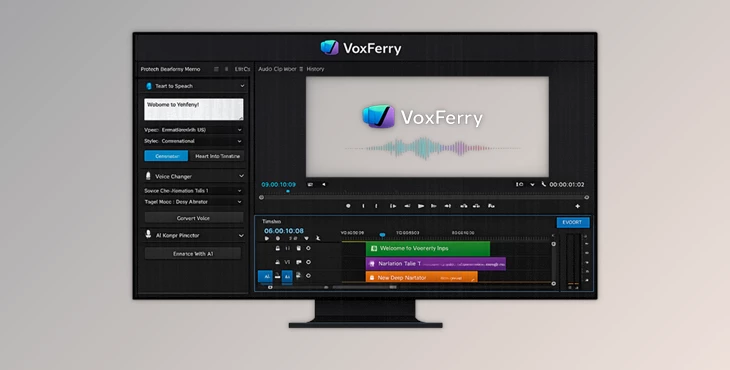
Downloadable Files
You can download the VoxFerry product for free from the end of this page.
Give Your Premiere Pro Timeline a Real AI Voice
Adding AI-generated narration to a video often means switching between multiple applications, exporting files, waiting for processing, and importing everything back into your editing project. That workflow can quickly interrupt your creative momentum, especially when you need to test different voices or make small script changes.
VoxFerry removes those interruptions by bringing advanced AI text-to-speech and voice transformation directly into Adobe Premiere Pro. Instead of leaving your timeline, you can generate professional voiceovers, replace spoken dialogue with different AI voices, and even improve your script before it’s spoken. The result is a much smoother editing experience where your attention stays on storytelling instead of file management.
Why AI Voice Generation Matters
Modern AI voice technology has become much more than simple text-to-speech. Today’s models can produce expressive narration with natural pauses, emotional delivery, and realistic pacing that fits documentaries, YouTube videos, tutorials, advertisements, podcasts, and educational content.
Rather than recording multiple takes yourself or hiring voice talent for every revision, AI voices let you experiment freely. You can instantly compare different voices, adjust the script, or replace narration without rebuilding your project.
This flexibility saves both production time and editing effort while making it easier to maintain consistent audio across large video projects.
Meet VoxFerry
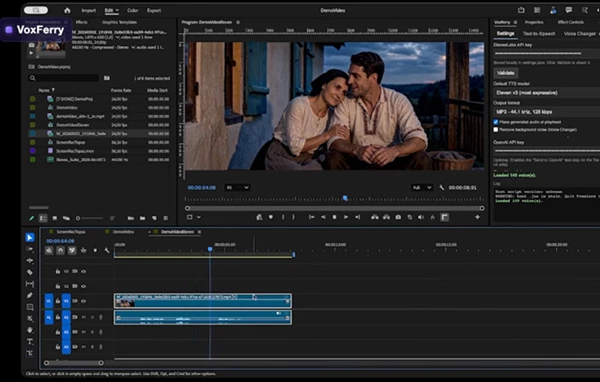
VoxFerry is a Premiere Pro extension that integrates ElevenLabs voice technology directly into your editing workflow. It supports AI narration, speech-to-speech voice conversion, voice library management, optional OpenAI-powered script enhancement, and batch processing—all without leaving Premiere Pro.
Unlike traditional workflows that require exporting audio and manually importing finished files, VoxFerry automatically places generated audio into your project while keeping your timeline organized.
Features
AI Text-to-Speech Inside Premiere
Simply type or paste your script, choose an ElevenLabs voice and AI model, and generate professional narration directly inside Premiere Pro.
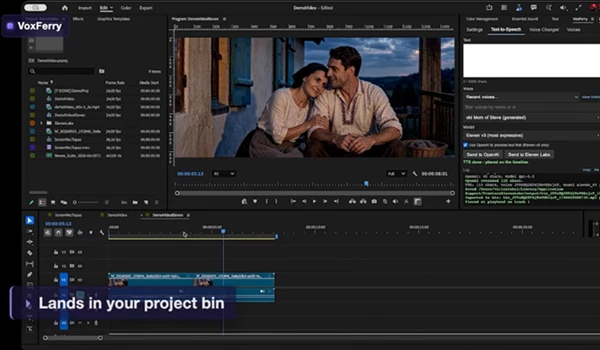
Generated MP3 files can be imported automatically into a dedicated bin and optionally placed exactly at your playhead, making revisions incredibly fast.
Intelligent Voice Changer
Need a different narrator without recording again?
The Voice Changer converts existing speech into another AI voice while preserving your editing workflow. VoxFerry creates a new synchronized audio clip on a separate track, mutes the original audio, and keeps everything fully reversible.
This makes it ideal for:
- YouTube narration
- Client revisions
- Localization projects
- Character voice replacements
- Temporary voice placeholders
Built-In Voice Library
Finding the right voice is simple.
Browse your own ElevenLabs voices or explore shared community voices, preview them instantly, search by name or ID, and add favorites directly to your account without leaving Premiere Pro.
This makes voice selection much faster than constantly switching to a browser.
AI Script Director
One of VoxFerry’s most unique features is its optional AI script director.
Before sending your text to ElevenLabs, VoxFerry can use OpenAI models to transform plain writing into expressive narration with improved:
- Delivery
- Tone
- Speaking rhythm
- Emotional emphasis
- Natural pauses
Because the rewritten script remains editable before generation, you always stay in control while benefiting from AI assistance.
Batch Processing
Working on multiple narration clips?
VoxFerry lets you queue several timeline clips and process them one after another while displaying live progress.
Instead of repeating the same steps manually, you can prepare everything once and continue editing while the extension handles the voice generation.
Timeline-Native Workflow
Perhaps the biggest productivity improvement is that nothing disrupts your Premiere project.
Generated audio automatically imports into dedicated bins and appears precisely where it belongs on the timeline without affecting the rest of your edit.
This keeps large productions clean and organized.
Practical Tips for Better Results
Although VoxFerry makes AI narration incredibly easy, a few simple habits can noticeably improve the final quality.
Break long paragraphs into shorter sections so the AI naturally adds breathing space between ideas.
Choose different ElevenLabs voice models depending on the project. Faster models are perfect for previews, while expressive models deliver more polished final narration.
If your script feels too flat, enable the optional AI script director to enhance pacing and emotional delivery before generating the voice.
For client work, keep the original audio muted instead of deleting it. Since VoxFerry’s workflow is non-destructive, switching between versions becomes effortless.
When processing multiple scenes, use Batch mode to save significant production time and maintain consistent voice quality across the entire project.
Final Thoughts
AI voice generation has become an essential part of modern video production, and VoxFerry makes that technology feel like a native part of Premiere Pro rather than an external service.
From realistic text-to-speech and voice replacement to AI-assisted script enhancement and automatic timeline integration, it simplifies one of the most repetitive parts of post-production. Whether you’re producing YouTube videos, online courses, commercials, documentaries, or social media content, VoxFerry helps you create polished narration faster while keeping your editing workflow uninterrupted.